<?xml version="1.0" encoding="UTF-8"?><rss version="2.0" xmlns:content="http://purl.org/rss/1.0/modules/content/"><channel><title>Webrecorder Blog</title><description>What&apos;s new in the world of web archiving</description><link>https://webrecorder.net/</link><language>en-us</language><item><title>Execution Time Addons, Robots.txt, Profile Refreshes, Custom Schedules, and More</title><link>https://webrecorder.net/blog/2025-12-18-browsertrix-1-21/</link><guid isPermaLink="true">https://webrecorder.net/blog/2025-12-18-browsertrix-1-21/</guid><description>An overview of exciting new features from Browsertrix 1.19, 1.20, and 1.21.</description><pubDate>Thu, 18 Dec 2025 00:00:00 GMT</pubDate><content:encoded>&lt;p&gt;We are excited to announce a new release of Browsertrix, &lt;a href=&quot;#browsertrix-121&quot;&gt;1.21&lt;/a&gt;. This blog post covers the changes in this new release, as well as the previous two releases, &lt;a href=&quot;#browsertrix-119&quot;&gt;1.19&lt;/a&gt; and &lt;a href=&quot;#browsertrix-120&quot;&gt;1.20&lt;/a&gt;.&lt;/p&gt;
&lt;p&gt;Each of these bring exciting new features, as well as bug fixes and performance improvements for Browsertrix. This blog post highlights some of the key features from each release, starting with the newest.&lt;/p&gt;
&lt;h2 id=&quot;browsertrix-121&quot;&gt;Browsertrix 1.21&lt;/h2&gt;
&lt;h3 id=&quot;purchase-additional-execution-time&quot;&gt;Purchase additional execution time&lt;/h3&gt;
&lt;p&gt;A common pain point that we’ve heard from customers is that it can be frustrating when your org reaches its monthly execution time limit. Previously, any running crawls were automatically stopped at this point and could not be later resumed, and there wasn’t much users could do (short of upgrading their plan) other than wait for the limits to reset at the beginning of the next month.&lt;/p&gt;
&lt;p&gt;In Browsertrix 1.21, it is now possible to purchase additional execution minutes at any time from right within Browsertrix itself. Org admins can go to &lt;strong&gt;Settings&lt;/strong&gt; → &lt;strong&gt;Billing &amp;amp; Usage&lt;/strong&gt;, and then click the button to purchase additional execution time. This will lead you directly to Stripe to complete the transaction. We have set some preset amounts of minutes that we expect users might want to use, but the amount you purchase is also fully configurable in Stripe. Once the purchase is complete, you will be returned to your org in Browsertrix and are able to begin archiving again immediately.&lt;/p&gt;
&lt;figure&gt;&lt;p&gt;&lt;img src=&quot;/_astro/Image1_AdditionalMinutes.zsIphkG9_Z1Se2v4.webp&quot; alt=&quot;A screenshot of the Usage &amp;#38; Billing page, showing the dropdown to purchase various amounts of additional execution minutes&quot; loading=&quot;lazy&quot; decoding=&quot;async&quot; fetchpriority=&quot;auto&quot; width=&quot;2430&quot; height=&quot;1388&quot;&gt;
&lt;figcaption&gt;Purchase additional execution minutes through the Billing &amp;amp; Usage section of your organization settings.&lt;/figcaption&gt;&lt;/p&gt;&lt;/figure&gt;
&lt;p&gt;Additional minutes purchased this way are not tied to the month in which they are purchased and do not expire, so you are welcome to add and use these additional minutes however you would like.&lt;/p&gt;
&lt;h3 id=&quot;pausing-crawls-when-org-limits-are-reached&quot;&gt;Pausing crawls when org limits are reached&lt;/h3&gt;
&lt;p&gt;We’ve also changed what happens to crawls when limits are reached. Running crawls are now paused rather than stopped when the org’s storage or execution time limits are reached. This gives users up to a week to resume paused crawls from where they left off. At any point during that week, you can free up some storage space, purchase additional execution time, or wait until the monthly limits reset, and then continue archiving without needing to restart your crawls from the beginning.&lt;/p&gt;
&lt;h3 id=&quot;robotstxt-support&quot;&gt;Robots.txt support&lt;/h3&gt;
&lt;p&gt;Another long-requested feature from some of our user base has been support for the &lt;a href=&quot;https://www.rfc-editor.org/rfc/rfc9309.html&quot;&gt;Robots Exclusion Protocol&lt;/a&gt;, more commonly known as &lt;em&gt;robots.txt&lt;/em&gt;. This is a convention that allows website administrators to specify which content on their sites should not be captured by crawlers and other bots. This new option, disabled by default, is available in the Scope section of the crawl workflow editor.&lt;/p&gt;
&lt;p&gt;At this time, Browsertrix’s support for robots.txt will skip any web pages disallowed by that host’s robots.txt policy, if one exists for that host. Our support for robots.txt does not yet check each resource on a page, as that could quickly break Browsertrix’s promise of high-fidelity web archiving. If there is sufficient demand from our users, we may revisit other options to expand the scope of robots.txt support in future releases.&lt;/p&gt;
&lt;h2 id=&quot;browsertrix-120&quot;&gt;Browsertrix 1.20&lt;/h2&gt;
&lt;h3 id=&quot;browser-profile-refresh&quot;&gt;Browser profile refresh&lt;/h3&gt;
&lt;p&gt;One of the most significant changes in Browsertrix 1.20 is a reworked user interface for browser profiles. The new browser profile interface includes a number of improvements that make it easier for users to manage their browser profiles and the crawl workflows that use them.&lt;/p&gt;
&lt;p&gt;Sites that have been visited with a browser profile are now prominently displayed in the &lt;strong&gt;Saved Sites&lt;/strong&gt; list. Clicking on the saved site will open the site with the browser profile, making it easier than before to verify that a site is still logged in or otherwise configured the way you want.&lt;/p&gt;
&lt;figure&gt;&lt;p&gt;&lt;img src=&quot;/_astro/Image2_BrowserProfileDetail.CNJcaYbD_2uWaIK.webp&quot; alt=&quot;A screenshot of a browser profile detail page, showing its name, saved sites, related workflows, and various actions&quot; loading=&quot;lazy&quot; decoding=&quot;async&quot; fetchpriority=&quot;auto&quot; width=&quot;1999&quot; height=&quot;1112&quot;&gt;
&lt;figcaption&gt;Configure profiles with a more powerful and intuitive interface and manage related workflows.&lt;/figcaption&gt;&lt;/p&gt;&lt;/figure&gt;
&lt;p&gt;To add additional sites to a browser profile, you can now click the &lt;strong&gt;Load New Url&lt;/strong&gt; button to open the browser profile to a new URL of your choosing.&lt;/p&gt;
&lt;p&gt;The Load Profile dialog opened by clicking &lt;strong&gt;Load New Url&lt;/strong&gt; or &lt;strong&gt;Load Profile&lt;/strong&gt; from the &lt;strong&gt;Actions&lt;/strong&gt; menu now also has an option &lt;strong&gt;Reset previous configuration on save&lt;/strong&gt;, which can be used to reconfigure a profile from scratch. This provides a much smoother mechanism than before to update a browser profile and all of its related crawl workflows. This setting can be used to reconfigure a browser profile to use a different logged-in user account or different cookie settings without any interference from previously saved data, without needing to create a new browser profile and then manually update the browser profile used in all of the related crawl workflows. This has saved us a lot of time in managing browser profiles for social media and other sites, and we expect our users to enjoy the same benefits.&lt;/p&gt;
&lt;p&gt;&lt;img src=&quot;/_astro/Image3_LoadProfile.DAKiEqnC_1NeB1L.webp&quot; alt=&quot;A screenshot of the Load Profile modal dialog with a primary site and URL to load entered&quot; loading=&quot;lazy&quot; decoding=&quot;async&quot; fetchpriority=&quot;auto&quot; width=&quot;1170&quot; height=&quot;920&quot;&gt;&lt;/p&gt;
&lt;p&gt;The interface for the interactive browser used to configure browser profiles has also been updated to improve the user experience.&lt;/p&gt;
&lt;p&gt;&lt;img src=&quot;/_astro/Image4_InteractiveBrowser.DcbOVr-2_1pDQAW.webp&quot; alt=&quot;A full-screen modal showing TikTok open in an embedded browser window, with various profile actions on a toolbar above&quot; loading=&quot;lazy&quot; decoding=&quot;async&quot; fetchpriority=&quot;auto&quot; width=&quot;1999&quot; height=&quot;1112&quot;&gt;&lt;/p&gt;
&lt;h3 id=&quot;auto-updating-browser-profiles&quot;&gt;Auto-updating browser profiles&lt;/h3&gt;
&lt;p&gt;Starting in Browsertrix 1.20, browser profiles are now also automatically updated following each crawl, with the data from the browser profile used during crawling. This ensures that crawls do not run with outdated browser profile data, and more closely matches what a real user browsing the site would look like to the site host. In our testing, this reduced the frequency of logouts on some social media sites significantly when crawl workflows are configured to use the browser on a regular (e.g. daily or weekly) schedule.&lt;/p&gt;
&lt;h3 id=&quot;browser-profiles-and-crawling-proxies&quot;&gt;Browser profiles and crawling proxies&lt;/h3&gt;
&lt;p&gt;Previously, it was possible to create a browser profile with one crawling proxy, and then specify a different crawling proxy in the associated workflow. This could result in sub-optimal crawls or even getting blocked by websites.&lt;/p&gt;
&lt;p&gt;Starting in Browsertrix 1.20, if a crawling proxy is set on a browser profile, all crawl workflows that use that browser profile will automatically use the same crawling proxy. If you want to change the crawling proxy that a browser profile and its related crawl workflows use, you need only reset the browser profile and select a new crawling proxy. This change ensures that users have the best experience of using browser profiles in their crawl workflows.&lt;/p&gt;
&lt;h3 id=&quot;crawling-tab-refresh&quot;&gt;Crawling tab refresh&lt;/h3&gt;
&lt;p&gt;Browsertrix 1.20 also brings a revamped user interface for the Crawling page. We made a few changes here.&lt;/p&gt;
&lt;p&gt;First, while the Crawling page still defaults to showing all of your crawl workflows, we’ve now added a &lt;strong&gt;Crawl Runs&lt;/strong&gt; tab that lists all of the crawls run in your organization, including any failed and canceled crawls that have previously been difficult to find information about. Both the &lt;strong&gt;Workflows&lt;/strong&gt; and &lt;strong&gt;Crawl Runs&lt;/strong&gt; tabs also have expanded filtering and sorting options so it’s easier than ever to locate the exact crawl workflow or crawl run you are looking for.&lt;/p&gt;
&lt;figure&gt;&lt;p&gt;&lt;img src=&quot;/_astro/Image5_CrawlRuns.BxFSaoPy_19iqgo.webp&quot; alt=&quot;The new Crawl Runs tab on the Crawling page, showing various crawl runs. A filter is set to show only canceled and failed crawl runs.&quot; loading=&quot;lazy&quot; decoding=&quot;async&quot; fetchpriority=&quot;auto&quot; width=&quot;1999&quot; height=&quot;1112&quot;&gt;
&lt;figcaption&gt;Easily access all of your crawl runs in one place, making it simpler to find failed and canceled crawls.&lt;/figcaption&gt;&lt;/p&gt;&lt;/figure&gt;
&lt;h3 id=&quot;host-specific-global-proxies&quot;&gt;Host-specific global proxies&lt;/h3&gt;
&lt;p&gt;Another change in Browsertrix 1.20 that is invisible to most users of our hosted service is that Browsertrix now supports setting global proxies that are applied only to specific hosts. In our hosted service, we are using this to always crawl Youtube through a specific proxy, which enables our users to crawl Youtube links and videos without the need for a logged-in browser profile.&lt;/p&gt;
&lt;p&gt;If a crawling proxy is set in a crawl workflow, that proxy will override the global host-specific proxies.&lt;/p&gt;
&lt;h2 id=&quot;browsertrix-119&quot;&gt;Browsertrix 1.19&lt;/h2&gt;
&lt;h3 id=&quot;custom-cron-schedule-for-crawl-workflows&quot;&gt;Custom cron schedule for crawl workflows&lt;/h3&gt;
&lt;p&gt;Browsertrix has long supported scheduling crawl workflows to run at daily, weekly, or monthly intervals. In Browsertrix 1.19, we added the option to specify custom schedules. These schedules can be input using the Unix Cron syntax, providing our users the greatest possible flexibility in setting schedules. Some helpful macros are also supported, including &lt;code&gt;@yearly&lt;/code&gt; and &lt;code&gt;@hourly&lt;/code&gt;. More details and resources for working with the Cron syntax are available in the &lt;a href=&quot;https://docs.browsertrix.com/user-guide/workflow-setup/#cron-schedule&quot;&gt;User Guide&lt;/a&gt;.&lt;/p&gt;
&lt;figure&gt;&lt;p&gt;&lt;img src=&quot;/_astro/Image6_CustomCronSchedule.DcZ7GdmH_y2n73.webp&quot; alt=&quot;The “Scheduling” section of a crawl workflow configuration, showing custom frequency options and a custom cron schedule entered&quot; loading=&quot;lazy&quot; decoding=&quot;async&quot; fetchpriority=&quot;auto&quot; width=&quot;1942&quot; height=&quot;1070&quot;&gt;
&lt;figcaption&gt;Set custom cron schedules for your crawl workflows for granular control over when your crawls run.&lt;/figcaption&gt;&lt;/p&gt;&lt;/figure&gt;
&lt;h3 id=&quot;filter-archived-items-by-tag&quot;&gt;Filter archived items by tag&lt;/h3&gt;
&lt;p&gt;We’ve added tag filters to the &lt;strong&gt;Archived Items&lt;/strong&gt; page, as part of a general strategy of improving our filtering and sorting options across Browsertrix in recent releases. This makes tags more useful in Browsertrix and should help you better organize your archived items and make finding crawls and uploads easier than ever.&lt;/p&gt;
&lt;h3 id=&quot;crawl-download-improvements&quot;&gt;Crawl download improvements&lt;/h3&gt;
&lt;p&gt;Previously, downloading crawls from the action menu’s &lt;strong&gt;Download Item&lt;/strong&gt; button or the &lt;strong&gt;Download All&lt;/strong&gt; button in a crawl’s &lt;strong&gt;WACZ Files&lt;/strong&gt; tab would always download a multi-WACZ, even if the crawl only contained a single WACZ file. This added an unnecessary layer of nesting to some downloads. Starting in Browsertrix 1.19, the Download Item and Download All options will only generate a multi-WACZ if the crawl has multiple WACZ files, otherwise the crawl’s WACZ file will be downloaded as-is rather than repackaged as a multi-WACZ.&lt;/p&gt;</content:encoded><author>Tessa Walsh</author></item><item><title>Our statement on Conifer sunset announcement</title><link>https://webrecorder.net/blog/2025-12-18-conifer-twilight/</link><guid isPermaLink="true">https://webrecorder.net/blog/2025-12-18-conifer-twilight/</guid><description>Some thoughts on the Conifer sunset.</description><pubDate>Thu, 18 Dec 2025 00:00:00 GMT</pubDate><content:encoded>&lt;p&gt;On December 15th, &lt;a href=&quot;https://rhizome.org/&quot;&gt;Rhizome&lt;/a&gt; announced the sunset, or &lt;a href=&quot;https://blog.conifer.rhizome.org/2025/12/15/twilight-announcement.html&quot;&gt;“twilight” of the Conifer service&lt;/a&gt;. The service will be taken down some time around June 2026. As some of you know, the Conifer service was a previous-generation archiving service which was developed during my collaboration with Rhizome between 2016 and 2020.&lt;/p&gt;
&lt;p&gt;Having led the development of Conifer for many years, I am a bit bittersweet about this announcement, but I understand this is the right move as technology evolves and Conifer’s approach to archiving is no longer sustainable. Dragan Espenschied, the Preservation Director at Rhizome, has coordinated closely with us around this process and I believe the result is a carefully planned platform wind-down.&lt;/p&gt;
&lt;p&gt;&lt;a href=&quot;https://blog.conifer.rhizome.org/2025/12/15/twilight-announcement.html&quot;&gt;As explained in the post&lt;/a&gt;, Rhizome is offering many options for Conifer users, including self-hosting using &lt;a href=&quot;/replaywebpage&quot;&gt;ReplayWeb.page&lt;/a&gt;, and continued hosting through by Rhizome (also via ReplayWeb.page). As part of this process, Rhizome will migrate all Conifer collections to WACZ files in the future, and we at Webrecorder will provide guidance throughout the process as needed.&lt;/p&gt;
&lt;p&gt;I’m especially excited to partner with Rhizome in inviting Conifer users to sign up for &lt;a href=&quot;/browsertrix&quot;&gt;Browsertrix&lt;/a&gt;. Once the migration to WACZ files is complete, Conifer users will be able to upload their collections into Browsertrix. Conifer users will also receive a discount code for Browsertrix for one year. Of course, this is only one of the options available to Conifer users, and no data will be transferred between Conifer and Browsertrix without users’ consent and opt-in.&lt;/p&gt;
&lt;p&gt;For Conifer users who’d like to continue to manually web archive in their own browsers, similar to how Conifer operated, we recommend the &lt;a href=&quot;/archivewebpage&quot;&gt;ArchiveWeb.page extension or desktop app&lt;/a&gt;. The extension can also be integrated with Browsertrix for hosting locally created WACZ files as uploads in Browsertrix.&lt;/p&gt;
&lt;p&gt;I believe Rhizome is offering a model example of how to wind down a long-running service with flexible options and plenty of advance notice to meet the varied needs of Conifer users. I want to especially thank Dragan Espenschied as well as Mark Beasley, Rhizome’s former Senior Developer, who has kept Conifer running for the past 5 years, in preparing a careful transition process.&lt;/p&gt;
&lt;p&gt;As the final sunset/twilight date gets closer, we will continue to coordinate with Rhizome and hope to welcome interested Conifer users to Browsertrix in the future!&lt;/p&gt;</content:encoded><author>Ilya Kreymer</author></item><item><title>Browsertrix 1.18: Large URL Lists and Beautiful Emails</title><link>https://webrecorder.net/blog/2025-08-11-browsertrix-1-18/</link><guid isPermaLink="true">https://webrecorder.net/blog/2025-08-11-browsertrix-1-18/</guid><description>Browsertrix 1.18 brings support for large URL lists, new email templates, and UX improvements for crawling and curating.</description><pubDate>Mon, 11 Aug 2025 00:00:00 GMT</pubDate><content:encoded>&lt;p&gt;In the new version of Browsertrix we’re adding support for large URL lists, and making some steps towards better and more consistent communication.&lt;/p&gt;
&lt;h2 id=&quot;large-url-lists&quot;&gt;Large URL Lists&lt;/h2&gt;
&lt;p&gt;A long-requested feature in Browsertrix has been support for crawling a very long list of URLs. While we’ve supported large numbers of pages in crawls for a long time via crawl scopes that allow the crawler to discover pages, in some archiving workflows that doesn’t make sense. We’d limited the number of individual URLs you could enter on the workflow configuration page to 100, but in some cases users were splitting crawls in multiple workflows just to be able to get all of their pages crawled, which then made other operations in Browsertrix unwieldy and in some cases a little broken.&lt;/p&gt;
&lt;p&gt;Now, you can upload or paste your huge URL list into Browsertrix and everything will just work! You can still enter URLs manually if you want, but if you have a large number of URLs you can upload a plain text file with one URL per line, and we’ll save it for you and use it in your workflow.&lt;/p&gt;
&lt;figure&gt;&lt;video autoplay muted=&quot;true&quot; playsinline loop disablepictureinpicture disableremoteplayback class=&quot;lazy aspect-[3024/1704] w-full rounded-md border border-brand-green/30 bg-white&quot;&gt;&lt;source data-src=&quot;/assets/video/seed-file-av1.mp4&quot; type=&quot;video/mp4; codecs=&amp;#34;av01.0.12M.08.0&amp;#34;&quot;/&gt;&lt;source data-src=&quot;/assets/video/seed-file-h264.mp4&quot; type=&quot;video/mp4&quot;/&gt;&lt;/video&gt;&lt;figcaption&gt;&lt;p&gt;Upload a seed file to crawl a large number of URLs&lt;/p&gt;&lt;/figcaption&gt;&lt;/figure&gt;
&lt;p&gt;For more details, check out our &lt;a href=&quot;https://docs.browsertrix.com/user-guide/workflow-setup/#list-of-pages&quot;&gt;documentation&lt;/a&gt;.&lt;/p&gt;
&lt;h2 id=&quot;pretty-emails&quot;&gt;Pretty Emails&lt;/h2&gt;
&lt;p&gt;As of now, emails for various account-related interactions with Browsertrix (such as new sign-up invitations, password resets, etc.) now more clearly come from us, and are now much more easy to read. Welcome emails have some more clear instructions for getting started, and updates related to your subscription will include more details.&lt;/p&gt;
&lt;figure&gt;&lt;p&gt;&lt;img src=&quot;/_astro/browsertrix-emails.DJaZmLZW_1eydfs.webp&quot; alt=&quot;Screenshot of an invite email in Apple Mail&quot; loading=&quot;lazy&quot; decoding=&quot;async&quot; fetchpriority=&quot;auto&quot; width=&quot;1688&quot; height=&quot;1589&quot;&gt;&lt;/p&gt;&lt;figcaption&gt;&lt;p&gt;One of the new email templates now in use&lt;/p&gt;&lt;/figcaption&gt;&lt;/figure&gt;
&lt;p&gt;For a while now, these types of emails had been… functional, but very plain. We’d heard they were sometimes mistaken for spam, so we’ve built a new look for all of our transactional emails, and updates to our marketing and newsletter emails should follow soon. Implementing this posed some interesting technical challenges, detailed below if you’re interested.&lt;/p&gt;
&lt;h3 id=&quot;how-we-built-our-own-emails&quot;&gt;How We Built Our Own Emails&lt;/h3&gt;
&lt;p&gt;Our email templates were originally implemented as plain-text &lt;a href=&quot;https://jinja.palletsprojects.com/en/stable/&quot;&gt;Jinja templates&lt;/a&gt;. While this got the job done early on in Browsertrix’s development, it wasn’t ideal for a number of reasons: editing these templates was a tedious process that required a lot of trial and error, and styling emails is notoriously messy and difficult because of how few HTML and CSS features are consistently supported across email clients.&lt;/p&gt;
&lt;p&gt;When looking into other alternatives we initially considered other Python libraries that could more easily drop in as a replacement for the existing templates in the backend, but ultimately found that &lt;a href=&quot;https://react.email/&quot;&gt;React Email&lt;/a&gt; was the best maintained and easiest to use library available, despite being a Javascript library. I started putting together a template for the welcome email, and within a few hours had templates for almost all of the other email types done as well.&lt;/p&gt;
&lt;p&gt;One of the nice things React Email does, especially compared to other libraries, is let us use style tokens from our design system &lt;a href=&quot;https://github.com/webrecorder/hickory&quot;&gt;Hickory&lt;/a&gt; as part of a a Tailwind config. It’s got a bunch of built-in components that provide abstractions for some of the more frustrating aspects of email development, i.e. all the style and layout constraints imposed by email clients, and a very simple API that can output both HTML and plain text from the same template. I originally intended to use it to just generate HTML that I’d then convert back to Jinja2 templates, but realized that with some of the more advanced templating I ended up using (e.g. date and time formatting; Python’s date and time formatting utilities don’t support the same types of formatting as the ones in Javascript’s &lt;code&gt;Intl.DateTimeFormat&lt;/code&gt;) it would be easier to just use React Email directly. I put together a simple API server for generating email templates in both HTML and plain text along with subject lines, and got it all set up to deploy alongside the main Browsertrix application in the helm chart.&lt;/p&gt;
&lt;p&gt;If you’d like to check out the changes, mess around with templates yourself, or contribute to the project, feel free to check out the codebase on &lt;a href=&quot;https://github.com/webrecorder/browsertrix&quot;&gt;GitHub&lt;/a&gt;. The email templating service lives in &lt;a href=&quot;https://github.com/webrecorder/browsertrix/tree/main/emails&quot;&gt;the &lt;code&gt;emails&lt;/code&gt; folder&lt;/a&gt;, and has instructions for running the very handy dev server that React Email provides.&lt;/p&gt;
&lt;h2 id=&quot;whats-next&quot;&gt;What’s Next&lt;/h2&gt;
&lt;p&gt;There’s a few more updates to email communication in the works, including some improvements to the onboarding and trial experience as well as improvements to styling and layout for marketing and newsletter emails. We’re also working hard on a few exciting crawler updates,&lt;/p&gt;
&lt;h2 id=&quot;other-updates&quot;&gt;Other Updates&lt;/h2&gt;
&lt;ul&gt;
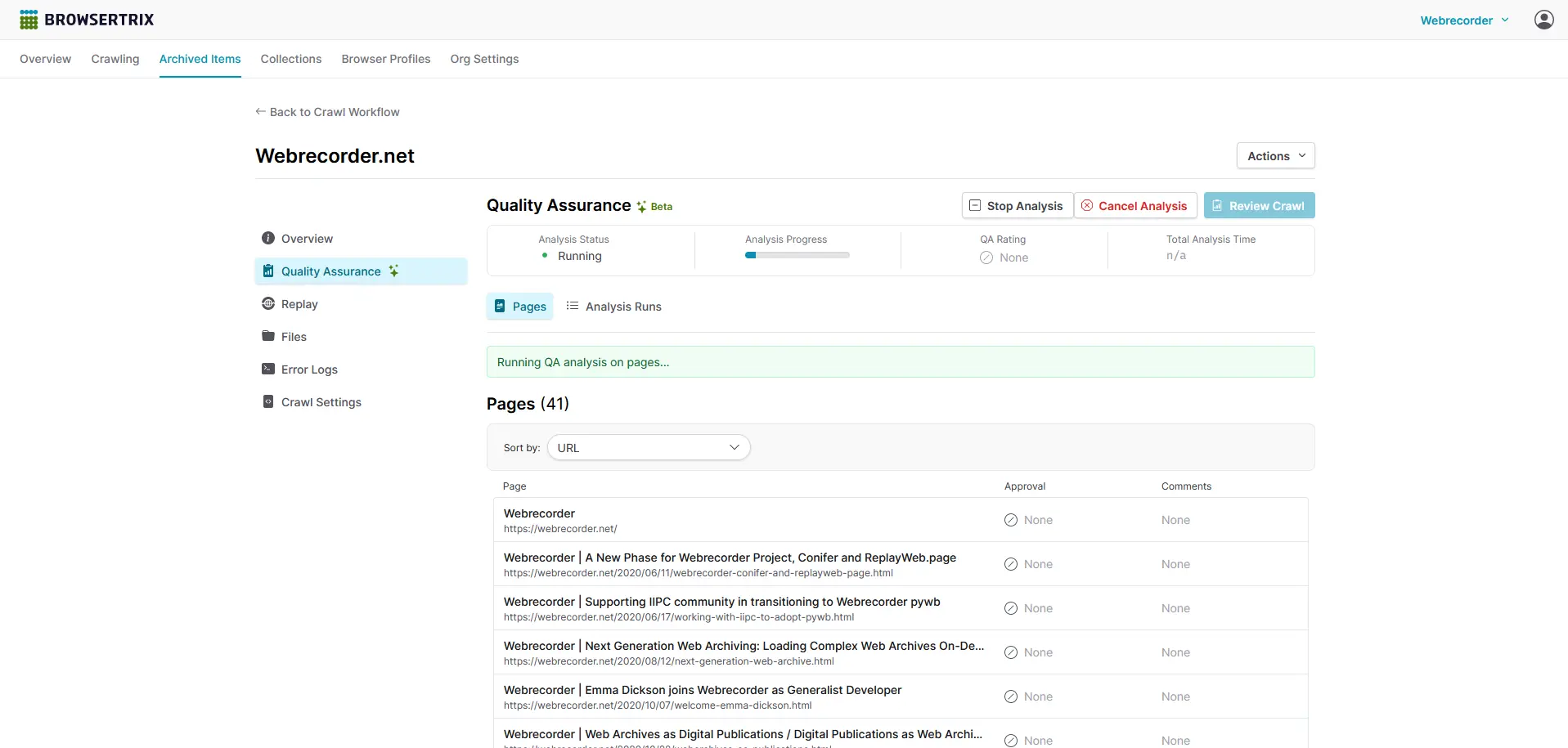
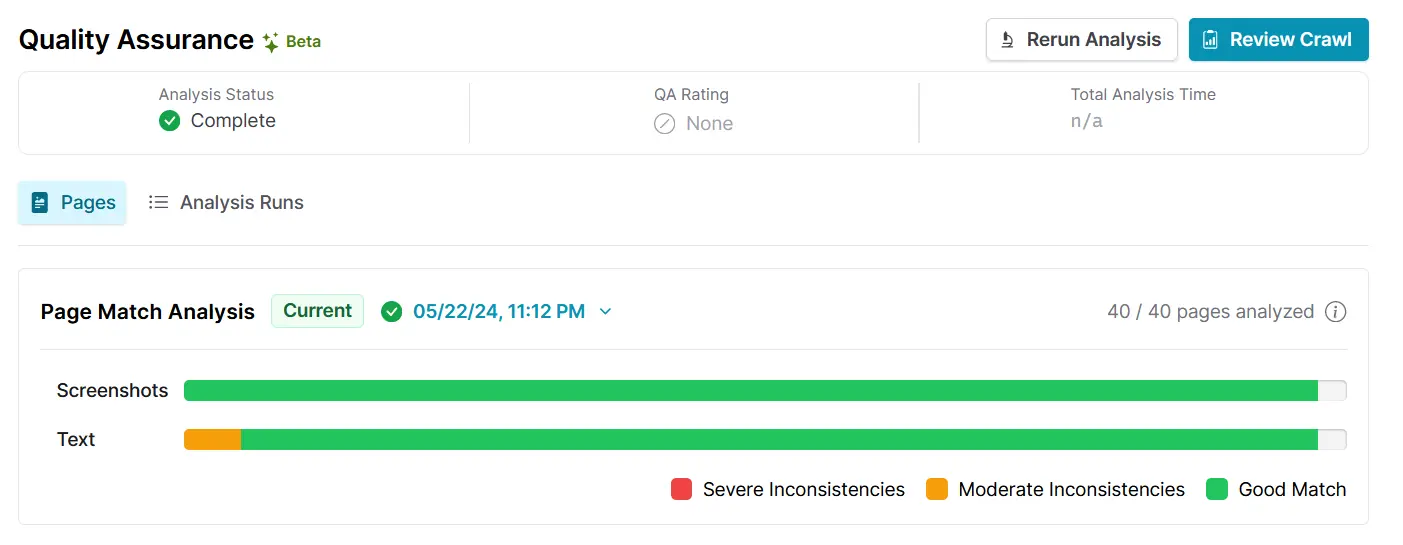
&lt;li&gt;You can now use some of our Quality Assurance tools without running QA Analysis on crawls! While we initially wanted users to try out our QA tools with QA Analysis, we’ve found the tooling we built to be useful even without it, so we’re making them available and more easily accessible from workflow detail pages. We’ve updated &lt;a href=&quot;https://docs.browsertrix.com/user-guide/quality-assurance/&quot;&gt;the documentation&lt;/a&gt; to reflect this as well, it’s worth another read even if you’ve already been using QA.&lt;/li&gt;
&lt;li&gt;We’ve added a crawler setting that will fail a crawl if the site you’re crawling logs you out. This will work on specific sites we’ve built detection for, which at the moment includes Facebook, Instagram, TikTok, and X. For more details, &lt;a href=&quot;https://docs.browsertrix.com/user-guide/workflow-setup/#fail-crawl-if-not-logged-in&quot;&gt;check out the docs&lt;/a&gt;.&lt;/li&gt;
&lt;/ul&gt;
&lt;p&gt;As always, you can view the full list of changes on &lt;a href=&quot;https://github.com/webrecorder/browsertrix/releases/tag/v1.18.0&quot;&gt;GitHub&lt;/a&gt;.&lt;/p&gt;
&lt;a data-astro-prefetch=&quot;true&quot; class=&quot;group/arrow-link inline&quot; href=&quot;/browsertrix/&quot;&gt;Sign up and start crawling with Browsertrix&lt;svg width=&quot;1em&quot; height=&quot;1em&quot; class=&quot;relative top-[3px] ml-1 inline-block size-4 align-baseline transition-transform duration-300 ease-out group-hover/arrow-link:translate-x-1&quot; data-icon=&quot;bi:arrow-right&quot;&gt;   &lt;symbol id=&quot;ai:bi:arrow-right&quot; viewBox=&quot;0 0 16 16&quot;&gt;&lt;path fill=&quot;currentColor&quot; fill-rule=&quot;evenodd&quot; d=&quot;M1 8a.5.5 0 0 1 .5-.5h11.793l-3.147-3.146a.5.5 0 0 1 .708-.708l4 4a.5.5 0 0 1 0 .708l-4 4a.5.5 0 0 1-.708-.708L13.293 8.5H1.5A.5.5 0 0 1 1 8&quot;/&gt;&lt;/symbol&gt;&lt;use href=&quot;#ai:bi:arrow-right&quot;&gt;&lt;/use&gt;  &lt;/svg&gt;&lt;/a&gt;</content:encoded><author>Emma Segal-Grossman</author></item><item><title>Browsertrix 1.17: Crawl Pause/Resume and Lower Numbers of Browser Windows</title><link>https://webrecorder.net/blog/2025-07-23-browsertrix-1-17/</link><guid isPermaLink="true">https://webrecorder.net/blog/2025-07-23-browsertrix-1-17/</guid><description>Crawl pause/resume and lower number of browser windows</description><pubDate>Wed, 23 Jul 2025 00:00:00 GMT</pubDate><content:encoded>&lt;p&gt;We are excited to announce the release of Browsertrix 1.17. This release includes some commonly-requested improvements to crawling, including the ability to pause and resume crawls, and the ability to crawl with only 1 or 2 browser windows.&lt;/p&gt;
&lt;h2 id=&quot;pausing-and-resuming-crawls&quot;&gt;Pausing and Resuming Crawls&lt;/h2&gt;
&lt;p&gt;A common piece of feedback we’ve received since launching Browsertrix is that it would be nice to be able to pause crawls and then later resume them from where they left off. We listened, and this feature is now available via a new &lt;em&gt;Pause&lt;/em&gt; button in the crawl workflow.&lt;/p&gt;
&lt;p&gt;After clicking the &lt;em&gt;Pause&lt;/em&gt; button, a running workflow will tidy up any remaining pages and upload WACZ files containing all of the data crawled so far. Once the workflow is successfully paused, you can replay all of the pages that have been crawled so far, download your WACZ files, and inspect the logs. You are then free to inspect the crawl thus far at your convenience for up to a week. If you forget to resume or stop the paused crawl within that week, Browsertrix will stop it for you, preserving all of your already-crawled data.&lt;/p&gt;
&lt;p&gt;Based on previous conversations with many of you, we anticipate pausing will be especially useful for conducting test crawls. Not sure how well a website will be captured with a given workflow’s settings? Start the crawl with its full scope, pause it after however many pages you want to use as your sample have been crawled, and then inspect the replay and logs to see if you’re happy with the results. If all looks good, you can simply resume your crawl and it will pick up right where it left off. If not, you can modify the workflow settings before resuming the crawl, or cancel the crawl without having used many of your execution minutes in the process.&lt;/p&gt;
&lt;p&gt;This functionality is made possible by the new &lt;em&gt;Latest Crawl&lt;/em&gt; crawl workflow tab, which consolidates several pre-existing tabs such as &lt;em&gt;Watch Crawl&lt;/em&gt; and &lt;em&gt;Logs&lt;/em&gt; into a simpler interface. &lt;em&gt;Latest Crawl&lt;/em&gt; displays information about the currently active crawl, or if the workflow is not currently running, the last crawl that was run from that workflow. This also means you can now replay a workflow’s latest crawl without needing to navigate away from the workflow!&lt;/p&gt;
&lt;p&gt;&lt;img src=&quot;/_astro/browsertrix-paused-crawl.5Kf4kVsD_Z2ezuWJ.webp&quot; alt=&quot;A screenshot of a paused crawl in Browsertrix, showing details about the crawl status, options to resume or cancel the crawl, and a replay viewer&quot; loading=&quot;lazy&quot; decoding=&quot;async&quot; fetchpriority=&quot;auto&quot; width=&quot;2844&quot; height=&quot;1864&quot;&gt;&lt;/p&gt;
&lt;h2 id=&quot;browser-windows&quot;&gt;Browser Windows&lt;/h2&gt;
&lt;p&gt;Another commonly requested feature is being able to crawl with a lower number of browser windows to avoid issues with sites that aggressively rate limit users. Now you can do just that. In the workflow editor, it’s now possible to configure crawls to run with 1, 2, or 3 browser windows, in addition to the multiples of 4 that were previously offered. In combination with other politeness settings such as Delay Before Next Page, this should help significantly with avoiding rate limiting and IP bans.&lt;/p&gt;
&lt;p&gt;For our users that primarily interact with Browsertrix via the REST API, you’ll note in the API documentation that the &lt;code&gt;scale&lt;/code&gt; field in the &lt;code&gt;/crawlconfigs/&lt;/code&gt; endpoints has been deprecated in favor of a new, simpler &lt;code&gt;browserWindows&lt;/code&gt; field, which overrides &lt;code&gt;scale&lt;/code&gt; when used and can be used to configure workflows to use an amount of browser windows lower than the increments available via &lt;code&gt;scale&lt;/code&gt;. But don’t worry, in order to avoid breaking any existing user tooling and integrations, we have made sure to continue to support &lt;code&gt;scale&lt;/code&gt; when it is used for creating and updating crawl workflows.&lt;/p&gt;
&lt;p&gt;&lt;img src=&quot;/_astro/browsertrix-browser-windows.BYszkmlM_Z1kcFY8.webp&quot; alt=&quot;A screenshot of the browser settings panel in the crawl workflow settings page in Browsertrix, showing the number of browser windows to use with options ranging from 1 to 12&quot; loading=&quot;lazy&quot; decoding=&quot;async&quot; fetchpriority=&quot;auto&quot; width=&quot;1940&quot; height=&quot;718&quot;&gt;&lt;/p&gt;
&lt;a data-astro-prefetch=&quot;true&quot; class=&quot;group/arrow-link inline&quot; href=&quot;/browsertrix/&quot;&gt;Sign up and start crawling with Browsertrix&lt;svg width=&quot;1em&quot; height=&quot;1em&quot; class=&quot;relative top-[3px] ml-1 inline-block size-4 align-baseline transition-transform duration-300 ease-out group-hover/arrow-link:translate-x-1&quot; data-icon=&quot;bi:arrow-right&quot;&gt;   &lt;symbol id=&quot;ai:bi:arrow-right&quot; viewBox=&quot;0 0 16 16&quot;&gt;&lt;path fill=&quot;currentColor&quot; fill-rule=&quot;evenodd&quot; d=&quot;M1 8a.5.5 0 0 1 .5-.5h11.793l-3.147-3.146a.5.5 0 0 1 .708-.708l4 4a.5.5 0 0 1 0 .708l-4 4a.5.5 0 0 1-.708-.708L13.293 8.5H1.5A.5.5 0 0 1 1 8&quot;/&gt;&lt;/symbol&gt;&lt;use href=&quot;#ai:bi:arrow-right&quot;&gt;&lt;/use&gt;  &lt;/svg&gt;&lt;/a&gt;</content:encoded><author>Tessa Walsh</author></item><item><title>Create, Use, and Automate Actions With Custom Behaviors in Browsertrix</title><link>https://webrecorder.net/blog/2025-05-28-create-use-and-automate-actions-with-custom-behaviors-in-browsertrix/</link><guid isPermaLink="true">https://webrecorder.net/blog/2025-05-28-create-use-and-automate-actions-with-custom-behaviors-in-browsertrix/</guid><description>It is now easier than ever to automate custom page actions in Browsertrix.</description><pubDate>Wed, 28 May 2025 00:00:00 GMT</pubDate><content:encoded>&lt;p&gt;We are thrilled to introduce a new feature available starting in Browsertrix 1.15 that will be very exciting for our Browsertrix power users: support for &lt;strong&gt;custom behaviors&lt;/strong&gt; that let you automate in-page actions while crawling specific websites. You can now easily specify which custom behaviors to use directly in the crawl workflow editor. We’ve also updated our documentation to guide developers and advanced users in creating their own custom behaviors. Plus, we’ve added support for a new type of custom behavior that can be set up right in the Chrome DevTools, with no coding required.&lt;/p&gt;
&lt;h2 id=&quot;the-story-of-behaviors-in-browsertrix&quot;&gt;The Story of Behaviors in Browsertrix&lt;/h2&gt;
&lt;p&gt;A big part of Browsertrix’s promise of high-fidelity web archiving is its ability to automate actions inside real browsers during crawling. This is made possible through Behaviors, code, or JSON documents (more on that later) that specify what actions the browser should take when visiting a web page.&lt;/p&gt;
&lt;p&gt;Behaviors themselves aren’t new to Browsertrix. In fact, Browsertrix and Browsertrix Crawler have supported built-in behaviors for several years. A number of these are &lt;strong&gt;background behaviors&lt;/strong&gt;, which quietly run on every web page, constantly checking for changes and taking action when needed. This includes some behaviors that always run on every web page no matter what, like autoplay, which plays video and audio on the page to ensure it is captured. It also includes some behaviors that can be enabled or disabled in Browsertrix, like autoscroll, which scrolls down the page until it hits the end or its timeout is reached.&lt;/p&gt;
&lt;p&gt;Another type of built-in behavior that has long been supported in Browsertrix is &lt;strong&gt;site-specific behaviors&lt;/strong&gt;. These only run on particular websites and are designed to perform actions tailored to those sites. This includes our built-in behaviors for social media sites like Instagram, Twitter/X, Facebook, and TikTok. You can find more detailed information about built-in behaviors in the &lt;a href=&quot;https://crawler.docs.browsertrix.com/user-guide/behaviors/#built-in-behaviors&quot; target=&quot;_blank&quot;&gt;Browsertrix Crawler documentation&lt;/a&gt;.&lt;/p&gt;
&lt;p&gt;But here’s the exciting part: with this release, creating and using your own custom behaviors is easier than ever. And if you encounter a website that is tricky to crawl because it requires interactivity, you can now create and use your own behaviors immediately!&lt;/p&gt;
&lt;h2 id=&quot;browsertrix-support-for-behaviors&quot;&gt;Browsertrix Support for Behaviors&lt;/h2&gt;
&lt;p&gt;You’ll now find everything related to behaviors in the new &lt;a href=&quot;https://docs.browsertrix.com/user-guide/workflow-setup/#page-behavior&quot; target=&quot;_blank&quot;&gt;Page Behavior&lt;/a&gt; section of the crawl workflow editor. This update combines our new autoclick behavior and support for custom behaviors with existing settings like autoscroll, page timeouts, and delays (which were previously scattered across the workflow editor).&lt;/p&gt;
&lt;p&gt;&lt;img src=&quot;/_astro/page-behavior.COJmxxlY_ZMLSi.webp&quot; alt loading=&quot;lazy&quot; decoding=&quot;async&quot; fetchpriority=&quot;auto&quot; width=&quot;2084&quot; height=&quot;1630&quot;&gt;&lt;/p&gt;
&lt;h3 id=&quot;introducing-autoclick-behavior&quot;&gt;Introducing Autoclick Behavior&lt;/h3&gt;
&lt;p&gt;One exciting addition in the Page Behavior section is the &lt;strong&gt;autoclick&lt;/strong&gt; behavior. This built-in feature automatically clicks on elements in the page without navigating away. By default, this will click on anchor (&lt;code&gt;&amp;lt;a&amp;gt;&lt;/code&gt;) tags, which can be useful for websites that use these anchor links in non-standard ways. For example, some sites use JavaScript in place of the standard href attribute to create a hyperlink, while others use &lt;code&gt;&amp;lt;a&amp;gt;&lt;/code&gt; tags in place of &lt;code&gt;&amp;lt;button&amp;gt;&lt;/code&gt;s to reveal in-page content.&lt;/p&gt;
&lt;p&gt;Need it to click on something other than links, like all the &lt;code&gt;&amp;lt;button&amp;gt;&lt;/code&gt; elements on a page? No problem! Just specify a different CSS selector for autoclick directly in the workflow editor.&lt;/p&gt;
&lt;h3 id=&quot;custom-behaviors&quot;&gt;Custom Behaviors&lt;/h3&gt;
&lt;p&gt;Want to use new and existing custom behaviors in your crawls? Starting in Browsertrix 1.15, you can now specify custom behaviors to use in crawl workflows by pointing to behavior files that are hosted at any public URL or in a public Git repository. This means you can not only create and use your own custom behaviors in your crawls, but also tap into the Browsertrix community’s shared behaviors.&lt;/p&gt;
&lt;h2 id=&quot;how-to-create-custom-behaviors&quot;&gt;How To Create Custom Behaviors&lt;/h2&gt;
&lt;p&gt;Adding support for custom behaviors in Browsertrix is just one part of the solution. We also want to make it easier for you to create them. That’s why we’ve created &lt;a href=&quot;https://crawler.docs.browsertrix.com/user-guide/behaviors/#creating-custom-behaviors&quot; target=&quot;_blank&quot;&gt;new documentation&lt;/a&gt; that walks you through two ways to build custom behaviors: &lt;strong&gt;JavaScript behaviors&lt;/strong&gt; and &lt;strong&gt;JSON Flow behaviors&lt;/strong&gt;.&lt;/p&gt;
&lt;p&gt;Traditionally, custom behaviors in Browsertrix have been written in JavaScript. This approach is still the most flexible and powerful, but it does require coding skills. For developers, our updated documentation covers how to make a JavaScript behavior, including an overview of the expected format, as well as important references and helpful suggestions.&lt;/p&gt;
&lt;p&gt;We’ve also added a much more accessible option that doesn’t require writing a single line of code: JSON Flow behaviors. Thanks to Chrome’s built-in &lt;a href=&quot;https://developer.chrome.com/docs/devtools/recorder&quot; target=&quot;_blank&quot;&gt;DevTools Recorder&lt;/a&gt;, you can simply record your actions on a webpage: click around and interact with the content, and when you’re done, export the recording as a JSON file. Upload that file somewhere with a public URL, like a &lt;a href=&quot;https://gist.github.com/&quot; target=&quot;_blank&quot;&gt;GitHub Gist&lt;/a&gt;, &lt;a href=&quot;https://pastebin.com/&quot; target=&quot;_blank&quot;&gt;Pastebin&lt;/a&gt;, or a public Git repository, and you’re ready to go! Just point your crawl workflows to that JSON file and Browsertrix will replay your recorded actions on that page automatically while crawling.&lt;/p&gt;
&lt;p&gt;For visual learners, we recommend checking out the following Youtube video, which demonstrates how to use the DevTools Recorder and download your recording as a JSON file:&lt;/p&gt;
&lt;iframe width=&quot;560&quot; height=&quot;315&quot; src=&quot;https://www.youtube-nocookie.com/embed/PhQX0MiSGeA?si=UjszP74KlQmoOqI0&quot; title=&quot;YouTube video player&quot; frameborder=&quot;0&quot; allow=&quot;accelerometer; autoplay; clipboard-write; encrypted-media; gyroscope; picture-in-picture; web-share&quot; referrerpolicy=&quot;strict-origin-when-cross-origin&quot; allowfullscreen&gt;&lt;/iframe&gt;
&lt;p&gt;Browsertrix will even &lt;a href=&quot;https://crawler.docs.browsertrix.com/user-guide/behaviors/#user-flow-extensions&quot; target=&quot;_blank&quot;&gt;extend some of the actions in your JSON Flow behavior&lt;/a&gt;. For example, if it detects that you repeated an action (like clicking “Next” in a paginated list) more than three times, it will keep repeating that step until it can no longer do so successfully.&lt;/p&gt;
&lt;p&gt;Of course, for more complex behaviors that involve loops, such as scrolling through and loading comment threads on a social media site, or other complicated actions, JavaScript behaviors will still be the go-to solution. But we are happy to offer a simpler and more accessible way that lowers the barrier to entry for anyone wanting to create custom behaviors. &lt;/p&gt;
&lt;p&gt;Behaviors: one more way Browsertrix makes it easy to capture the web exactly the way you want.&lt;/p&gt;</content:encoded><author>Tessa Walsh</author></item><item><title>Our Commitment to Provide Accessible Tools</title><link>https://webrecorder.net/blog/2025-04-30-our-commitment-to-provide-accessible-tools/</link><guid isPermaLink="true">https://webrecorder.net/blog/2025-04-30-our-commitment-to-provide-accessible-tools/</guid><description>This is how Webrecorder supports archivists in times where cultural organizations navigate challenges in funding, budgets and limited staff.</description><pubDate>Wed, 30 Apr 2025 00:00:00 GMT</pubDate><content:encoded>&lt;p&gt;Funding for cultural institutions has been a constant uphill battle for decades. No matter the organization’s size, from small community archives to local public libraries and even larger national libraries and universities, we have all encountered similar funding challenges. Thankfully, budget cuts and limited staff support have not stopped archivists, librarians, and web archivists from creating new pathways forward. Archivists across the globe continue to take unique approaches to maximize budgets to cover costs for various archives initiatives, especially web archiving.&lt;/p&gt;
&lt;p&gt;As communities continue to create and publish content online, the scope of web archiving initiatives has grown. But even with funding challenges, budget cuts, and staffing uncertainty, our wide range of users in the Webrecorder community are tapping into our robust resources and tools. &lt;/p&gt;
&lt;h1 id=&quot;our-full-suite-of-tools&quot;&gt;&lt;strong&gt;Our Full Suite of Tools&lt;/strong&gt;&lt;/h1&gt;
&lt;p&gt;Since 2014, Webrecorder has been committed to developing a full suite of tools to empower users across the globe to archive, curate, and replay content captured on the web. Our team continues to create, update, and prioritize providing multiple access points for users to capture complex, and interactive content on the web – including dynamic websites, social media platforms, and content behind paywalls.&lt;/p&gt;
&lt;p&gt;&lt;img src=&quot;/_astro/Blog-Webrecorder-Commitment-Tools.CLJ4gnbb_5a3vu.webp&quot; alt loading=&quot;lazy&quot; decoding=&quot;async&quot; fetchpriority=&quot;auto&quot; width=&quot;1500&quot; height=&quot;500&quot;&gt;&lt;/p&gt;
&lt;p&gt;We encourage you to take advantage of our various tools to accomplish your web archiving goals; no matter your budget, we have solutions accessible to you: &lt;/p&gt;
&lt;ul&gt;
&lt;li&gt;
&lt;p&gt;&lt;a href=&quot;https://webrecorder.net/browsertrix/&quot;&gt;&lt;strong&gt;Browsertrix Hosted Service&lt;/strong&gt;&lt;/a&gt; is our browser-based, high-fidelity crawling tool, with innovative quality assurance and collaborative organization that empowers users to preserve, curate, and share archived web content confidently. Users can curate and publish unlimited collections, capture content behind paywalls/logins, and work collaboratively on the same multi-user platform. Whether you invite your organization and colleagues as Admin, Crawlers, or viewers, our tool is designed to encourage collaborative workflows bringing departments out of silos. You can access a free 7-day trial &lt;a href=&quot;https://webrecorder.net/browsertrix/#get-started&quot;&gt;here&lt;/a&gt;. &lt;/p&gt;
&lt;ul&gt;
&lt;li&gt;People can also &lt;a href=&quot;https://github.com/webrecorder/browsertrix&quot;&gt;access the open source code to deploy Browsertrix locally&lt;/a&gt; and connect directly with users worldwide in the &lt;a href=&quot;https://forum.webrecorder.net/&quot;&gt;Webrecorder forum online&lt;/a&gt;.&lt;/li&gt;
&lt;/ul&gt;
&lt;/li&gt;
&lt;li&gt;
&lt;p&gt;&lt;a href=&quot;https://ArchiveWeb.page&quot;&gt;&lt;strong&gt;ArchiveWeb.page&lt;/strong&gt;&lt;/a&gt; is a free Google Chrome browser extension that allows users to create high-fidelity web archives directly in their browser. When enabled, &lt;a href=&quot;http://ArchiveWeb.page&quot;&gt;ArchiveWeb.page&lt;/a&gt; will record the network traffic on a given tab and store the data in the browser for later viewing. Archives created with &lt;a href=&quot;http://ArchiveWeb.page&quot;&gt;ArchiveWeb.page&lt;/a&gt; can be viewed from right within the app or using Webrecorder’s free &lt;a href=&quot;http://ReplayWeb.page&quot;&gt;ReplayWeb.page&lt;/a&gt; viewer. Files can be exported in standard WARC and WACZ formats.&lt;/p&gt;
&lt;/li&gt;
&lt;li&gt;
&lt;p&gt;&lt;a href=&quot;https://webrecorder.net/replaywebpage/&quot;&gt;&lt;strong&gt;ReplayWeb.page&lt;/strong&gt;&lt;/a&gt; is a free, browser-based tool that allows users to view archived items. Features also include full text search, Flash support, and Google Drive support.&lt;/p&gt;
&lt;/li&gt;
&lt;li&gt;
&lt;p&gt;&lt;a href=&quot;https://github.com/webrecorder/pywb&quot;&gt;&lt;strong&gt;pywb&lt;/strong&gt;&lt;/a&gt;, the oldest of Webrecorder’s tools, is a free and open source web archive replay system, or “wayback machine”. At its core, pywb provides a calendar-based interface for exploring and replaying web archive collections. It also includes some related functionality, such as a recording mode for creating web archives, as well as a proxy mode for serving web archives. More information on pywb’s features can be found in the &lt;a href=&quot;https://pywb.readthedocs.io/en/latest/&quot;&gt;documentation&lt;/a&gt;.&lt;/p&gt;
&lt;/li&gt;
&lt;/ul&gt;
&lt;p&gt;If you are an organization or individual archivist that needs support, feel free to send an email to &lt;a href=&quot;mailto:info@webrecorder.org&quot;&gt;info@webrecorder.org&lt;/a&gt;. If you’d like access to our pricing plans for larger crawling projects, schedule a meeting with us &lt;a href=&quot;https://calendly.com/c-lawrence&quot;&gt;here&lt;/a&gt;.&lt;/p&gt;
&lt;p&gt;You can also explore our &lt;a href=&quot;https://webrecorder.net/resources/&quot;&gt;Resources page&lt;/a&gt; for more information on our tools, forums, presentations, and publications about Webrecorder!&lt;/p&gt;</content:encoded><author>Camille Lawrence</author></item><item><title>Our New Resources Page for Web Archivists</title><link>https://webrecorder.net/blog/2025-04-16-our-new-resources-page-for-web-archivists/</link><guid isPermaLink="true">https://webrecorder.net/blog/2025-04-16-our-new-resources-page-for-web-archivists/</guid><description>A growing hub for learning, exploring, and diving deeper into web archiving.</description><pubDate>Wed, 16 Apr 2025 00:00:00 GMT</pubDate><content:encoded>&lt;p&gt;We have launched a brand new &lt;a href=&quot;https://webrecorder.net/resources/&quot;&gt;&lt;strong&gt;Resources page&lt;/strong&gt;&lt;/a&gt; where you can learn more about web archiving, how our tools work, and how people are using them across different fields.&lt;/p&gt;
&lt;p&gt;Our goal with this evolving hub is to support and inspire everyone in the web archiving community — whether you’re just getting started or already deep in the work. We’ve gathered helpful guides, reference materials, presentations, and research, all in one spot: &lt;a href=&quot;http://webrecorder.net/resources&quot;&gt;webrecorder.net/resources&lt;/a&gt;&lt;/p&gt;
&lt;p&gt;&lt;img src=&quot;/_astro/Blog-Resources-Page01.CZA8WTcX_1mt0s8.webp&quot; alt loading=&quot;lazy&quot; decoding=&quot;async&quot; fetchpriority=&quot;auto&quot; width=&quot;1200&quot; height=&quot;977&quot;&gt;&lt;/p&gt;
&lt;h2 id=&quot;what-youll-find&quot;&gt;What You’ll Find&lt;/h2&gt;
&lt;ul&gt;
&lt;li&gt;
&lt;p&gt;&lt;strong&gt;Introduction to Web Archiving:&lt;/strong&gt; An overview of what it is, why it matters, and how our tools fit in.&lt;/p&gt;
&lt;/li&gt;
&lt;li&gt;
&lt;p&gt;&lt;strong&gt;Glossary of Terms:&lt;/strong&gt; A go-to reference for common web archiving terms and concepts.&lt;/p&gt;
&lt;/li&gt;
&lt;li&gt;
&lt;p&gt;&lt;strong&gt;Formats and Specs:&lt;/strong&gt; Technical documentation for formats like WACZ and CDXJ.&lt;/p&gt;
&lt;/li&gt;
&lt;li&gt;
&lt;p&gt;&lt;strong&gt;Talks and Webinars:&lt;/strong&gt; Recordings of past presentations, demos, webinars, and more.&lt;/p&gt;
&lt;/li&gt;
&lt;li&gt;
&lt;p&gt;&lt;strong&gt;Academic &amp;amp; Press Mentions:&lt;/strong&gt; A collection of research papers and media pieces featuring our tools in action.&lt;/p&gt;
&lt;/li&gt;
&lt;/ul&gt;
&lt;h2 id=&quot;send-us-your-feedback&quot;&gt;Send Us Your Feedback&lt;/h2&gt;
&lt;p&gt;Whether you’re here to learn, teach, build, or contribute, this section is designed to grow with you and the wider community.&lt;/p&gt;
&lt;p&gt;If you want to see something else included, email us at &lt;a href=&quot;mailto:info@webrecorder.org&quot;&gt;info@webrecorder.org&lt;/a&gt;. We’d love to hear from you!&lt;/p&gt;</content:encoded><author>Webrecorder Team</author></item><item><title>Introducing GovArchive.us &amp; Mirroring Entire Sites with Web Archives</title><link>https://webrecorder.net/blog/2025-03-25-govarchive-us-and-mirroring-sites-with-web-archives/</link><guid isPermaLink="true">https://webrecorder.net/blog/2025-03-25-govarchive-us-and-mirroring-sites-with-web-archives/</guid><description>Introducing GovArchive.us and tooling to mirror web sites using web archives.</description><pubDate>Tue, 25 Mar 2025 00:00:00 GMT</pubDate><content:encoded>&lt;p&gt;We’re excited to announce the launch of &lt;strong&gt;&lt;a href=&quot;https://govarchive.us&quot; target=&quot;_blank&quot;&gt;GovArchive.us&lt;/a&gt;&lt;/strong&gt;, a dedicated site for exploring our &lt;a href=&quot;https://app.browsertrix.com/explore/usgov-archive&quot; target=&quot;_blank&quot;&gt;US Government Web Archive&lt;/a&gt; on Browsertrix. The project also introduces a &lt;strong&gt;brand new approach&lt;/strong&gt; for viewing web archives: the &lt;strong&gt;ability to host a full-site “mirror” from any web archive&lt;/strong&gt;, keeping original links intact while hosting them on a new domain.&lt;/p&gt;
&lt;p&gt;One example of this is our archived version of the previous &lt;a href=&quot;https://usaid.gov&quot; target=&quot;_blank&quot;&gt;usaid.gov&lt;/a&gt; website, which is now accessible at &lt;a href=&quot;https://usaid.govarchive.us&quot; target=&quot;_blank&quot;&gt;usaid.govarchive.us&lt;/a&gt;. Unlike traditional web archive replay, this “mirror” archive preserves the original URL structure, making the site as easy to navigate and reference as the original site. For instance, the archived version of a page originally hosted at &lt;strong&gt;&lt;a href=&quot;https://usaid.gov/about-us/mission-vision-values&quot;&gt;https://usaid.gov/about-us/mission-vision-values&lt;/a&gt;&lt;/strong&gt; can be viewed at &lt;a href=&quot;https://usaid.govarchive.us/about-us/mission-vision-values&quot; target=&quot;_blank&quot;&gt;https://usaid.govarchive.us/about-us/mission-vision-values&lt;/a&gt;, by simply replacing the domain &lt;em&gt;usaid.gov&lt;/em&gt; with &lt;em&gt;usaid.govarchive.us&lt;/em&gt;.&lt;/p&gt;
&lt;p&gt;We’ve reserved the &lt;code&gt;*.govarchive.us&lt;/code&gt; domain and subdomains to be able to dynamically add more archives of US Government sites from our collections to this system.&lt;/p&gt;
&lt;h2 id=&quot;what-is-available-now&quot;&gt;What is Available Now?&lt;/h2&gt;
&lt;p&gt;Here’s a selection of a few ‘mirror’ sites that we have available from govarchive.us. Each &lt;strong&gt;mirror is a static site&lt;/strong&gt; that loads an archived version from our collection, hosted on a dedicated domain:&lt;/p&gt;
&lt;ul&gt;
&lt;li&gt;
&lt;p&gt;&lt;a href=&quot;https://usaid.govarchive.us/&quot; target=&quot;_blank&quot;&gt;usaid.govarchive.us&lt;/a&gt; as a mirror of &lt;a href=&quot;https://usaid.gov&quot; target=&quot;_blank&quot;&gt;usaid.gov&lt;/a&gt;&lt;/p&gt;
&lt;/li&gt;
&lt;li&gt;
&lt;p&gt;&lt;a href=&quot;https://cdc.govarchive.us/&quot; target=&quot;_blank&quot;&gt;cdc.govarchive.us&lt;/a&gt; as a mirror of &lt;a href=&quot;https://cdc.gov/&quot; target=&quot;_blank&quot;&gt;cdc.gov&lt;/a&gt;&lt;/p&gt;
&lt;/li&gt;
&lt;li&gt;
&lt;p&gt;&lt;a href=&quot;https://fema.govarchive.us/&quot; target=&quot;_blank&quot;&gt;fema.govarchive.us&lt;/a&gt; as a mirror of &lt;a href=&quot;https://fema.gov/&quot; target=&quot;_blank&quot;&gt;fema.gov&lt;/a&gt;&lt;/p&gt;
&lt;/li&gt;
&lt;li&gt;
&lt;p&gt;&lt;a href=&quot;https://epa.govarchive.us/&quot; target=&quot;_blank&quot;&gt;epa.govarchive.us&lt;/a&gt; as a mirror of &lt;a href=&quot;https://epa.gov/&quot; target=&quot;_blank&quot;&gt;epa.gov&lt;/a&gt;&lt;/p&gt;
&lt;/li&gt;
&lt;li&gt;
&lt;p&gt;&lt;a href=&quot;https://climate.govarchive.us/&quot; target=&quot;_blank&quot;&gt;climate.govarchive.us&lt;/a&gt; as a mirror of &lt;a href=&quot;https://climate.gov/&quot; target=&quot;_blank&quot;&gt;climate.gov&lt;/a&gt;.&lt;/p&gt;
&lt;/li&gt;
&lt;/ul&gt;
&lt;p&gt;&lt;a href=&quot;https://govarchive.us/&quot; target=&quot;_blank&quot;&gt;&lt;img src=&quot;/_astro/govarchiveus-screenshot.DyL4inKi_Z2omyLe.webp&quot; alt=&quot;Screenshot of GovArchive.us&quot; loading=&quot;lazy&quot; decoding=&quot;async&quot; fetchpriority=&quot;auto&quot; width=&quot;1920&quot; height=&quot;1080&quot;&gt;&lt;/a&gt;&lt;/p&gt;
&lt;p&gt;Check &lt;a href=&quot;https://govarchive.us&quot; target=&quot;_blank&quot;&gt;GovArchive.us&lt;/a&gt; for an up-to-date list as we add more mirrors from our archives!&lt;/p&gt;
&lt;h2 id=&quot;mirroring-sites-with-web-archives--getting-started&quot;&gt;Mirroring Sites with Web Archives — Getting Started&lt;/h2&gt;
&lt;p&gt;This approach can be used by anyone to &lt;strong&gt;mirror a dynamic website&lt;/strong&gt; hosted as a &lt;strong&gt;static site powered by web archives!&lt;/strong&gt;&lt;/p&gt;
&lt;p&gt;If you run a particular domain, you can set up a web archive as a static site, and point the domain to the static version of the site instead!&lt;/p&gt;
&lt;p&gt;Or, you can host a mirror elsewhere, as we have done. This can be used to migrate off costly or obsolete infrastructure, while still preserving a site at the highest fidelity!&lt;/p&gt;
&lt;p&gt;We provide the following template to get started with a single site mirror created from a web archive:&lt;/p&gt;
&lt;ul&gt;
&lt;li&gt;&lt;a href=&quot;https://github.com/webrecorder/web-archive-site-mirror&quot; target=&quot;_blank&quot;&gt;&lt;span class=&quot;inline-flex align-icon leading-[0] place-content-center bg-white rounded ring-1 p-0.5 ring-stone-400/25 shadow&quot;&gt; &lt;svg width=&quot;1em&quot; height=&quot;1em&quot; class=&quot;inline-block size-4&quot; data-icon=&quot;bi:github&quot;&gt;   &lt;symbol id=&quot;ai:bi:github&quot; viewBox=&quot;0 0 16 16&quot;&gt;&lt;path fill=&quot;currentColor&quot; d=&quot;M8 0C3.58 0 0 3.58 0 8c0 3.54 2.29 6.53 5.47 7.59c.4.07.55-.17.55-.38c0-.19-.01-.82-.01-1.49c-2.01.37-2.53-.49-2.69-.94c-.09-.23-.48-.94-.82-1.13c-.28-.15-.68-.52-.01-.53c.63-.01 1.08.58 1.23.82c.72 1.21 1.87.87 2.33.66c.07-.52.28-.87.51-1.07c-1.78-.2-3.64-.89-3.64-3.95c0-.87.31-1.59.82-2.15c-.08-.2-.36-1.02.08-2.12c0 0 .67-.21 2.2.82c.64-.18 1.32-.27 2-.27s1.36.09 2 .27c1.53-1.04 2.2-.82 2.2-.82c.44 1.1.16 1.92.08 2.12c.51.56.82 1.27.82 2.15c0 3.07-1.87 3.75-3.65 3.95c.29.25.54.73.54 1.48c0 1.07-.01 1.93-.01 2.2c0 .21.15.46.55.38A8.01 8.01 0 0 0 16 8c0-4.42-3.58-8-8-8&quot;/&gt;&lt;/symbol&gt;&lt;use href=&quot;#ai:bi:github&quot;&gt;&lt;/use&gt;  &lt;/svg&gt; &lt;/span&gt; Web Archive Site Mirror Template&lt;/a&gt;&lt;/li&gt;
&lt;/ul&gt;
&lt;p&gt;Using the above template, you can host your own web archive mirror entirely on GitHub Pages!&lt;/p&gt;
&lt;h2 id=&quot;how-it-works-govarchive-and-wildcard-subdomains&quot;&gt;How it works: GovArchive and Wildcard Subdomains&lt;/h2&gt;
&lt;p&gt;&lt;em&gt;GovArchive.us&lt;/em&gt; demonstrates a more complex setup with wildcard subdomains.&lt;/p&gt;
&lt;p&gt;We’ve set up a wildcard DNS to point to a static site for any &lt;code&gt;*.govarchive.us&lt;/code&gt;.
(For this, we use Bunny CDN as GitHub pages does not support wildcard subdomains pointing to the same repo.)&lt;/p&gt;
&lt;p&gt;Then, we dynamically choose the correct site to mirror in the browser based on the subdomain. A specific Browsertrix collection is chosen based on the current subdomain, allowing for maximum flexibility to add more collections.&lt;/p&gt;
&lt;p&gt;Nested subdomains are flattened by replacing the &lt;code&gt;.&lt;/code&gt; with the &lt;code&gt;-&lt;/code&gt; so that &lt;code&gt;more.subdomains.example.gov&lt;/code&gt; would become one-level of subdomain with &lt;code&gt;more-subdomain-example.govarchive.us&lt;/code&gt; so that we can use a wildcard SSL cert easily.
For example, &lt;a href=&quot;https://nca2023-globalchange.govarchive.us/&quot; target=&quot;_blank&quot;&gt;nca2023-globalchange.govarchive.us&lt;/a&gt; mirrors &lt;a href=&quot;https://nca2023.globalchange.gov&quot; target=&quot;_blank&quot;&gt;nca2023.globalchange.gov&lt;/a&gt;.&lt;/p&gt;
&lt;p&gt;With GovArchive.us, we also provide a custom banner and loading screen. If the archive is already initialized, it will load right away,
otherwise the bootstrap script runs and a loading screen is shown while the service work is being initialized.
Finally, the top-level site just provides a landing page index, hosted in a different repo.&lt;/p&gt;
&lt;p&gt;As always, whole thing is open source, and further details are available on our GitHub repos:&lt;/p&gt;
&lt;ul&gt;
&lt;li&gt;
&lt;p&gt;&lt;a href=&quot;https://github.com/webrecorder/govarchive-replay&quot; target=&quot;_blank&quot;&gt;&lt;span class=&quot;inline-flex align-icon leading-[0] place-content-center bg-white rounded ring-1 p-0.5 ring-stone-400/25 shadow&quot;&gt; &lt;svg width=&quot;1em&quot; height=&quot;1em&quot; viewBox=&quot;0 0 16 16&quot; class=&quot;inline-block size-4&quot; data-icon=&quot;bi:github&quot;&gt;   &lt;use href=&quot;#ai:bi:github&quot;&gt;&lt;/use&gt;  &lt;/svg&gt; &lt;/span&gt; GovArchive.us Replay and Content&lt;/a&gt;&lt;/p&gt;
&lt;/li&gt;
&lt;li&gt;
&lt;p&gt;&lt;a href=&quot;https://github.com/webrecorder/govarchive-us-index&quot; target=&quot;_blank&quot;&gt;&lt;span class=&quot;inline-flex align-icon leading-[0] place-content-center bg-white rounded ring-1 p-0.5 ring-stone-400/25 shadow&quot;&gt; &lt;svg width=&quot;1em&quot; height=&quot;1em&quot; viewBox=&quot;0 0 16 16&quot; class=&quot;inline-block size-4&quot; data-icon=&quot;bi:github&quot;&gt;   &lt;use href=&quot;#ai:bi:github&quot;&gt;&lt;/use&gt;  &lt;/svg&gt; &lt;/span&gt; GovArchive.us Landing Index Page&lt;/a&gt;&lt;/p&gt;
&lt;/li&gt;
&lt;/ul&gt;
&lt;p&gt;The replay itself is provided with our low-level browser-based replay engine, &lt;a href=&quot;https://github.com/webrecorder/wabac.js&quot; target=&quot;_blank&quot;&gt;wabac.js&lt;/a&gt;, which is also used in &lt;a href=&quot;http://ReplayWeb.page&quot; target=&quot;_blank&quot;&gt;ReplayWeb.page&lt;/a&gt;. (In the future, the mirror capability may be added to ReplayWeb.page itself).&lt;/p&gt;
&lt;p&gt;We hope GovArchive.us provides a much needed resource, as well as an example of how web archive-powered site mirrors can be done at scale.&lt;/p&gt;
&lt;p&gt;If you need help setting up your own web archive mirror, reach out and we’d be happy to support your efforts!&lt;/p&gt;</content:encoded><author>Ilya Kreymer</author></item><item><title>Introducing Public Collections in Browsertrix</title><link>https://webrecorder.net/blog/2025-03-05-public-collections/</link><guid isPermaLink="true">https://webrecorder.net/blog/2025-03-05-public-collections/</guid><description>Now you can curate, personalize, and share all your your crawls in one place.</description><pubDate>Wed, 05 Mar 2025 00:00:00 GMT</pubDate><content:encoded>&lt;p&gt;At Webrecorder, we’re always working to improve &lt;a href=&quot;/browsertrix&quot;&gt;Browsertrix&lt;/a&gt;, our high-fidelity web archiving service. With our latest release (1.14), we’re excited to introduce major improvements to our collections feature, introducing the Public Collections Gallery, a new way to personalize, curate, and share your very own web archives with the world!&lt;/p&gt;
&lt;p&gt;Collections provide a way to dynamically combine and group multiple individual crawls and uploads into a contextual, unified archive replay experience.&lt;/p&gt;
&lt;p&gt;With this release, you can now curate and showcase collections on a public gallery page for your organization, customizing thumbnails, titles, descriptions, and more.
You can also choose to make collections fully downloadable, and allow embedding of collections in other websites using &lt;a href=&quot;https://replayweb.page&quot;&gt;ReplayWeb.page&lt;/a&gt;.&lt;/p&gt;
&lt;p&gt;The public collections gallery is available to all users of Browsertrix, and we’re excited to get your feedback on this feature!&lt;/p&gt;
&lt;h2 id=&quot;us-government-web-archive&quot;&gt;US Government Web Archive&lt;/h2&gt;
&lt;p&gt;We previously shared &lt;a href=&quot;/blog/2025-02-06-preserving-government-websites-with-browsertrix/&quot;&gt;our work on archiving federal US government websites in collaboration with others (end-of-term crawling)&lt;/a&gt;.&lt;/p&gt;
&lt;p&gt;We are now excited to share our first batch of public collections, available in our
&lt;a href=&quot;https://app.browsertrix.com/explore/usgov-archive&quot;&gt;US Gov Web Archive&lt;/a&gt;!&lt;/p&gt;
&lt;p&gt;As we add more US government collections to this archive, they will appear at this URL — check back for more updates!&lt;/p&gt;
&lt;video autoplay muted=&quot;true&quot; playsinline loop disablepictureinpicture disableremoteplayback class=&quot;lazy aspect-[3024/1886] w-full rounded-md border border-brand-green/30 bg-white&quot;&gt;&lt;source data-src=&quot;/assets/video/collections-showcase-av1.mp4&quot; type=&quot;video/mp4; codecs=&amp;#34;av01.0.12M.08.0&amp;#34;&quot;/&gt;&lt;source data-src=&quot;/assets/video/collections-showcase-h264.mp4&quot; type=&quot;video/mp4&quot;/&gt;&lt;/video&gt;
&lt;hr/&gt;
&lt;p&gt;Of course, we also continue to support &lt;em&gt;unlisted&lt;/em&gt; collections, only viewable to those with a specific collection URL,
as well as fully private collections, available only to logged-in users (the default option).&lt;/p&gt;
&lt;p&gt;Browsertrix now also includes a private collections gallery, available to all members of your archiving organization.&lt;/p&gt;
&lt;h3 id=&quot;start-using-public-collections-today&quot;&gt;Start Using Public Collections Today&lt;/h3&gt;
&lt;p&gt;Using Browsertrix already? Check out our new walkthrough &lt;strong&gt;&lt;a href=&quot;https://docs.browsertrix.com/user-guide/public-collections-gallery/&quot; target=&quot;_blank&quot;&gt;Enabling Public Collections Gallery&lt;/a&gt;&lt;/strong&gt; in the Browsertrix docs for detailed steps and additional videos on how to enable public collections for your organization.&lt;/p&gt;
&lt;p&gt;Not yet using Browsertrix? You can &lt;a href=&quot;https://webrecorder.net/browsertrix/#get-started&quot; target=&quot;_blank&quot;&gt;sign-up for a free trial today&lt;/a&gt; and test out this feature for yourself!&lt;/p&gt;
&lt;hr/&gt;
&lt;p&gt;If you have feedback, questions, or more ideas on how to make Browsertrix even better for you, drop us a line at &lt;a href=&quot;mailto:info@webrecorder.net&quot;&gt;info@webrecorder.net&lt;/a&gt; or join the conversation on &lt;a href=&quot;https://bsky.app/profile/webrecorder.net&quot;&gt;Bluesky&lt;/a&gt;, &lt;a href=&quot;https://digipres.club/@webrecorder&quot;&gt;Mastodon&lt;/a&gt;, and &lt;a href=&quot;https://x.com/webrecorder_io&quot;&gt;X.com&lt;/a&gt;.&lt;/p&gt;</content:encoded><author>Webrecorder Team</author></item><item><title>Preserving Government Websites with Browsertrix</title><link>https://webrecorder.net/blog/2025-02-06-preserving-government-websites-with-browsertrix/</link><guid isPermaLink="true">https://webrecorder.net/blog/2025-02-06-preserving-government-websites-with-browsertrix/</guid><description>A collaborative effort alongside the End of Term Web Archive to capture and save history. </description><pubDate>Thu, 06 Feb 2025 00:00:00 GMT</pubDate><content:encoded>&lt;p&gt;&lt;strong&gt;Update 2025-03-07: This work is now publicly available on Browsertrix as the &lt;a href=&quot;https://app.browsertrix.com/explore/usgov-archive&quot; target=&quot;_blank&quot;&gt;Webrecorder US Gov Archive&lt;/a&gt;&lt;/strong&gt;&lt;/p&gt;
&lt;p&gt;At Webrecorder, we’re dedicated to making web archiving easy and accessible for everyone. We believe that preserving digital history is essential — especially when it comes to vital records of public information, such as government websites. That’s why we’re proud to be one of the partners in the &lt;a href=&quot;https://eotarchive.org/&quot;&gt;&lt;strong&gt;End of Term Web Archive&lt;/strong&gt;&lt;/a&gt; (EOT) effort to capture these sites and keep them accessible, using our own high-fidelity web archiving service, &lt;a href=&quot;/browsertrix&quot;&gt;&lt;strong&gt;Browsertrix&lt;/strong&gt;&lt;/a&gt;.&lt;/p&gt;
&lt;h2 id=&quot;why-the-end-of-term-web-archive-matters&quot;&gt;Why the End of Term Web Archive Matters&lt;/h2&gt;
&lt;p&gt;Every four years, as the U.S. transitions into a new presidential term, government websites change — some are updated, some move, and others disappear entirely. The EOT partners work to safeguard this history, ensuring these sites are archived before they are lost. This effort has special urgency this time, given the extensive changes and deletion of federal government websites.&lt;/p&gt;
&lt;p&gt;We have selected sites that were nominated by EOT crawl participants, submitted by users through their URL nomination tool, and contributed by other partners like &lt;a href=&quot;https://commoncrawl.org/&quot;&gt;The Common Crawl Foundation (CCF)&lt;/a&gt;. Our focus has been on identifying and crawling high-risk federal content, such as environmental justice, healthcare and climate change, as well as other content vulnerable to removal like LGBTQIA+ sites.&lt;/p&gt;
&lt;h2 id=&quot;how-webrecorder-ensures-accurate-archiving&quot;&gt;How Webrecorder Ensures Accurate Archiving&lt;/h2&gt;
&lt;p&gt;Our tools at Webrecorder go beyond simple static archives — they are designed to &lt;strong&gt;preserve modern, interactive websites exactly as they appear&lt;/strong&gt;, handling everything from dynamic content, maps, and dashboards, to complex graphics. With Browsertrix, we can capture everything in high-fidelity and ensure that archived government websites can be presented as accurately as possible, and be navigated as they originally existed. To achieve this, we set up a dedicated space to run crawls of the selected federal government websites.&lt;/p&gt;
&lt;video autoplay muted=&quot;true&quot; playsinline loop disablepictureinpicture disableremoteplayback class=&quot;lazy aspect-[3020/1642] rounded-md border border-brand-green/30 bg-white&quot;&gt;&lt;source data-src=&quot;/assets/video/eot-noaa-av1.mp4&quot; type=&quot;video/mp4; codecs=&amp;#34;av01.0.12M.08.0&amp;#34;&quot;/&gt;&lt;source data-src=&quot;/assets/video/eot-noaa-h264.mp4&quot; type=&quot;video/mp4&quot;/&gt;&lt;/video&gt;
&lt;p&gt;Additionally, we are using our browser extension &lt;a href=&quot;http://ArchiveWeb.page&quot;&gt;ArchiveWeb.page&lt;/a&gt; to augment high-fidelity crawls with manual archiving of difficult-to-archive and highly interactive content. Both manual and automated captures are then merged into collections hosted with our Browsertrix service.&lt;/p&gt;
&lt;video autoplay muted=&quot;true&quot; playsinline loop disablepictureinpicture disableremoteplayback class=&quot;lazy aspect-[2234/1924] rounded-md border border-brand-green/30 bg-white&quot;&gt;&lt;source data-src=&quot;/assets/video/eot-fa-av1.mp4&quot; type=&quot;video/mp4; codecs=&amp;#34;av01.0.12M.08.0&amp;#34;&quot;/&gt;&lt;source data-src=&quot;/assets/video/eot-fa-h264.mp4&quot; type=&quot;video/mp4&quot;/&gt;&lt;/video&gt;
&lt;h2 id=&quot;whats-next&quot;&gt;What’s Next?&lt;/h2&gt;
&lt;p&gt;Webrecorder is honored to support the EOT effort in this large-scale preservation task, and we hope to share the results of our EOT crawling in the near future. All of the data will be publicly accessible as part of the EOT initiative on &lt;a href=&quot;http://eotarchive.org&quot;&gt;eotarchive.org&lt;/a&gt;, and if you have other pages to contribute, you can submit them &lt;a href=&quot;https://eotarchive.org/contribute/&quot;&gt;here&lt;/a&gt;.&lt;/p&gt;</content:encoded><author>Ilya Kreymer</author></item><item><title>Browsertrix 1.13: The Translations and Internationalization Release</title><link>https://webrecorder.net/blog/2024-12-18-browsertrix-1-13/</link><guid isPermaLink="true">https://webrecorder.net/blog/2024-12-18-browsertrix-1-13/</guid><description>¡Browsertrix para todos! With your help, we’re translating Browsertrix into new languages.</description><pubDate>Wed, 18 Dec 2024 00:00:00 GMT</pubDate><content:encoded>&lt;p&gt;Web archiving tools are overwhelmingly only available in English, and while Webrecorder tools are no exception to this, we want to change that. To further our mission of making web archiving more accessible for all, we have started the process of translating Browsertrix, our premier crawling service, into other languages, including Spanish, French, Portuguese, and German.&lt;/p&gt;
&lt;p&gt;&lt;img src=&quot;/_astro/browsertrix-dashboard-es.vmdoIPmU_Z1tjL08.webp&quot; alt=&quot;A screenshot of Browsertrix’s dashboard, displayed in Spanish&quot; loading=&quot;lazy&quot; decoding=&quot;async&quot; fetchpriority=&quot;auto&quot; width=&quot;1980&quot; height=&quot;1000&quot;&gt;&lt;/p&gt;
&lt;p&gt;To achieve this, we’ve integrated support for the popular translation tool Weblate, which provides a friendly UI for entering and editing translations.&lt;/p&gt;
&lt;p&gt;&lt;a href=&quot;https://hosted.weblate.org/engage/browsertrix/&quot;&gt;&lt;img src=&quot;/_astro/browsertrix-weblate.ox9sUh5U_29uizr.webp&quot; alt=&quot;A screenshot of Weblate’s interface, showing a variety of different languages at different levels of completion.&quot; loading=&quot;lazy&quot; decoding=&quot;async&quot; fetchpriority=&quot;auto&quot; width=&quot;1684&quot; height=&quot;962&quot;&gt;&lt;/a&gt;&lt;/p&gt;
&lt;p&gt;We’d love your help getting Browsertrix translated into more languages! &lt;a href=&quot;https://hosted.weblate.org/engage/browsertrix/&quot;&gt;Join our Weblate project&lt;/a&gt; to help out.&lt;/p&gt;
&lt;h2 id=&quot;setting-your-preferred-language-and-formatting-options&quot;&gt;Setting Your Preferred Language and Formatting Options&lt;/h2&gt;
&lt;p&gt;&lt;img src=&quot;/_astro/browsertrix-language-settings.DNeXJDIi_ZoAnoQ.webp&quot; alt=&quot;A screenshot of Browsertrix’s language settings, showing a preferred
language dropdown set to English, a &amp;#34;prefer browser language settings for
formatting numbers and dates&amp;#34; setting turned on, and some examples of dates,
durations, and numbers formatted using the rules for Canadian English. Below,
there’s a call to action to help translate
Browsertrix.&quot; loading=&quot;lazy&quot; decoding=&quot;async&quot; fetchpriority=&quot;auto&quot; width=&quot;1394&quot; height=&quot;552&quot;&gt;&lt;/p&gt;
&lt;p&gt;In your &lt;a href=&quot;https://app.browsertrix.com/account/settings&quot;&gt;Account Settings&lt;/a&gt;, you’ll see a &lt;strong&gt;Language&lt;/strong&gt; section where you can set your preferred language, as well as how you’d like values such as dates, durations, and numbers to be formatted. The &lt;strong&gt;Use browser language settings for formatting numbers and dates&lt;/strong&gt; setting will let you override your selected language with your browser settings, which might be more familiar to you.&lt;/p&gt;
&lt;h2 id=&quot;contributions-and-development&quot;&gt;Contributions and Development&lt;/h2&gt;
&lt;p&gt;Thanks to community contributions, the Spanish translation of Browsertrix UI is over 50% complete — immense thanks to Weblate user &lt;a href=&quot;https://hosted.weblate.org/user/Kamborio15/&quot;&gt;Kamborio&lt;/a&gt;, who made 628 contributions in one day!&lt;/p&gt;
&lt;p&gt;For users deploying Browsertrix on their own infrastructure, we have &lt;a href=&quot;https://docs.browsertrix.com/develop/localization/&quot;&gt;documentation on how to add new languages locally&lt;/a&gt;, if you’d like to test out a local instance with a new language.&lt;/p&gt;
&lt;p&gt;We also welcome requests for more languages! If you’d like to see Browsertrix in your language, please &lt;a href=&quot;https://github.com/webrecorder/browsertrix/issues/new?assignees=&amp;labels=localization&amp;projects=&amp;template=localization-request.yml&amp;title=%5BL10N%5D%3A+&quot;&gt;submit a request on GitHub&lt;/a&gt;.&lt;/p&gt;
&lt;p&gt;To see all of the changes in this update, &lt;a href=&quot;https://github.com/webrecorder/browsertrix/releases/tag/v1.13.0&quot;&gt;check out the release on GitHub&lt;/a&gt;.&lt;/p&gt;
&lt;hr/&gt;
&lt;p&gt;Not a Browsertrix user yet? &lt;a data-astro-prefetch=&quot;true&quot; class=&quot;group/arrow-link inline&quot; href=&quot;/browsertrix/#get-started&quot;&gt;Archive what matters to you with a 7-day free trial&lt;svg width=&quot;1em&quot; height=&quot;1em&quot; class=&quot;relative top-[3px] ml-1 inline-block size-4 align-baseline transition-transform duration-300 ease-out group-hover/arrow-link:translate-x-1&quot; data-icon=&quot;bi:arrow-right&quot;&gt;   &lt;symbol id=&quot;ai:bi:arrow-right&quot; viewBox=&quot;0 0 16 16&quot;&gt;&lt;path fill=&quot;currentColor&quot; fill-rule=&quot;evenodd&quot; d=&quot;M1 8a.5.5 0 0 1 .5-.5h11.793l-3.147-3.146a.5.5 0 0 1 .708-.708l4 4a.5.5 0 0 1 0 .708l-4 4a.5.5 0 0 1-.708-.708L13.293 8.5H1.5A.5.5 0 0 1 1 8&quot;/&gt;&lt;/symbol&gt;&lt;use href=&quot;#ai:bi:arrow-right&quot;&gt;&lt;/use&gt;  &lt;/svg&gt;&lt;/a&gt;&lt;/p&gt;</content:encoded><author>Ilya Kreymer, Emma Segal-Grossman, Sua Yoo, and Clara Itzel</author></item><item><title>Browsertrix 1.12: Proxies, Crawling Defaults, and Simplified Workflow Creation</title><link>https://webrecorder.net/blog/2024-11-07-browsertrix-1-12/</link><guid isPermaLink="true">https://webrecorder.net/blog/2024-11-07-browsertrix-1-12/</guid><description>Proxies, crawling defaults, and simplified workflow creation!</description><pubDate>Thu, 07 Nov 2024 00:00:00 GMT</pubDate><content:encoded>&lt;h2 id=&quot;proxies&quot;&gt;Proxies&lt;/h2&gt;
&lt;p&gt;We are very excited to announce the release of Browsertrix 1.12, including a long-anticipated new feature: crawling through dedicated proxies! Browsertrix can now be configured to direct crawling traffic through dedicated proxy servers, allowing websites to be crawled from a specific geographic location regardless of where Browsertrix itself is deployed. Want to crawl geographically-restricted content? Ensure your archived items reflect a local user experience? Crawl from a static local IP without the maintenance burden of self-hosting? All of this is now possible!&lt;/p&gt;
&lt;p&gt;In our &lt;a href=&quot;https://webrecorder.net/browsertrix/&quot;&gt;hosted Browsertrix service&lt;/a&gt;, proxies will be an optional paid feature available to users of Pro plans. We’ve started testing proxies with a few existing Pro users and will continue to refine our proxy offerings based on what we learn in practice.&lt;/p&gt;
&lt;p&gt;If you are a current Browsertrix service customer, and want to try a local proxy in your region, let us know.&lt;/p&gt;
&lt;p&gt;We’ve also added detailed documentation for folks who self-deploy Browsertrix on &lt;a href=&quot;https://docs.browsertrix.com/deploy/proxies/&quot;&gt;how to configure proxies to use with Browsertrix&lt;/a&gt;.&lt;/p&gt;
&lt;p&gt;Once proxy servers are configured and made available to an organization, they can be selected per-crawl workflow or set as an organizational default so that all new workflows use a specific proxy by default (see more about crawling defaults below!).&lt;/p&gt;
&lt;h2 id=&quot;simplified-workflow-creation&quot;&gt;Simplified Workflow Creation&lt;/h2&gt;
&lt;p&gt;We’ve simplified the process for creating a new crawl workflow. Previously, users had to select between &lt;em&gt;URL List&lt;/em&gt; and &lt;em&gt;Seeded Crawl&lt;/em&gt; workflow types before any other configuration. We heard loud and clear that this was confusing.&lt;/p&gt;
&lt;p&gt;Now all crawl scopes types are available in the same interface without needing to go through a dialog, and we’ve quick-linked the different scope types from the New Workflow button in the Crawling tab. Your browser will even remember the last crawl scope type you used and set it again the next time you create a crawl workflow.&lt;/p&gt;
&lt;p&gt;We’ve also added a Single Page scope type to make it as clear as possible what to do when you only need to archive a single page.&lt;/p&gt;
&lt;h2 id=&quot;in-case-you-missed-it&quot;&gt;In Case You Missed It&lt;/h2&gt;
&lt;p&gt;We added a few features in 1.11 point releases since the last blog post, so here’s a few words on those!&lt;/p&gt;
&lt;h3 id=&quot;crawling-defaults&quot;&gt;Crawling Defaults&lt;/h3&gt;
&lt;p&gt;Browsertrix now includes new per-org crawling defaults! We heard from users that it would be helpful to be able to set certain crawling defaults for things like crawl limits, browser profiles, user agents, and the browser’s language setting. You can now find these in the Crawling Defaults section of Org Settings. Set it once and forget it, with the confidence that your default settings will be used in every new crawl workflow unless you manually override them.&lt;/p&gt;
&lt;h3 id=&quot;breadcrumb-navigation&quot;&gt;Breadcrumb Navigation&lt;/h3&gt;
&lt;p&gt;We’ve added breadcrumb navigation to many pages in the app to help you navigate and situate yourself. When you’re viewing crawl workflows, archived items, collections, and browser profiles, take a look up towards the top of the page for the new breadcrumbs.&lt;/p&gt;
&lt;h3 id=&quot;new-documentation-sidebar&quot;&gt;New Documentation Sidebar&lt;/h3&gt;
&lt;p&gt;&lt;img src=&quot;/_astro/browsertrix-docs-sidebar.BY2ooiJw_2tNU20.webp&quot; alt=&quot;A screenshot of Browsertrix&apos;s crawl workflow settings documentation, available as a sidebar on the right side of the screen&quot; loading=&quot;lazy&quot; decoding=&quot;async&quot; fetchpriority=&quot;auto&quot; width=&quot;1853&quot; height=&quot;1080&quot;&gt;&lt;/p&gt;
&lt;p&gt;Last but certainly not least, we’ve integrated documentation right into Browsertrix in specific places where referencing the docs might help you most! Specifically, check out the “Setup Guide” button in the upper-right corner of the workflow editor. Getting help with understanding the purpose of workflow options has never been easier.&lt;/p&gt;
&lt;h2 id=&quot;whats-next&quot;&gt;What’s next?&lt;/h2&gt;
&lt;p&gt;We’re already hard at work on features that will go into Browsertrix 1.13, including custom org storage. Soon you’ll be able to bring your own S3 bucket to use for crawling outputs, browser profiles, and other data generated by Browsertrix, giving you more flexibility and control than ever.&lt;/p&gt;
&lt;hr/&gt;
&lt;p&gt;&lt;a href=&quot;/browsertrix&quot;&gt;Sign up and start crawling with Browsertrix&lt;/a&gt;!&lt;/p&gt;</content:encoded><author>Tessa Walsh and Emma Segal-Grossman</author></item><item><title>Browsertrix 1.11: Self Sign-Up, QA Improvements, Easier Downloading and new APIs</title><link>https://webrecorder.net/blog/2024-08-06-browsertrix-1-11/</link><guid isPermaLink="true">https://webrecorder.net/blog/2024-08-06-browsertrix-1-11/</guid><description>Self sign-up, easier downloads, and better crawl analysis stats!</description><pubDate>Tue, 06 Aug 2024 00:00:00 GMT</pubDate><content:encoded>&lt;h2 id=&quot;self-sign-up&quot;&gt;Self Sign-up&lt;/h2&gt;
&lt;p&gt;A lot of our work in this release cycle has been focused on our internal tooling to allow you to sign up for our Browsertrix hosted service in a fully automated way, with billing integration via Stripe. You can &lt;a href=&quot;/browsertrix/pricing&quot;&gt;now sign up to use Browsertrix on your own&lt;/a&gt;, choosing from one of our newly offered plans.
Once you sign-up, you can always update your subscription from the new “Billing” pane in Org settings, including automatically switching to a different plan as your crawling needs change!&lt;/p&gt;
&lt;h2 id=&quot;better-quality-assurance-qa-stats&quot;&gt;Better Quality Assurance (QA) Stats&lt;/h2&gt;
&lt;p&gt;In our &lt;a href=&quot;/blog/2024-06-10-browsertrix-1-10&quot;&gt;last release&lt;/a&gt;, we introduced our new QA system. In 1.11, we’ve made a few improvements to make the system even more useful.&lt;/p&gt;
&lt;p&gt;The QA analysis meters are now updated in real-time as the analysis is running, allowing you to see immediate results on how the analysis going
without having to wait for it to check all the pages. This should provide more immediate feedback about the quality of a larger crawl!&lt;/p&gt;
&lt;p&gt;We’ve also added a few extra stats that help our image and text comparison meters make a little more sense. If you haven’t noticed anything funky up until now, that’s great, continue on as you were! For the inquisitive folks, explaining this change fully is a little more involved…&lt;/p&gt;
&lt;p&gt;&lt;img src=&quot;/_astro/browsertrix-match-analysis-graph-v2.CxUJkUN0_2cKOqB.webp&quot; alt=&quot;A screenshot of Browsertrix&apos;s updated page match analysis graph&quot; loading=&quot;lazy&quot; decoding=&quot;async&quot; fetchpriority=&quot;auto&quot; width=&quot;1550&quot; height=&quot;797&quot;&gt;&lt;/p&gt;
&lt;p&gt;When archiving a website, sometimes the crawler encounters media such as PDFs, images, or video files that are surfaced on pages as links. These are treated as “pages” in the archive because they were linked to like any other HTML page would be (as opposed to being embedded as &lt;em&gt;part of&lt;/em&gt; a page) but unlike actual webpages, these “pages” are just static files. Based on this fact, we can say with 100% certainty that, if these files are present within the archive, they’re going to be accurate copies of what was downloaded, and we don’t have to bother assessing them in a QA run, saving you time (and money!)&lt;/p&gt;
&lt;p&gt;We’ve never actually run analysis on these files for the reason above, but our bar graph breakdowns didn’t account for this properly and grouped these non-HTML files captured as pages — along with objective failures — in with un-assessed pages, meaning that a 100% complete analysis run might look like it has some un-assessed pages when really they’re just not relevant! In Browsertrix 1.11, we list these above the meters as a separate stat, meaning that the HTML page match analysis graphs should &lt;em&gt;always&lt;/em&gt; be fully filled when an analysis run is 100% complete, as it will only display HTML pages that &lt;em&gt;can&lt;/em&gt; be analyzed!&lt;/p&gt;
&lt;p&gt;Who knew bar graphs could be so involved?!&lt;/p&gt;
&lt;h2 id=&quot;easier-archived-item-downloads&quot;&gt;Easier Archived Item Downloads&lt;/h2&gt;
&lt;p&gt;&lt;img src=&quot;/_astro/browsertrix-download-item-dropdown.BBYjoThz_Z1Nf2mu.webp&quot; alt=&quot;A screenshot of the archived item list dropdown menu with a new option titled &amp;#34;Download Item&amp;#34; selected&quot; loading=&quot;lazy&quot; decoding=&quot;async&quot; fetchpriority=&quot;auto&quot; width=&quot;1335&quot; height=&quot;761&quot;&gt;&lt;/p&gt;
&lt;p&gt;Archived items often contain multiple WACZ files; typically one will be generated for each crawler instance, and they are all split in ~10GB increments. You’ve always been able to download these from the “Files” tab within an archived item’s details page, but we’ve never been satisfied with the amount of clicks required to accomplish this task. Today, that changes! Much like collections, any archived item can now be downloaded with a single click from the actions menu. This packs the associated WACZ files into a single “multi-WACZ” file, which can be replayed in ReplayWeb.page as you’d expect.&lt;/p&gt;
&lt;h2 id=&quot;fixes--small-things&quot;&gt;Fixes &amp;amp; Small Things&lt;/h2&gt;
&lt;p&gt;As always, a full list of fixes (and additions) can be found on our &lt;a href=&quot;https://github.com/webrecorder/browsertrix/releases/&quot;&gt;GitHub releases page&lt;/a&gt;. Here are the highlights:&lt;/p&gt;
&lt;ul&gt;
&lt;li&gt;If you’re a part of multiple orgs, the list of orgs in the quick switcher is now alphabetically sorted.&lt;/li&gt;
&lt;li&gt;We’ve turned off behaviors for crawl analysis. This greatly reduces the time it takes to run!&lt;/li&gt;
&lt;/ul&gt;
&lt;h2 id=&quot;changes-for-self-hosting-users-and-developers&quot;&gt;Changes for Self-Hosting Users and Developers&lt;/h2&gt;
&lt;p&gt;While the bulk of the work in this release has been focused on our hosted service, users who are self-hosting Browsertrix can also benefit from a number of improvements to our API and webhooks.&lt;/p&gt;
&lt;h3 id=&quot;new-webhooks&quot;&gt;New Webhooks&lt;/h3&gt;
&lt;p&gt;We now have additional webhooks which can notify when a crawl has been reviewed in the QA process, and when assistive QA analysis has started or finished.&lt;/p&gt;
&lt;h3 id=&quot;org-import--export&quot;&gt;Org Import &amp;amp; Export&lt;/h3&gt;
&lt;p&gt;Superadmins on self-hosted instances can now export an organization’s data from the database to a JSON file, and import an organization from an exported JSON file into the database. This API-only feature can be used to move organizations from one instance of Browsertrix to another, or to export all information from an organization for backup purposes.&lt;/p&gt;
&lt;p&gt;Documentation for org import and export has been added to the &lt;a href=&quot;https://docs.browsertrix.com/deploy/admin/org-import-export/&quot;&gt;Browsertrix deployment documentation&lt;/a&gt;.&lt;/p&gt;
&lt;h3 id=&quot;org-deletion--crawling-restrictions&quot;&gt;Org Deletion &amp;amp; Crawling Restrictions&lt;/h3&gt;
&lt;p&gt;Superadmins on self-hosted instances can now delete orgs. To make sure you know what you’re deleting before you remove it from existence forever, we’ve added a nice verification screen that makes you type in the org name.&lt;/p&gt;
&lt;p&gt;Superadmins can also turn off all crawling abilities for an org.&lt;/p&gt;
&lt;h2 id=&quot;whats-next&quot;&gt;What’s next?&lt;/h2&gt;
&lt;p&gt;Support for crawling through proxies in different geographic locations and custom storage options for crawling to your own S3 bucket are currently being worked and will be available in a coming release.&lt;/p&gt;
&lt;hr/&gt;
&lt;p&gt;To sign up and start crawling with Browsertrix, check out the details at: &lt;a href=&quot;https://browsertrix.com&quot;&gt;Browsertrix.com&lt;/a&gt;&lt;/p&gt;</content:encoded><author>Emma Segal-Grossman, Henry Wilkinson, Tessa Walsh, and Ilya Kreymer</author></item><item><title>Browsertrix 1.10: Now with Assistive QA!</title><link>https://webrecorder.net/blog/2024-06-10-browsertrix-1-10/</link><guid isPermaLink="true">https://webrecorder.net/blog/2024-06-10-browsertrix-1-10/</guid><description>Tired of visiting every single page in your web archive to ensure it was captured properly? So are we!</description><pubDate>Mon, 10 Jun 2024 00:00:00 GMT</pubDate><content:encoded>&lt;p&gt;After some rest and a few solid weeks of polish after our demo at IIPC’s 2024 Web Archiving Conference, we’re proud to release Browsertrix 1.10: Now with Assistive QA!&lt;/p&gt;
&lt;h2 id=&quot;assistive-quality-assurance&quot;&gt;Assistive Quality Assurance&lt;/h2&gt;
&lt;p&gt;Quality assurance for web archives has long been a challenging and time consuming task. The best methods of ensuring a page was captured properly typically fall to a discerning archivist manually scoring various aspects of the page replay to get an overall picture of crawl quality. While we wanted to retain the human element of curation given the vast diversity of the web, our goal in developing these features is to dramatically speed up the review process by providing meaningful heuristics that help direct attention towards pages that need it most.&lt;/p&gt;
&lt;p&gt;The crawl analysis and review process is the culmination of these efforts! Browsertrix can now analyze archived webpages by crawling pages from the captured WACZ files and comparing their replay with what the browser saw on the page during the initial crawl — a feature uniquely made possible due to the tight integration of Browsertrix, Browsertrix Crawler, and ReplayWeb.page.&lt;/p&gt;
&lt;h3 id=&quot;crawl-analysis&quot;&gt;Crawl Analysis&lt;/h3&gt;
&lt;p&gt;After crawling has completed, the first step in the review process is conducting an analysis run for the archived item in question. On the crawl’s details page in the Quality Assurance tab, press the &lt;em&gt;Review Crawl&lt;/em&gt; button to begin the analysis process.&lt;/p&gt;
&lt;p&gt;&lt;img src=&quot;/_astro/browsertrix-analysis-in-progress.DVOyHeVq_Z223SC1.webp&quot; alt=&quot;A screenshot of Browsertrix&apos; Quality Assurance tab with an analysis run in progress&quot; loading=&quot;lazy&quot; decoding=&quot;async&quot; fetchpriority=&quot;auto&quot; width=&quot;1917&quot; height=&quot;915&quot;&gt;&lt;/p&gt;
&lt;p&gt;Like crawling, running crawl analysis will also use execution time. While we would generally recommend sticking it out and letting analysis runs complete to get a full picture of the success of your crawl, there may be some instances (a website with &lt;em&gt;many&lt;/em&gt; similar pages that you believe to be captured successfully but still want some evidence that is the case) where a stopped analysis run may be enough to get the data you’re looking for.&lt;/p&gt;
&lt;p&gt;Once analysis is complete, Browsertrix graphs the matching scores of two analysis dimensions — screenshot and text match comparison.&lt;/p&gt;
&lt;p&gt;&lt;img src=&quot;/_astro/browsertrix-match-analysis-graph.BtLzJ3UB_1xmWy.webp&quot; alt=&quot;A screenshot of Browsertrix&apos; page match analysis, almost everything is a good match but text matching has a few pages that should be assessed further.&quot; loading=&quot;lazy&quot; decoding=&quot;async&quot; fetchpriority=&quot;auto&quot; width=&quot;1403&quot; height=&quot;545&quot;&gt;&lt;/p&gt;
&lt;p&gt;&lt;a href=&quot;https://docs.browsertrix.com/user-guide/archived-items/#crawl-analysis&quot;&gt;Details on what to expect when re-running crawl analysis can be found in the documentation!&lt;/a&gt;&lt;/p&gt;
&lt;h3 id=&quot;reviewing-crawls&quot;&gt;Reviewing Crawls&lt;/h3&gt;
&lt;p&gt;Now that crawl analysis has finished, let’s take a look at its results in context and decide if our archive is any good! Generally, pages with high scores are less problematic, and you’ll want to direct more attention to pages with lower scores. For an archived item with at least one finished analysis run, pressing the &lt;em&gt;Review Crawl&lt;/em&gt; button will open the Crawl Review page.&lt;/p&gt;
&lt;p&gt;&lt;img src=&quot;/_astro/browsertrix-review-text.Br1EYgBG_2vWeE.webp&quot; alt=&quot;A screenshot of Browsertrix&apos; crawl review interface looking at text comparison. Some text appears to be missing on replay.&quot; loading=&quot;lazy&quot; decoding=&quot;async&quot; fetchpriority=&quot;auto&quot; width=&quot;1911&quot; height=&quot;913&quot;&gt;&lt;/p&gt;
&lt;p&gt;In just a few seconds, we can sort the list of pages by the heuristic we’re interested in (here text comparison) and jump straight to where there might be problems, and indeed there are! Some older ReplayWeb.page embed example pages aren’t loading everything that was found when crawling — in this case it’s because we’re trying to load ReplayWeb.page &lt;em&gt;inside&lt;/em&gt; ReplayWeb.page and it doesn’t seem to handle recursive instances of itself very well, a known limitation! This example is pretty specific to our tools and website, some more common text matching discrepancies we’ve encountered are the result of video players’ UI text, cookie &amp;amp; consent popups, embedded content that loaded while archiving but 404s due to a replay issue — any time you see ReplayWeb.page’s “Archived Page Not Found” error show up here there’s probably something worth investigating further!&lt;/p&gt;
&lt;p&gt;You can vote the page down and leave a comment if it’s a serious issue you’d like to flag for others, or vote the page up and do the same if the issues aren’t ones you need to worry about. Generally, we wouldn’t recommend assessing and voting on &lt;em&gt;every&lt;/em&gt; page; instead, try to assemble a few key examples that exhibit common problems or consistent successes to give other curators concise information about the page quality they can expect from the archived item.&lt;/p&gt;
&lt;p&gt;Once you’re satisfied with your assessment of pages, press the &lt;em&gt;Finish Review&lt;/em&gt; button to score the success of the entire crawl and update the description with any additional details! This assessment score is reflected in the Archived Items list and will be used elsewhere in the app to assist with organization and discovery in the future.&lt;/p&gt;
&lt;p&gt;&lt;img src=&quot;/_astro/browsertrix-finish-review.CNNJZ6IA_ZOlUhc.webp&quot; alt=&quot;A screenshot of Browsertrix&apos; finish review dialog with a 5 point scale ranging from Excellent to Bad and an option to update the archived item&apos;s description&quot; loading=&quot;lazy&quot; decoding=&quot;async&quot; fetchpriority=&quot;auto&quot; width=&quot;1046&quot; height=&quot;474&quot;&gt;&lt;/p&gt;
&lt;hr/&gt;
&lt;p&gt;That’s the general process, but it’s not quite everything! The other tabs not covered here allow you to compare screenshots taken while crawling and on replay, a standard replay tab to check the heuristics against the real thing, and a resource comparison table displaying counts of loaded vs unsuccessful page resource fetches. For more information on exactly what you can expect from each heuristic, &lt;a href=&quot;https://docs.browsertrix.com/user-guide/review/#heuristics&quot;&gt;check out the documentation for crawl analysis!&lt;/a&gt;&lt;/p&gt;
&lt;p&gt;We’ve been working on this feature since November of 2023 and we’re all very excited to finally get it into your hands! As you might have noticed in the screenshots above, we’re releasing our crawl analysis and review tools with a “beta” tag attached and we’d really like your feedback! Your thoughts are always appreciated &lt;a href=&quot;https://forum.webrecorder.net/&quot;&gt;on the forum&lt;/a&gt; or &lt;a href=&quot;https://github.com/webrecorder/browsertrix/issues/1752&quot;&gt;on GitHub&lt;/a&gt;.&lt;/p&gt;
&lt;h2 id=&quot;fixes--small-things&quot;&gt;Fixes &amp;amp; Small Things&lt;/h2&gt;
&lt;p&gt;As always, a full list of fixes (and additions) can be found on our &lt;a href=&quot;https://github.com/webrecorder/browsertrix/releases/&quot;&gt;GitHub releases page&lt;/a&gt;, here are the highlights:&lt;/p&gt;
&lt;ul&gt;
&lt;li&gt;Browsertrix joins ReplayWeb.page with updated branding! You can see it in the screenshots above, and on this very website!&lt;/li&gt;
&lt;li&gt;Emails are now displayed for both pending and current users in the org settings.&lt;/li&gt;
&lt;li&gt;You can now offset the crawl queue to view URLs from any part of the upcoming pages list.&lt;/li&gt;
&lt;/ul&gt;
&lt;h2 id=&quot;changes-for-developers&quot;&gt;Changes for Developers&lt;/h2&gt;
&lt;p&gt;As a key component of Browsertrix, Browsertrix Crawler 1.1+ CLI also supports analysis runs! Running QA with Browsertrix Crawler can also output screenshot diffs to a separate directory for local debugging when using the &lt;code&gt;--qaDebugImageDiff&lt;/code&gt; option. Check out our &lt;a href=&quot;https://crawler.docs.browsertrix.com/user-guide/qa/&quot;&gt;crawler QA documentation&lt;/a&gt; and &lt;a href=&quot;https://crawler.docs.browsertrix.com/user-guide/cli-options/&quot;&gt;full list of CLI options&lt;/a&gt; for more info about this feature.&lt;/p&gt;
&lt;p&gt;We have created a Helm repo for Browsertrix! You can add our repository with &lt;code&gt;helm repo add browsertrix https://docs.browsertrix.com/helm-repo/&lt;/code&gt;. &lt;a href=&quot;https://docs.browsertrix.com/deploy/local/#launching-browsertrix-with-helm-repository&quot;&gt;See our deployment documentation for details.&lt;/a&gt;&lt;/p&gt;
&lt;h2 id=&quot;whats-next&quot;&gt;What’s next?&lt;/h2&gt;
&lt;p&gt;We’re already hard at work on Browsertrix 1.11 with the beginnings of proxy support and improvements to the heuristic meters above currently in progress. Look for them in the next major release!&lt;/p&gt;
&lt;hr/&gt;
&lt;p&gt;If you’re interested in signing up to crawl (and assess the quality of your captures) with Browsertrix, check out the details at: &lt;a href=&quot;https://browsertrix.com&quot;&gt;Browsertrix.com&lt;/a&gt;&lt;/p&gt;</content:encoded><author>Henry Wilkinson</author></item><item><title>ReplayWeb.page 2.0</title><link>https://webrecorder.net/blog/2024-04-23-replaywebpage-2-0/</link><guid isPermaLink="true">https://webrecorder.net/blog/2024-04-23-replaywebpage-2-0/</guid><description>New branding, adblock for embeds, code refactor, and so much more!</description><pubDate>Tue, 23 Apr 2024 00:00:00 GMT</pubDate><content:encoded>&lt;p&gt;We’re thrilled to announce the release of ReplayWeb.page, our embeddable browser-based web archive viewer. This release features updated branding, reorganized documentation, various UI improvements, experimental ad-blocking support, and a more robust codebase with TypeScript.&lt;/p&gt;
&lt;p&gt;Read below for additional details.&lt;/p&gt;
&lt;h2 id=&quot;new-branding&quot;&gt;New Branding&lt;/h2&gt;
&lt;p&gt;&lt;img src=&quot;/_astro/replaywebpage-branding-showcase.CqJIUIS-_Zptwt3.webp&quot; alt=&quot;A screenshot of the Browsertrix workflow settings documentation, a long article that lists every setting available to users&quot; loading=&quot;lazy&quot; decoding=&quot;async&quot; fetchpriority=&quot;auto&quot; width=&quot;1280&quot; height=&quot;564&quot;&gt;&lt;/p&gt;
&lt;p&gt;ReplayWeb.page has a new logo and new app icons for macOS, Windows, and Linux! Behind the scenes we’ve been working on updating our branding since October of 2023, and ReplayWeb.page is the first of our primary tools to launch with the new logos! More of these are on their way with Browsertrix and ArchiveWeb.page to follow.&lt;/p&gt;
&lt;h2 id=&quot;page-snapshots-dropdown&quot;&gt;Page Snapshots Dropdown&lt;/h2&gt;
&lt;p&gt;&lt;img src=&quot;/_astro/replaywebpage-snapshot-dropdown.DS1V7A2a_Z1ECiEv.webp&quot; alt=&quot;A screenshot of the expanded page snapshot dropdown showing two snapshots available.&quot; loading=&quot;lazy&quot; decoding=&quot;async&quot; fetchpriority=&quot;auto&quot; width=&quot;2479&quot; height=&quot;1356&quot;&gt;&lt;/p&gt;
&lt;p&gt;Multiple captures of the same URL can now be accessed directly in the navigation bar! While all page snapshots are still listed in the Pages list, this should make finding snapshots of the same page a little faster.&lt;/p&gt;
&lt;h2 id=&quot;page-thumbnail-support&quot;&gt;Page Thumbnail Support&lt;/h2&gt;
&lt;p&gt;&lt;img src=&quot;/_astro/replaywebpage-thumbnails.BT_WRB5Y_Z1xkrG9.webp&quot; alt=&quot;A screenshot of ReplayWeb.page&apos;s pages list with four snapshots, all of which have thumbnail previews next to their link titles.&quot; loading=&quot;lazy&quot; decoding=&quot;async&quot; fetchpriority=&quot;auto&quot; width=&quot;3034&quot; height=&quot;1570&quot;&gt;&lt;/p&gt;
&lt;p&gt;A thumbnail picture might not say &lt;em&gt;a thousand&lt;/em&gt; words, but it’s still helpful when combined with page titles and URLs!&lt;/p&gt;
&lt;p&gt;All new WACZ files created with &lt;a href=&quot;/browsertrix&quot;&gt;Browsertrix&lt;/a&gt; include thumbnail screenshots captured while crawling. For those using the command line Browsertrix Crawler application, see the &lt;a href=&quot;https://crawler.docs.browsertrix.com/user-guide/common-options/#screenshots&quot;&gt;various screenshot options available in the Browsertrix Crawler documentation&lt;/a&gt;… But also the one you want is &lt;code&gt;--screenshot thumbnail&lt;/code&gt;.&lt;/p&gt;
&lt;h2 id=&quot;adblock-embed-option&quot;&gt;Adblock Embed Option&lt;/h2&gt;
&lt;p&gt;Most web advertisements will dynamically load content from ad servers which will send a relevant advertisement to the user. This setup poses a few challenges when replaying archived content, namely the client-side Javascript may not request the same advertisement files that it did originally. This makes ads a very challenging element and one of the least replicable parts of web archives to display. While some archivists work diligently to preserve advertising — a traditionally under-preserved aspect of culture and cherished element of the web loved by all — an alternate solution to these issues is to simply hide them and pretend they don’t exist!&lt;/p&gt;
&lt;p&gt;&lt;img src=&quot;/_astro/replaywebpage-adblock.BLkpasXu_14Nrf9.webp&quot; alt=&quot;A screenshot of ReplayWeb.page with adblock disabled VS enabled. The disabled version has a large black box with nothing in it — an advertisement that failed to replay properly.&quot; loading=&quot;lazy&quot; decoding=&quot;async&quot; fetchpriority=&quot;auto&quot; width=&quot;1920&quot; height=&quot;584&quot;&gt;&lt;/p&gt;
&lt;p&gt;The &lt;code&gt;useAdblock=&amp;quot;&amp;quot;&lt;/code&gt; embed attribute will use the &lt;a href=&quot;https://easylist.to/&quot;&gt;Easylist filter rules&lt;/a&gt; by default to hide ads on archived webpages loaded in embedded ReplayWeb.page. &lt;code&gt;adblockRulesUrl=&amp;quot;https://urlhere.com/file.txt&amp;quot;&lt;/code&gt; can also be used to set a custom filter list.&lt;/p&gt;
&lt;p&gt;Just like rendering advertisements, blocking them &lt;em&gt;also&lt;/em&gt; brings new and unique challenges! We’re releasing ad blocking as a beta feature only available through the embed option above and expect it to evolve over time, please let us know what works for you and what might need further attention!&lt;/p&gt;
&lt;h2 id=&quot;update-favicons-embed-option&quot;&gt;Update Favicons Embed Option&lt;/h2&gt;
&lt;p&gt;Adding the &lt;code&gt;updateFavicons=&amp;quot;&amp;quot;&lt;/code&gt; attribute will update the favicon of the page ReplayWeb.page is embedded within to the favicon of the embedded website. Currently this is only supported on Chrome.&lt;/p&gt;
&lt;p&gt;Details regarding the above embed options (and all the rest) can be found in the &lt;a href=&quot;https://replayweb.page/docs/embedding/#embedding-options&quot;&gt;“embedding” documentation section&lt;/a&gt;.&lt;/p&gt;
&lt;h2 id=&quot;documentation-overhaul&quot;&gt;Documentation Overhaul&lt;/h2&gt;
&lt;p&gt;&lt;img src=&quot;/_astro/replaywebpage-docs.CD8lFOsN_Z2wLxLt.webp&quot; alt=&quot;A screenshot of the Browsertrix workflow settings documentation, a long article that lists every setting available to users&quot; loading=&quot;lazy&quot; decoding=&quot;async&quot; fetchpriority=&quot;auto&quot; width=&quot;3584&quot; height=&quot;1964&quot;&gt;&lt;/p&gt;
&lt;p&gt;We have completely overhauled the &lt;a href=&quot;https://replayweb.page/docs/&quot;&gt;ReplayWeb.page documentation&lt;/a&gt; and converted to MkDocs. We’re also using the homepage to highlight some of the great organizations that have been building their tools around or integrating ReplayWeb.page.&lt;/p&gt;
&lt;p&gt;&lt;a href=&quot;https://replayweb.page/docs/#archives-repositories-and-other-projects-using-replaywebpage&quot;&gt;Go check them out&lt;/a&gt; and if you think your project belongs in this list, get in touch!&lt;/p&gt;
&lt;p&gt;All pages have received some level of attention with hierarchy improvements and content corrections across the board. If something seems amiss, unclear, or incorrect, please let us know at: &lt;em&gt;docs-feedback [at] webrecorder.net&lt;/em&gt;&lt;/p&gt;
&lt;h2 id=&quot;fixes--small-things&quot;&gt;Fixes &amp;amp; Small Things&lt;/h2&gt;
&lt;p&gt;As always, a full list of fixes (and additions) can be found on our &lt;a href=&quot;https://github.com/webrecorder/replayweb.page/releases/&quot;&gt;GitHub releases page&lt;/a&gt;, here are the highlights:&lt;/p&gt;
&lt;ul&gt;
&lt;li&gt;The nav bar controls have been reordered. Navigation controls are now grouped on the left side, full screen has been moved to the right.
&lt;ul&gt;
&lt;li&gt;The main navigation controls are now visible at smaller screen sizes.&lt;/li&gt;
&lt;/ul&gt;
&lt;/li&gt;
&lt;li&gt;Archive info has been moved to a dialog available under the &lt;em&gt;More Replay Controls&lt;/em&gt; (three dots) menu.&lt;/li&gt;
&lt;/ul&gt;
&lt;h2 id=&quot;changes-for-developers&quot;&gt;Changes for Developers&lt;/h2&gt;
&lt;p&gt;The ReplayWeb.page codebase has been converted to TypeScript which should make the code more accurate and efficient. We have also added support for the &lt;a href=&quot;https://shoelace.style/&quot;&gt;Shoelace component library&lt;/a&gt; (also used in Browsertrix) to further improve UI consistency between our tools in future releases, and streamlined the build process to no longer commit prebuilt artifacts to simplify merging. We hope these changes — along with the documentation updates — will improve the developer experience, especially for new open source contributors!&lt;/p&gt;
&lt;p&gt;Although a major release, this version should generally be compatible with previous ReplayWeb.page releases, but if you run into any issues, please let us know!&lt;/p&gt;</content:encoded><author>Henry Wilkinson and Ilya Kreymer</author></item><item><title>Browsertrix 1.9</title><link>https://webrecorder.net/blog/2024-01-31-browsertrix-1-9/</link><guid isPermaLink="true">https://webrecorder.net/blog/2024-01-31-browsertrix-1-9/</guid><description>Browsertrix has had some big improvements since our last blog post, lets take a look at some of the more recent ones!</description><pubDate>Wed, 31 Jan 2024 00:00:00 GMT</pubDate><content:encoded>&lt;h2 id=&quot;a-quick-look-back-at-2023&quot;&gt;A Quick Look Back at 2023&lt;/h2&gt;
&lt;p&gt;It has been almost two years since we initially announced &lt;a href=&quot;/browsertrix&quot;&gt;Browsertrix&lt;/a&gt;! Since then, we’ve been pretty much solely focused on developing our next generation cloud-based archiving platform. One of the downsides of this sole focus is that &lt;em&gt;sometimes&lt;/em&gt; you forget to update the company blog and actually tell people about what you made! I’m not going to go back and write update posts for &lt;em&gt;every&lt;/em&gt; major release we’ve done (there have been eight!), but here are some of the more recent highlights if you missed them:&lt;/p&gt;
&lt;h3 id=&quot;collections&quot;&gt;Collections&lt;/h3&gt;
&lt;p&gt;In 1.6 we added collections, the ability to add archived items to multiple different groups for sharing and export! Collections serve as the base for future curation features, but right now they allow for both crawls and uploads to be replayed, downloaded, or shared together as one package.&lt;/p&gt;
&lt;p&gt;Because both uploads and crawls share their data within a collection, they also allow you to manually patch automated crawls created through our &lt;a href=&quot;https://archiveweb.page&quot;&gt;ArchiveWeb.page browser extension&lt;/a&gt;. If elements on a site you’ve tried to capture in Browsertrix aren’t available when replaying the crawl but &lt;em&gt;are&lt;/em&gt; available when you capture the page with ArchiveWeb.page, try uploading a WACZ from ArchiveWeb.page and adding both to a collection!&lt;/p&gt;
&lt;p&gt;&lt;img src=&quot;/_astro/browsertrix-collections-archived-items-list.DIx9EUW3_Z1kQfKS.webp&quot; alt=&quot;A screenshot of the Browsertrix collection archived item list tab with both crawls and uploads in the list.&quot; loading=&quot;lazy&quot; decoding=&quot;async&quot; fetchpriority=&quot;auto&quot; width=&quot;1920&quot; height=&quot;810&quot;&gt;&lt;/p&gt;
&lt;h3 id=&quot;dashboard--execution-time&quot;&gt;Dashboard &amp;amp; Execution Time&lt;/h3&gt;
&lt;p&gt;In 1.7 we added the Overview page which displays key org metrics for storage and crawling. In 1.9 we’ve updated the usage history table to give you more granular stats on your execution time, separately listing the execution minutes used per-month based on how you’re charged for them.&lt;/p&gt;
&lt;p&gt;&lt;img src=&quot;/_astro/browsertrix-org-dashboard.BsAqYk72_ZNAsgJ.webp&quot; alt=&quot;Screenshot of the Org Dashboard page, the storage section shows a bar graph of how much data is being used for each archived item type, a table lists the breakdown of execution minutes used per month.&quot; loading=&quot;lazy&quot; decoding=&quot;async&quot; fetchpriority=&quot;auto&quot; width=&quot;1920&quot; height=&quot;1111&quot;&gt;&lt;/p&gt;
&lt;h3 id=&quot;documentation&quot;&gt;Documentation&lt;/h3&gt;
&lt;p&gt;We may not have updated the blog much, but we definitely upgraded our docs! Browsertrix now has a full &lt;a href=&quot;https://docs.browsertrix.com/user-guide/&quot;&gt;user guide&lt;/a&gt; using the excellent &lt;a href=&quot;https://squidfunk.github.io/mkdocs-material/&quot;&gt;Material for MKDocs&lt;/a&gt; theme. One page I’m personally proud of is our &lt;a href=&quot;https://docs.browsertrix.com/user-guide/workflow-setup/&quot;&gt;extensive list of every crawl workflow setting&lt;/a&gt;, a handy reference if the in-app help text isn’t &lt;em&gt;quite&lt;/em&gt; enough.&lt;/p&gt;
&lt;p&gt;&lt;img src=&quot;/_astro/browsertrix-docs.CnwvW3yU_15onco.webp&quot; alt=&quot;A screenshot of the Browsertrix workflow settings documentation, a long article that lists every setting available to users&quot; loading=&quot;lazy&quot; decoding=&quot;async&quot; fetchpriority=&quot;auto&quot; width=&quot;1920&quot; height=&quot;1051&quot;&gt;&lt;/p&gt;
&lt;h2 id=&quot;19-release&quot;&gt;1.9 Release!&lt;/h2&gt;
&lt;h3 id=&quot;crawler-version-selection&quot;&gt;Crawler Version Selection&lt;/h3&gt;
&lt;p&gt;We frequently release beta versions of &lt;a href=&quot;https://github.com/webrecorder/browsertrix-crawler/&quot;&gt;Browsertrix Crawler&lt;/a&gt;, the core component of our software actually responsible for capturing websites. Up until now, the version the app uses has been set by us, soon we’ll be providing you with some options! Release channels can now be set on a per-crawl basis so if we’ve implemented a fix in the latest beta for a site you’re trying to crawl, you can use it — while keeping in mind that there may be &lt;em&gt;other&lt;/em&gt; unresolved issues that aren’t quite ready for prime time yet &lt;em&gt;and that’s why it’s a beta version&lt;/em&gt;. But you knew that already, right?&lt;/p&gt;
&lt;p&gt;More information can be found in the &lt;a href=&quot;https://docs.browsertrix.com/user-guide/workflow-setup/#crawler-release-channel&quot;&gt;Crawler Release Channel section&lt;/a&gt; of the workflow setup page.&lt;/p&gt;
&lt;p&gt;&lt;img src=&quot;/_astro/browsertrix-workflow-settings-release-channel.CC8kZNk8_2pbA78.webp&quot; alt=&quot;A screenshot of the release channel selection dropdown menu and custom user agent field&quot; loading=&quot;lazy&quot; decoding=&quot;async&quot; fetchpriority=&quot;auto&quot; width=&quot;1920&quot; height=&quot;582&quot;&gt;&lt;/p&gt;
&lt;h3 id=&quot;custom-user-agents&quot;&gt;Custom User Agents&lt;/h3&gt;
&lt;p&gt;Release channels aren’t the only new crawling feature though, we’ve also added the ability to set a custom user agent that the crawler will use to identify itself to websites. In addition to bypassing sites that try to restrict which browsers can access them — &lt;a href=&quot;https://developer.mozilla.org/en-US/docs/Web/HTTP/Browser_detection_using_the_user_agent&quot;&gt;something they generally shouldn’t be doing anyway&lt;/a&gt; — this feature is also useful for some of our larger clients for coordinating with publications to ensure their crawls don’t get blocked.&lt;/p&gt;
&lt;h3 id=&quot;updated-collection-selection-ui&quot;&gt;Updated Collection Selection UI&lt;/h3&gt;
&lt;p&gt;While we updated some of this to remove the clunky multi-stage setup and editing process for collections in 1.8 (if you know, you know), the release of 1.9 completes our overhaul to the collection content editing process. “Auto add” can be toggled for workflows right in the collections editor, and archived items in and out of the collection are now displayed in the same window giving us more room to display information about each item.&lt;/p&gt;
&lt;p&gt;&lt;img src=&quot;/_astro/browsertrix-collection-selection.D7LhreXV_1FdkxF.webp&quot; alt=&quot;The new collection item selection UI, a unified list of archived items with a checkbox to add or exclude from the collection.&quot; loading=&quot;lazy&quot; decoding=&quot;async&quot; fetchpriority=&quot;auto&quot; width=&quot;1920&quot; height=&quot;944&quot;&gt;&lt;/p&gt;
&lt;h3 id=&quot;fixes--small-things&quot;&gt;Fixes &amp;amp; Small Things&lt;/h3&gt;
&lt;p&gt;As always, a full list of fixes (and additions) can be found on our &lt;a href=&quot;https://github.com/webrecorder/browsertrix/releases&quot;&gt;GitHub releases page&lt;/a&gt;, but here’s some of the big small stuff:&lt;/p&gt;
&lt;ul&gt;
&lt;li&gt;The “workflow settings” tab that displays the current workflow settings and crawl settings tab that displays the workflow settings used for that crawl now display the same data without any discrepancies. &lt;a href=&quot;https://github.com/webrecorder/browsertrix/pull/1473&quot;&gt;#1473&lt;/a&gt;
&lt;ul&gt;
&lt;li&gt;Useful for nailing down what might have changed when crawling the same site multiple times with different settings!&lt;/li&gt;
&lt;/ul&gt;
&lt;/li&gt;
&lt;li&gt;We’ve increased the max width of the app. More data on the screen at once! &lt;a href=&quot;https://github.com/webrecorder/browsertrix/pull/1484&quot;&gt;#1484&lt;/a&gt;&lt;/li&gt;
&lt;li&gt;Fixed a memory leak, now the server doesn’t have to restart every day! &lt;a href=&quot;https://github.com/webrecorder/browsertrix/pull/1468&quot;&gt;#1468&lt;/a&gt;&lt;/li&gt;
&lt;li&gt;&lt;em&gt;Run on Save&lt;/em&gt; is now only toggled on by default when creating a new workflow. &lt;a href=&quot;https://github.com/webrecorder/browsertrix/pull/1458&quot;&gt;#1458&lt;/a&gt;
&lt;ul&gt;
&lt;li&gt;No more workflows running by accident!&lt;/li&gt;
&lt;/ul&gt;
&lt;/li&gt;
&lt;/ul&gt;
&lt;h2 id=&quot;whats-next&quot;&gt;What’s next?&lt;/h2&gt;
&lt;p&gt;We’re busy developing the initial version of our assistive quality assurance tools, currently focused on screenshot analysis of captured content. While there’s still a little ways to go before it’s ready for testing, everyone is pretty excited to get that into your hands. Look for it in the next major release! 🙂&lt;/p&gt;
&lt;p&gt;If you’re interested in signing up to crawl with Browsertrix for your institution, check out the details at &lt;a href=&quot;https://browsertrix.com&quot;&gt;Browsertrix.com&lt;/a&gt;.&lt;/p&gt;</content:encoded><author>Henry Wilkinson</author></item><item><title>An update on the WACZ format</title><link>https://webrecorder.net/blog/2023-05-03-an-update-on-wacz/</link><guid isPermaLink="true">https://webrecorder.net/blog/2023-05-03-an-update-on-wacz/</guid><description>It has been over two years since we&apos;ve first introduced the WACZ format and I wanted to give a brief update on exciting new tools and integrations of WACZ, and also provide a glimpse of what&apos;s next in the evolution of the format.</description><pubDate>Wed, 03 May 2023 00:00:00 GMT</pubDate><content:encoded>&lt;h2 id=&quot;new-wacz-tools-and-integrations&quot;&gt;New WACZ Tools and Integrations&lt;/h2&gt;
&lt;p&gt;It has been &lt;a href=&quot;/blog/2021-01-18-wacz-format-1-0&quot;&gt;over two years&lt;/a&gt; since we’ve first introduced the WACZ format and I wanted to provide a brief update on exciting new tools and integrations of WACZ, and also provide a glimpse of what’s next in the evolution of the format.&lt;/p&gt;
&lt;h3 id=&quot;wacz-support-in-perma-tools&quot;&gt;WACZ support in Perma Tools&lt;/h3&gt;
&lt;p&gt;&lt;a href=&quot;https://tools.perma.cc/&quot; target=&quot;_blank&quot;&gt;&lt;img src=&quot;https://raw.githubusercontent.com/harvard-lil/tools.perma.cc/main/perma-tools.png&quot; alt=&quot;Perma Tools&quot; class=&quot;no-border&quot; width=&quot;150&quot;/&gt;&lt;/a&gt;&lt;/p&gt;
&lt;p&gt;We are thrilled to share that our colleagues at Harvard LIL, who run the &lt;a href=&quot;https://perma.cc&quot;&gt;perma.cc&lt;/a&gt; have released several new tools that leverage the WACZ format, including:&lt;/p&gt;
&lt;ul&gt;
&lt;li&gt;
&lt;p&gt;&lt;a href=&quot;https://github.com/harvard-lil/js-wacz&quot;&gt;js-wacz&lt;/a&gt; — Javascript library for WACZ, designed to be compatible with our original Python &lt;a href=&quot;https://github.com/webrecorder/py-wacz&quot;&gt;py-wacz&lt;/a&gt;&lt;/p&gt;
&lt;/li&gt;
&lt;li&gt;
&lt;p&gt;&lt;a href=&quot;https://github.com/harvard-lil/scoop&quot;&gt;Scoop&lt;/a&gt; — a standalone archiving tool for generating signed WACZ files for single pages. The tool adheres to the WACZ Signing spec and also uses our Browsertrix Behaviors for improved high-fidelity capture.&lt;/p&gt;
&lt;/li&gt;
&lt;li&gt;
&lt;p&gt;&lt;a href=&quot;https://github.com/harvard-lil/wacz-exhibitor&quot;&gt;wacz-exhibitor&lt;/a&gt; — a tool for bootstrapping &lt;a href=&quot;https://replayweb.page/docs/embedding&quot;&gt;ReplayWeb.page viewer embed system&lt;/a&gt; embed with a bundle Nginx servicer, custom cache layer and additional wrapping via an iframe.&lt;/p&gt;
&lt;/li&gt;
&lt;/ul&gt;
&lt;p&gt;You can read more about Scoop &lt;a href=&quot;https://lil.law.harvard.edu/blog/2023/04/13/scoop-witnessing-the-web/&quot;&gt;on this blog post from Matteo Cargnelutti, the lead developer of the tool&lt;/a&gt;and the rest of the Perma Tools suite at &lt;a href=&quot;https://tools.perma.cc/&quot;&gt;https://tools.perma.cc/&lt;/a&gt;.&lt;/p&gt;
&lt;p&gt;It is exciting to see a growing open source ecosystem around the format and high-fidelity archiving!&lt;/p&gt;
&lt;h3 id=&quot;save-wacz-now&quot;&gt;Save WACZ Now!&lt;/h3&gt;
&lt;p&gt;&lt;img src=&quot;/_astro/spn-wacz.CDPlb8tt_Z2cOG1C.webp&quot; alt=&quot;TODO&quot; loading=&quot;lazy&quot; decoding=&quot;async&quot; fetchpriority=&quot;auto&quot; width=&quot;1284&quot; height=&quot;902&quot;&gt;&lt;/p&gt;
&lt;p&gt;We are also excited to share that &lt;a href=&quot;https://web.archive.org/save/&quot;&gt;Internet Archive’s Save Page Now&lt;/a&gt; system now provides support for emailing users a copy a WACZ files created from an on-demand capture using this service.&lt;/p&gt;
&lt;p&gt;Our colleague ed-summers describes testing out this feature &lt;a href=&quot;https://inkdroid.org/2023/04/03/spn-wacz/&quot;&gt;in a recent blog post&lt;/a&gt;&lt;/p&gt;
&lt;p&gt;We appreciate IA’s support in helping make web archives more portable via the WACZ format!&lt;/p&gt;
&lt;h3 id=&quot;wacz-in-ap-news&quot;&gt;WACZ in AP News&lt;/h3&gt;
&lt;p&gt;&lt;a href=&quot;https://apnews.com/article/technology-police-government-surveillance-covid-19-3f3f348d176bc7152a8cb2dbab2e4cc4&quot; target=&quot;_blank&quot;&gt;&lt;img src=&quot;/_astro/ap-news-embed.CT96aUbq_ZCTHxu.webp&quot; alt=&quot;A screenshot of a news story from the Associated Press with ReplayWeb.page embedded into the story to display an archived tweet as an embed.&quot; loading=&quot;lazy&quot; decoding=&quot;async&quot; fetchpriority=&quot;auto&quot; width=&quot;2880&quot; height=&quot;1502&quot;&gt;&lt;/a&gt;&lt;/p&gt;
&lt;p&gt;Our collaboration with &lt;a href=&quot;https://www.starlinglab.org/&quot;&gt;Starling Lab&lt;/a&gt; has led to an experimental use of a signed WACZ for an embedded Tweet in an AP News article, which you can &lt;a href=&quot;https://apnews.com/article/technology-police-government-surveillance-covid-19-3f3f348d176bc7152a8cb2dbab2e4cc4&quot;&gt;read here&lt;/a&gt;.&lt;/p&gt;
&lt;p&gt;The tweet uses our &lt;a href=&quot;/blog/2022-11-10-showing-provenance-on-replaywebpage-embeds&quot;&gt;archival ‘receipts’ provenance view&lt;/a&gt; to indicate that this archived tweet was created on the specified date and time, by Starling Lab server! Even if the original tweet is removed or edited, we can digital proof that this web archive was created by Starling Lab (signed by certificate issued to &lt;code&gt;authsign.starlinglab.org&lt;/code&gt;) This is all possible by using a WACZ signed according to the &lt;a href=&quot;https://specs.webrecorder.net/wacz-auth/0.1.0/&quot;&gt;WACZ Signing and Verification Specs&lt;/a&gt; created using an instance of Browsertrix operated by Starling.&lt;/p&gt;
&lt;h2 id=&quot;whats-next-for-wacz-spec&quot;&gt;What’s next For WACZ Spec&lt;/h2&gt;
&lt;p&gt;These are just some of the examples of the growing adoption for the WACZ format. (If you have more examples, please share with us).&lt;/p&gt;
&lt;p&gt;We also wanted to provide an update on new specification work happening around the WACZ format.&lt;/p&gt;
&lt;h3 id=&quot;wacz-on-ipfs-custom-storage-spec&quot;&gt;WACZ on IPFS Custom Storage Spec&lt;/h3&gt;
&lt;p&gt;&lt;img src=&quot;/_astro/wacz-file-dag.Cxhtj8JT_19DKCs.svg&quot; alt=&quot;A diagram displaying the chunks of a WACZ file separated by ZIP local file headers. WARC files within the WACZ are further separated into their own component chunks.&quot; class=&quot;no-border-w-full&quot; loading=&quot;lazy&quot; decoding=&quot;async&quot; fetchpriority=&quot;auto&quot; width=&quot;460&quot; height=&quot;492&quot;&gt;&lt;/p&gt;
&lt;p&gt;One of the new things we are working on is how to put WACZ files on IPFS, in a way to maximize deduplication by splitting the files in a certain way along file and WARC record, and WARC payload boundaries.&lt;/p&gt;
&lt;p&gt;The spec covers how to put general ZIP files, how to put WARC files (compressed or uncompressed) onto IPFS and the various trade-offs involved.&lt;/p&gt;
&lt;p&gt;By following the spec, it will be possible to leverage IPFS’s content addressing to automatically deduplicate the same archived content, even if stored in different WARC files inside different WACZ files!&lt;/p&gt;
&lt;p&gt;You can &lt;a href=&quot;https://github.com/webrecorder/specs/blob/main/wacz-ipfs/latest/index.md&quot;&gt;read the current draft of the spec here&lt;/a&gt;&lt;/p&gt;
&lt;p&gt;The &lt;a href=&quot;https://archiveweb.page&quot;&gt;ArchiveWeb.page&lt;/a&gt; extension and our &lt;a href=&quot;https://webrecorder.github.io/save-tweet-now/&quot;&gt;Save Tweet to IPFS&lt;/a&gt; tool are already using this spec.&lt;/p&gt;
&lt;p&gt;For example, if two different users save the save tweet, the actual content will be automatically deduplicated, while the WARC headers will be new, resulting in storage savings overall.&lt;/p&gt;
&lt;p&gt;Look forward additional blog posts describing this spec in more detail!&lt;/p&gt;
&lt;h3 id=&quot;multi-wacz-or-wacz-collections-spec&quot;&gt;Multi-WACZ or WACZ Collections Spec&lt;/h3&gt;
&lt;p&gt;We are also working on a spec for how to combine multiple WACZ files to create collections. A single WACZ file can only be so big (though we’re exceeded 1TB with the format last year), and we need a way to group WACZ files, either from the same crawl, or multiple crawls, into a user-defined collection.&lt;/p&gt;
&lt;p&gt;The ‘Multi WACZ’ spec will be all about creating collections of persistent web archives, and will be a Frictionless Data package that specifies URLs to WACZs files logically grouped together.&lt;/p&gt;
&lt;p&gt;If you are interested in this spec, please &lt;a href=&quot;https://github.com/webrecorder/specs/pull/135&quot;&gt;see the pull request&lt;/a&gt; and &lt;a href=&quot;https://github.com/webrecorder/specs/issues/112&quot;&gt;GitHub Issue&lt;/a&gt; and feel free to provide feedback!&lt;/p&gt;
&lt;p&gt;We will provide additional information as this spec develops!&lt;/p&gt;
&lt;h3 id=&quot;improvements-and-suggestions-wanted&quot;&gt;Improvements and Suggestions Wanted!&lt;/h3&gt;
&lt;p&gt;We are always looking for further improve the spec as web archiving continues to evolve. Are there other data you’d like to see in the WACZ format, or other feedback in general? If so, feel free to leave an issue directly on our &lt;a href=&quot;https://github.com/webrecorder/specs&quot;&gt;specs&lt;/a&gt; repo!&lt;/p&gt;
&lt;hr/&gt;
&lt;p&gt;&lt;strong&gt;EDIT 2024-05-22:&lt;/strong&gt; “Browsertrix” was previously referred to here as “Browsertrix Cloud”. This post has been updated to reflect the new name.&lt;/p&gt;</content:encoded><author>Ilya Kreymer</author></item><item><title>Announcing pywb 2.7.0 release</title><link>https://webrecorder.net/blog/2022-11-23-pywb-27/</link><guid isPermaLink="true">https://webrecorder.net/blog/2022-11-23-pywb-27/</guid><description>We are excited to announce the release of pywb 2.7, with a new interactive banner and calendar interface!</description><pubDate>Wed, 23 Nov 2022 00:00:00 GMT</pubDate><content:encoded>&lt;p&gt;After several betas and months of development, we are excited to announce the release of &lt;a href=&quot;https://github.com/webrecorder/pywb&quot;&gt;pywb 2.7&lt;/a&gt;!&lt;/p&gt;
&lt;p&gt;This release includes a new banner and calendar user interface for pywb written in &lt;a href=&quot;https://vuejs.org/&quot;&gt;Vue&lt;/a&gt;. The new banner has the same localization/multi-language support as pywb 2.6 with a number of new additions and improvements, including an interactive timeline for navigation between captures and &lt;a href=&quot;https://pywb.readthedocs.io/en/latest/manual/vue-ui.html#vue-ui&quot;&gt;easier local theming&lt;/a&gt; of the banner via the &lt;code&gt;config.yaml&lt;/code&gt; configuration file.&lt;/p&gt;
&lt;p&gt;We hope that this new UI will be more flexible and easier to modify to meet user needs.&lt;/p&gt;
&lt;p&gt;&lt;img src=&quot;/_astro/pywb-27-capture.BtoStMsq_1CUSQM.webp&quot; alt=&quot;Screenshot of pywb 2.7 banner seen over a capture of dpconline.org&quot; loading=&quot;lazy&quot; decoding=&quot;async&quot; fetchpriority=&quot;auto&quot; width=&quot;2472&quot; height=&quot;1750&quot;&gt;&lt;/p&gt;
&lt;p&gt;The new timeline and calendar can be independently toggled on and off as needed:&lt;/p&gt;
&lt;p&gt;&lt;img src=&quot;/_astro/pywb-27-capture-timeline-calendar.DokWZUYy_1ibThX.webp&quot; alt=&quot;Screenshot of pywb 2.7 banner seen over a capture of dpconline.org with the timeline and calendar visible&quot; loading=&quot;lazy&quot; decoding=&quot;async&quot; fetchpriority=&quot;auto&quot; width=&quot;2472&quot; height=&quot;1750&quot;&gt;&lt;/p&gt;
&lt;p&gt;The &lt;a href=&quot;https://pywb.readthedocs.io/en/latest/&quot;&gt;pywb documentation&lt;/a&gt; now has a section on the &lt;a href=&quot;https://pywb.readthedocs.io/en/latest/manual/vue-ui.html&quot;&gt;how to use and custom the new Vue UI&lt;/a&gt;, and a complete list of changes is also available in the pywb &lt;a href=&quot;https://github.com/webrecorder/pywb/blob/main/CHANGES.rst&quot;&gt;Changelist on GitHub&lt;/a&gt;. This release also adds a new &lt;a href=&quot;https://github.com/webrecorder/pywb/blob/main/CONTRIBUTING.md&quot;&gt;contributing guide&lt;/a&gt; to the pywb GitHub repository with information about how to submit issues, propose new features, and contribute code to pywb.&lt;/p&gt;
&lt;p&gt;This release builds on &lt;a href=&quot;/blog/2020-12-15-owb-to-pywb-transition-guide&quot;&gt;previous&lt;/a&gt; &lt;a href=&quot;/blog/2021-08-11-pywb-26&quot;&gt;rounds&lt;/a&gt; of work which were supported by the &lt;a href=&quot;https://netpreserve.org/&quot;&gt;IIPC&lt;/a&gt;. Webrecorder wishes to thank the IIPC membership for their beta testing and feedback for the 2.7.0 release.&lt;/p&gt;
&lt;h3 id=&quot;next-steps&quot;&gt;Next Steps&lt;/h3&gt;
&lt;p&gt;The next release of pywb is planned to include support for the &lt;a href=&quot;https://specs.webrecorder.net/wacz/1.1.1/&quot;&gt;WACZ format&lt;/a&gt; created and used by other Webrecorder open source tools, including &lt;a href=&quot;https://github.com/webrecorder/browsertrix-crawler&quot;&gt;browsertrix-crawler&lt;/a&gt;, &lt;a href=&quot;https://github.com/webrecorder/archiveweb.page&quot;&gt;ArchiveWeb.Page&lt;/a&gt;, and &lt;a href=&quot;https://github.com/webrecorder/archiveweb.page&quot;&gt;ReplayWeb.Page&lt;/a&gt;.&lt;/p&gt;
&lt;p&gt;Community consultation and roadmapping for a future pywb 3.0 release is also currently underway - be sure to stay tuned in the coming months for updates!&lt;/p&gt;</content:encoded><author>Tessa Walsh and Ilya Kreymer</author></item><item><title>Showing Provenance on ReplayWeb.page Embeds</title><link>https://webrecorder.net/blog/2022-11-10-showing-provenance-on-replaywebpage-embeds/</link><guid isPermaLink="true">https://webrecorder.net/blog/2022-11-10-showing-provenance-on-replaywebpage-embeds/</guid><description>The ReplayWeb.page viewer allows web archives to be embedded and displayed almost anywhere. It can be used as a single-page embed, or integrating into existing services and digital repository systems.</description><pubDate>Thu, 10 Nov 2022 00:00:00 GMT</pubDate><content:encoded>&lt;p&gt;The &lt;a href=&quot;https://replayweb.page&quot;&gt;ReplayWeb.page&lt;/a&gt; viewer allows web archives to be embedded and displayed almost anywhere. It can be used as a single-page embed, or integrated into existing services and digital repository systems.&lt;/p&gt;
&lt;p&gt;Previously, ReplayWeb.page embeds either showed the location and nav bar UI, or without any additional UI or context. With the interface hidden, there is limited information to signal to users that the content is being served from a web archive, and a high fidelity web archive should look and feel the same as the original.
At the same time, we want people viewing web archives to understand that the content within an archive may not be a perfect record of a live website, and that the content is frozen won’t be updated or deleted like other content embedded through traditional means.&lt;/p&gt;
&lt;p&gt;To help with this, we’ve added a &lt;a href=&quot;https://replayweb.page/docs/embedding#embed-modes&quot;&gt;new embed mode&lt;/a&gt; for ReplayWeb.page embeds to be seamlessly added without extra UI, but with a dropdown ‘archive receipt’, which shows the provenance of the archive, as seen below:&lt;/p&gt;
&lt;script src=&quot;https://cdn.jsdelivr.net/npm/replaywebpage/ui.js&quot;&gt;&lt;/script&gt;
&lt;div&gt;&lt;replay-web-page style=&quot;height: 520px&quot; replaybase=&quot;/replay/&quot; embed=&quot;replay-with-info&quot; src=&quot;https://dh-preserve.sfo2.cdn.digitaloceanspaces.com/webarchives/misc/tweet-embed.wacz&quot; url=&quot;page:0&quot;&gt;&lt;/replay-web-page&gt;&lt;/div&gt;
&lt;p&gt;This mode can be enabled by setting the &lt;code&gt;embed=&amp;quot;replay-with-info&amp;quot;&lt;/code&gt; attribute in the &lt;code&gt;&amp;lt;replay-web-page&amp;gt;&lt;/code&gt; tag.&lt;/p&gt;
&lt;h3 id=&quot;archive-provenance&quot;&gt;Archive Provenance&lt;/h3&gt;
&lt;p&gt;The embed (above) now includes a dropdown, which expands to show the ‘archive receipt’ with info about the web archive:&lt;/p&gt;
&lt;p&gt;&lt;img src=&quot;/_astro/receipt.BVCZiFou_ZQ6QHh.webp&quot; alt=&quot;TODO&quot; loading=&quot;lazy&quot; decoding=&quot;async&quot; fetchpriority=&quot;auto&quot; width=&quot;1744&quot; height=&quot;954&quot;&gt;&lt;/p&gt;
&lt;p&gt;In the technical info section, the archival receipt can show basic provenance &lt;em&gt;Original URL&lt;/em&gt; and &lt;em&gt;Archived On&lt;/em&gt; metadata, as well as what tools were used to create the archive. Additional provenance info can be added here as needed. A download link at the bottom provides a link to download the full archive locally as well, and the size of the full archive file is included.&lt;/p&gt;
&lt;h3 id=&quot;validating-signed-web-archives&quot;&gt;Validating Signed Web Archives&lt;/h3&gt;
&lt;p&gt;A key use case for the receipt is to also show cryptographic signature metadata about the web archive. If the web archive is a signed WACZ files, created as per the &lt;a href=&quot;https://specs.webrecorder.net/wacz-auth/0.1.0/&quot;&gt;WACZ Signing Spec&lt;/a&gt;, the real-time validation status, cryptographic keys, as well as hash of the full data package in the WACZ file, are also shown.&lt;/p&gt;
&lt;p&gt;When loading a signed WACZ file, all data (WARC records, indexes, page lists, etc…) is validated as it is loaded on the fly (via wabac.js). The receipt includes a &lt;em&gt;Validation&lt;/em&gt; field, which shows the number of hashes validated thus far. If the WACZ file has at all been tampered with, hashes would not match, and this will also be displayed to the user.&lt;/p&gt;
&lt;p&gt;The cryptographic metadata also relates to provenance, and includes either a public key, or a link to a trusted third party observer certificate, to establish the creator of the web archive. (We’ll discuss how this works in a future blog post!)&lt;/p&gt;
&lt;h3 id=&quot;trusting-web-archives&quot;&gt;Trusting Web Archives&lt;/h3&gt;
&lt;p&gt;We hope the display of this information will be a first step in making distributed web archives more trusted. While some of the data may not be applicable to most users and is fairly technical, we believe this can encourage independent verification of archived content in the future.&lt;/p&gt;
&lt;p&gt;In a follow up blog post, we will discuss the different WACZ signing approaches and their implications for authenticity!&lt;/p&gt;</content:encoded><author>Ilya Kreymer and Henry Wilkinson</author></item><item><title>Perma.cc Upgrades to ReplayWeb.page</title><link>https://webrecorder.net/blog/2022-08-17-permacc-upgrades-to-replaywebpage/</link><guid isPermaLink="true">https://webrecorder.net/blog/2022-08-17-permacc-upgrades-to-replaywebpage/</guid><description>Perma.cc is now using ReplayWeb.page for web archive playback.</description><pubDate>Wed, 17 Aug 2022 00:00:00 GMT</pubDate><content:encoded>&lt;p&gt;I am thrilled to share that our colleagues at &lt;a href=&quot;https://lil.law.harvard.edu/&quot;&gt;Harvard Law Library Innovation Lab (LIL)&lt;/a&gt; who run the &lt;a href=&quot;https://perma.cc&quot;&gt;Perma.cc&lt;/a&gt; service have recently switched to using &lt;a href=&quot;/replaywebpage&quot;&gt;ReplayWeb.page&lt;/a&gt; as the default replay system for all Perma.cc archives! Read &lt;a href=&quot;http://blogs.harvard.edu/perma/2022/08/17/new-playback-software-improves-fidelity-of-your-perma-links/&quot;&gt;the announcement on their blog&lt;/a&gt;.&lt;/p&gt;
&lt;p&gt;&lt;img src=&quot;/_astro/perma-screenshot.NMm0mEW5_Z1HIvIz.webp&quot; alt=&quot;A screenshot of Perma.CC&apos;s website loading a web archive using ReplayWeb.page&quot; class=&quot;no-border-w-full&quot; loading=&quot;lazy&quot; decoding=&quot;async&quot; fetchpriority=&quot;auto&quot; width=&quot;3100&quot; height=&quot;1648&quot;&gt;&lt;/p&gt;
&lt;p&gt;&lt;a href=&quot;/replaywebpage&quot;&gt;ReplayWeb.page&lt;/a&gt; provides a fully browser-based viewer / web archive replay system with a variety of &lt;a href=&quot;https://replayweb.page/docs/embedding&quot;&gt;embedding and customization options&lt;/a&gt;.&lt;/p&gt;
&lt;p&gt;ReplayWeb.page includes a number of replay fidelity improvements, and Perma.cc users should see improved replay across the board. The new system also simplifies the replay architecture by allowing web archives to be loaded directly from Perma’s cloud-based storage. For added security, Perma.cc replays WARC files in a separate iframe that is only accessible from a Perma.cc URL.&lt;/p&gt;
&lt;p&gt;Perma.cc has a large archive of single-page WARC files and ReplayWeb.page will download and index the WARC file on first load. Since Perma.cc captures a single page at a time, this is generally very performant with most of their archives. ReplayWeb.page supports both WARC and WACZ replay, allowing Perma.cc to easily experiment with using &lt;a href=&quot;https://specs.webrecorder.net/wacz/latest/&quot;&gt;WACZ&lt;/a&gt; files, should they wish do so in the future.&lt;/p&gt;
&lt;p&gt;Perma.cc continues to be a pioneer and early adopter of the latest Webrecorder tools and technologies, and we have a long tradition of working together! In 2014, Perma.cc was one of the first adopters of &lt;a href=&quot;https://webrecorder.net/tools#pywb&quot;&gt;pywb&lt;/a&gt; system from when it was barely in alpha!&lt;/p&gt;
&lt;p&gt;In 2019, Perma.cc switched to a customized version of the then-current Webrecorder stack (which still powers the &lt;a href=&quot;https://conifer.rhizome.org/&quot;&gt;Conifer&lt;/a&gt; service). Over the years, Perma.cc developers have also contributed to various Webrecorder open source tools, supported collaborative development efforts, and contributed to important research around &lt;a href=&quot;https://labs.rhizome.org/presentations/security.html#/&quot;&gt;web archives and security&lt;/a&gt;, including the &lt;a href=&quot;https://specs.webrecorder.net/wacz-auth/0.1.0/&quot;&gt;WACZ signing specification&lt;/a&gt;.&lt;/p&gt;
&lt;p&gt;I look forward to continuing our long-standing collaborations!&lt;/p&gt;</content:encoded><author>Ilya Kreymer</author></item><item><title>Webrecorder receives $1.3M open source development grant from the Filecoin Foundation</title><link>https://webrecorder.net/blog/2022-06-21-announcing-new-grant-from-filecoin/</link><guid isPermaLink="true">https://webrecorder.net/blog/2022-06-21-announcing-new-grant-from-filecoin/</guid><description>I’m really thrilled to announce that Webrecorder has received a two-year, $1.3M open source development grant from the Filecoin Foundation! The grant will support our mission of developing quality open source web archiving tools for all!</description><pubDate>Tue, 21 Jun 2022 00:00:00 GMT</pubDate><content:encoded>&lt;p&gt;&lt;img src=&quot;/_astro/filecoin-solid.BlFTdESi_19DKCs.svg&quot; alt=&quot;Filecoin Foundation logo&quot; class=&quot;no-border-w-full&quot; loading=&quot;lazy&quot; decoding=&quot;async&quot; fetchpriority=&quot;auto&quot; width=&quot;147&quot; height=&quot;41&quot;&gt;&lt;/p&gt;
&lt;p&gt;I’m really thrilled to announce that Webrecorder has received a two-year, $1.3M open source development grant from the Filecoin Foundation!&lt;/p&gt;
&lt;p&gt;The grant will support our mission of developing quality open source web archiving tools for all!&lt;/p&gt;
&lt;p&gt;This funding will help us to grow the Webrecorder team and make improvements across the broad Webrecorder ecosystem of tools.&lt;/p&gt;
&lt;p&gt;(Check out the &lt;a href=&quot;/jobs&quot; target=&quot;_blank&quot;&gt;jobs&lt;/a&gt; page for more info on current and future job postings!)&lt;/p&gt;
&lt;p&gt;From the beginning, Webrecorder’s mission has been to support decentralized web archiving that can be performed directly in the browser, where web archives can live anywhere that data can be stored. A key part of enabling decentralized web archiving, is a system of decentralized or distributed storage. The IPFS protocol provides a powerful foundation and the Filecoin storage network can go a long way in making decentralized web archiving a reality.&lt;/p&gt;
&lt;p&gt;Dietrich Ayala, IPFS Ecosystem Lead at Protocol Labs, agrees:&lt;/p&gt;
&lt;blockquote&gt;
&lt;p&gt;Our collaboration with Webrecorder is key to the IPFS and Filecoin mission: making a web that works for the most impacted users in critical situations, and ensuring the safety of the digital human experience for future generations. Webrecorder provides the specs, libraries, tools and services to build bridges between the HTTP web and any of these new technologies, and bring the last 30+ years of the web along too.&lt;/p&gt;
&lt;/blockquote&gt;
&lt;p&gt;I am very grateful for Filecoin Foundation’s continued support of the Webrecorder project and our web archiving mission, and thankful to everyone who has supported our efforts thus far!&lt;/p&gt;
&lt;p&gt;You can also read our &lt;a href=&quot;https://filecoinfoundation.medium.com/dev-grant-spotlight-webrecorder-420195099af8&quot; target=&quot;_blank&quot;&gt;project spotlight on the Filecoin Foundation blog&lt;/a&gt;.&lt;/p&gt;
&lt;h2 id=&quot;highlights-from-recent-work&quot;&gt;Highlights from Recent Work&lt;/h2&gt;
&lt;p&gt;This grant &lt;a href=&quot;/blog/2021-10-13-devgrant-design-and-standards&quot;&gt;supersedes and expands on our previous open source development grant from Filecoin Foundation&lt;/a&gt;, which focused on design and research.&lt;/p&gt;
&lt;p&gt;Here are a few highlights from the progress we’ve made in design, research and browser-based tool integration over the last few months:&lt;/p&gt;
&lt;h3 id=&quot;ux-research-with-new-design-congress&quot;&gt;UX Research with New Design Congress&lt;/h3&gt;
&lt;p&gt;As part of our previous grant, New Design Congress has been working on extensive UX research around browser-based web archiving. They’ve shared their &lt;a href=&quot;https://www.youtube.com/watch?v=Sh-x3QmbRZc&amp;list=PLEUUEYdQPpeYKHZ1C8SheLx_TvkZKc_aE&quot; target=&quot;_blank&quot;&gt;initial findings in our last community call&lt;/a&gt; and a more detailed report is forthcoming! We will continue to collaborate around
research, and examine use cases and risks associated with browser-based web archiving.&lt;/p&gt;
&lt;h3 id=&quot;wacz-spec--use-cases-development&quot;&gt;WACZ Spec + Use Cases Development&lt;/h3&gt;
&lt;p&gt;We have formalized the WACZ spec, and added additional web archiving related specs, including a spec for the CDXJ format, and a spec for signing WACZ files. The specs are available at: &lt;a href=&quot;https://specs.webrecorder.net/&quot; target=&quot;_blank&quot;&gt;specs.webrecorder.net&lt;/a&gt;, thanks in large part to the work of ed-summers, our technical writer and editor for this effort. The work on the WACZ spec continues, focusing on full-text search and additional metadata, and additional recommendations for WACZ storage on IPFS.&lt;/p&gt;
&lt;h3 id=&quot;archivewebpage-browser-integration&quot;&gt;ArchiveWeb.page Browser Integration&lt;/h3&gt;
&lt;p&gt;Part of our work in making web archives more accessible is to attempt to integrate web archiving directly into browsers. Mauve Software has released an update to their &lt;a href=&quot;https://github.com/AgregoreWeb/agregore-browser/releases/tag/v1.3.0&quot; target=&quot;_blank&quot;&gt;Agregore Browser&lt;/a&gt; which includes a proof-of-concept integration of web archiving via ArchiveWeb.page extension.&lt;/p&gt;
&lt;p&gt;The Agregore Browser supports IPFS natively as well as many other p2p protocols, and support for browser-based archiving will soon allow users to share web archives they created directly through the browser itself.&lt;/p&gt;
&lt;h2 id=&quot;project-goals&quot;&gt;Project Goals&lt;/h2&gt;
&lt;p&gt;This new funding will help us continue these existing efforts, as well as support our software development goals for the Webrecorder ecosystem in several key areas.&lt;/p&gt;
&lt;p&gt;We will share a more detailed timeline in the later, but a few high level goals for the next two years include:&lt;/p&gt;
&lt;ul&gt;
&lt;li&gt;
&lt;p&gt;&lt;strong&gt;Browsertrix&lt;/strong&gt; - Continued development of our open-source, federated cloud-native SaaS service, with support for archival storage of data on IPFS/Filecoin as one option. The service will allow institutions as well as independent communities to be able to create archives on their own.&lt;/p&gt;
&lt;/li&gt;
&lt;li&gt;
&lt;p&gt;&lt;strong&gt;Scalable web archive data model/specification and necessary tooling&lt;/strong&gt; - Building on the WACZ file format, and implementing a robust data model for storing larger web archive collections, from a single WACZ file to multi-TB or even multi-PB collections. The data model would support encryption, signing and storage of all data on IPFS/Filecoin, and an optional IPFS-based search index.&lt;/p&gt;
&lt;/li&gt;
&lt;li&gt;
&lt;p&gt;&lt;strong&gt;Web archive signing and validation framework&lt;/strong&gt; - Building tools and specifications for signed and verifiable web archives, to prove identity and authenticity. To support a variety of use cases, this will include multiple approaches, such as PKI-based, DID, and possibly blockchain-based solutions for verifying authenticity. Standalone validator tools that are deployable by independent institutions will also be created.&lt;/p&gt;
&lt;/li&gt;
&lt;li&gt;
&lt;p&gt;&lt;strong&gt;Replay Viewer and Embedding&lt;/strong&gt; - Continued development of ReplayWeb.page viewer to keep up with complexity of web, including integration with additional CMS/digital preservation systems. Improvements for self-hosting the viewer for loading web archives from IPFS, and implementation of validation features in the viewer.&lt;/p&gt;
&lt;/li&gt;
&lt;li&gt;
&lt;p&gt;&lt;strong&gt;Browser-Based Web Archiving Tooling&lt;/strong&gt;: Continued development and research around several browser-based archiving approaches, including our &lt;a href=&quot;https://archiveweb.page/&quot; target=&quot;_blank&quot;&gt;ArchiveWeb.page&lt;/a&gt; extension and the extension-less archiving via &lt;a href=&quot;https://express.archiveweb.page/&quot; target=&quot;_blank&quot;&gt;ArchiveWeb.page Express&lt;/a&gt;.&lt;/p&gt;
&lt;/li&gt;
&lt;/ul&gt;
&lt;h2 id=&quot;next-steps&quot;&gt;Next Steps&lt;/h2&gt;
&lt;p&gt;The next two years will be an exciting time for Webrecorder, as we expand and continue to build on this previous work, and expand our efforts on &lt;a href=&quot;/browsertrix&quot; target=&quot;_blank&quot;&gt;Browsertrix&lt;/a&gt;, which has gained a lot of use over the last few months. (More details in an upcoming blog post!)&lt;/p&gt;
&lt;p&gt;In the short term, we will also be looking for &lt;a href=&quot;/jobs&quot; target=&quot;_blank&quot;&gt;additional help&lt;/a&gt;! If you would like to work with Webrecorder on achieving our mission of web archiving for all, please do not hesitate to reach out!&lt;/p&gt;
&lt;hr/&gt;
&lt;p&gt;&lt;strong&gt;EDIT 2024-05-22:&lt;/strong&gt; “Browsertrix” was previously referred to here as “Browsertrix Cloud”. This post has been updated to reflect the new name.&lt;/p&gt;</content:encoded><author>Ilya Kreymer</author></item><item><title>Introducing: Browsertrix</title><link>https://webrecorder.net/blog/2022-02-23-browsertrix-cloud/</link><guid isPermaLink="true">https://webrecorder.net/blog/2022-02-23-browsertrix-cloud/</guid><description>I&apos;m excited to announce that Webrecorder is working is embarking on perhaps our most ambitious development effort to date: the collaborative development of Browsertrix!</description><pubDate>Wed, 23 Feb 2022 00:00:00 GMT</pubDate><content:encoded>&lt;p&gt;I’m excited to announce that Webrecorder is working on embarking on perhaps our most ambitious development effort to date: the collaborative development of Browsertrix!&lt;/p&gt;
&lt;p&gt;&lt;a href=&quot;/browsertrix&quot;&gt;&lt;img src=&quot;/_astro/btrix-cloud.9ODzK17Q_19DKCs.svg&quot; alt=&quot;Browsertrix’s Logo&quot; class=&quot;no-border-w-full&quot; loading=&quot;lazy&quot; decoding=&quot;async&quot; fetchpriority=&quot;auto&quot; width=&quot;672&quot; height=&quot;428&quot;&gt;&lt;/a&gt;&lt;/p&gt;
&lt;p&gt;You can read more on our official site &lt;a href=&quot;https://browsertrix.com/&quot;&gt;browsertrix.com&lt;/a&gt;, including a list of key features.&lt;/p&gt;
&lt;p&gt;Browsertrix is a fully integrated open source browser-based crawling platform that will allow users to create their own high-fidelity web archives in an automated way at scale.&lt;/p&gt;
&lt;h3 id=&quot;current-status&quot;&gt;Current Status&lt;/h3&gt;
&lt;p&gt;The full source code for Browsertrix &lt;a href=&quot;https://github.com/webrecorder/browsertrix&quot;&gt;is available on GitHub&lt;/a&gt;.&lt;/p&gt;
&lt;p&gt;Development is currently in the early stages, with a focus on implementing core features and a user-friendly UI.&lt;/p&gt;
&lt;p&gt;Our Senior Frontend Developer &lt;a href=&quot;https://suayoo.com/&quot;&gt;Sua Yoo&lt;/a&gt; has been tackling the creation of a brand new user interface to manage crawls and crawl configurations. To keep up with the development progress, please follow the project on GitHub.&lt;/p&gt;
&lt;h2 id=&quot;planned-service-and-collaborative-development-with-iipc-community&quot;&gt;Planned Service and Collaborative Development with IIPC Community&lt;/h2&gt;
&lt;p&gt;Webrecorder plans to eventually offer Browsertrix as a service, and we will be rolling out testing gradually over the next few months.&lt;/p&gt;
&lt;p&gt;If you’re interested in participating in early testing, please &lt;a href=&quot;https://docs.google.com/forms/d/e/1FAIpQLSfU4emUsdaAFXZpEvWruZSqnIbH6ngAefOWSLef1EjMw0Kitw/viewform&quot;&gt;sign-up for the Browsertrix info list&lt;/a&gt;&lt;/p&gt;
&lt;p&gt;But, Browsertrix won’t just be another siloed online service!&lt;/p&gt;
&lt;p&gt;Browsertrix is still in early stages of development, but we believe it is important to share this work, and more importantly, develop it in collaboration with our partners in the web archiving community.&lt;/p&gt;
&lt;p&gt;Towards this goal, we are also very excited to announce our collaboration with the IIPC community!&lt;/p&gt;
&lt;p&gt;The International Internet Preservation Consortium (IIPC) has agreed &lt;a href=&quot;https://netpreserve.org/projects/browser-based-crawling/&quot;&gt;to contribute funding towards the development of Browsertrix&lt;/a&gt; over the next one or two years.&lt;/p&gt;
&lt;p&gt;In addition to this funding and as part of this collaboration, several IIPC members, including &lt;em&gt;The Royal Danish Library&lt;/em&gt;, &lt;em&gt;British Library&lt;/em&gt;, the &lt;em&gt;National Library of New Zealand&lt;/em&gt;, and the &lt;em&gt;University of North Texas&lt;/em&gt; will also be deploying Browsertrix within their institutions.&lt;/p&gt;
&lt;p&gt;The goal of Browsertrix is to provide a kind of federated web archiving system, which can be deployed not just by Webrecorder, but by other institutions. The close collaboration with IIPC members from the start will ensure that this system can meet the broader goals of the web archiving community, from smaller institutions to large national libraries.&lt;/p&gt;
&lt;h3 id=&quot;open-source-and-open-web-archive-data&quot;&gt;Open Source and Open Web Archive Data&lt;/h3&gt;
&lt;p&gt;Webrecorder believes strongly that web archiving tools should be fully open-source to ensure long-term viability of the digital record. Web archiving is too critical to be relegated to proprietary processes and the whims of individual vendors.&lt;/p&gt;
&lt;p&gt;While the WARC format provides a standard way to store raw HTTP data, there are no standards formats for &lt;em&gt;everything else&lt;/em&gt;, from crawl specifications and crawl logs, page lists and indexes, full text search data, and curatorial metadata. With the &lt;a href=&quot;https://webrecorder.github.io/wacz-spec/&quot;&gt;WACZ format&lt;/a&gt;, Webrecorder is beginning to standardize some of these remaining components of the web archiving workflow.&lt;/p&gt;
&lt;p&gt;One of our goals with Browsertrix is to allow crawl outputs (WACZ or WARC) to be stored in any storage of the users’ choosing. Browsertrix will allow output to any S3-bucket, so that even if the service were to disappear or stop working, all of the data will still be accessible using existing tools like &lt;a href=&quot;https://replayweb.page&quot;&gt;ReplayWeb.page&lt;/a&gt;. This federated approach to storage will allow crawled data to be stored almost anywhere, from custom institutional repositories like Archipelago, to existing WARC data centers at national libraries, to any cloud S3 provider (like Amazon or Digital Ocean), to local file system, as well as decentralized storage systems like IPFS.&lt;/p&gt;
&lt;p&gt;With Browsertrix, we hope to enable users to truly own all of their web archive data, and to be able to access and make use of it without relying on infrastructure from any single vendor (including Webrecorder!)&lt;/p&gt;
&lt;h3 id=&quot;collaborations-welcome&quot;&gt;Collaborations Welcome&lt;/h3&gt;
&lt;p&gt;We know this will be an ambitious project, and we are just getting started! Web archiving is becoming more critical and more difficult.&lt;/p&gt;
&lt;p&gt;If you would like to contribute to the development, testing, or are interested in a custom deployment of Browsertrix, please feel free to reach out directly via e-mail, GitHub or our forums.&lt;/p&gt;
&lt;p&gt;If you would like to support Webrecorder financially, please consider supporting Webrecorder via our &lt;a href=&quot;https://opencollective.com/webrecorder&quot;&gt;Open Collective&lt;/a&gt; or &lt;a href=&quot;https://github.com/sponsors/webrecorder&quot;&gt;GitHub Sponsors&lt;/a&gt; accounts and don’t hesitate to reach out to us with any questions.&lt;/p&gt;
&lt;hr/&gt;
&lt;p&gt;&lt;strong&gt;EDIT 2024-05-22:&lt;/strong&gt; “Browsertrix” was previously referred to here as “Browsertrix Cloud”. This post has been updated to reflect the new name.&lt;/p&gt;</content:encoded><author>Ilya Kreymer</author></item><item><title>Launch of Open Collective and First Institutional Sponsor</title><link>https://webrecorder.net/blog/2022-02-15-open-collective-rhizome/</link><guid isPermaLink="true">https://webrecorder.net/blog/2022-02-15-open-collective-rhizome/</guid><description>We are excited to announce the launch of Webrecorder&apos;s Open Collective page, and to welcome Rhizome as our first institutional sponsor through this platform</description><pubDate>Tue, 15 Feb 2022 00:00:00 GMT</pubDate><content:encoded>&lt;p&gt;We are excited to announce the launch of Webrecorder’s &lt;a href=&quot;https://opencollective.com/webrecorder&quot;&gt;Open Collective&lt;/a&gt; page. Open Collective is a crowd-funding platform that allows many kinds of groups, including open source projects, to fundraise and keep track of funding and expenses in an open and deliberate way.&lt;/p&gt;
&lt;p&gt;And, we’re thrilled to announce &lt;a href=&quot;https://rhizome.org/&quot;&gt;Rhizome&lt;/a&gt; as Webrecorder’s first institutional sponsor through the Open Collective platform!&lt;/p&gt;
&lt;p&gt;&lt;a href=&quot;https://opencollective.com/webrecorder&quot;&gt;&lt;img src=&quot;/_astro/wr-oc.DLGfI6Wv_ZCMxOc.webp&quot; alt=&quot;A screenshot of Webrecorder&apos;s Open Collective page&quot; loading=&quot;lazy&quot; decoding=&quot;async&quot; fetchpriority=&quot;auto&quot; width=&quot;1139&quot; height=&quot;678&quot;&gt;&lt;/a&gt;&lt;/p&gt;
&lt;p&gt;Our team is extremely appreciative of Rhizome’s continued support. Rhizome was an early benefactor of the Webrecorder project, and Webrecorder found its home at Rhizome from 2016-2020. Thanks to the support from Rhizome and generous grant funding from the Andrew W. Mellon Foundation, we developed the original webrecorder.io hosting service for high-fidelity browser-based interactive web archiving.&lt;/p&gt;
&lt;p&gt;In 2020, the webrecorder.io service has been renamed to &lt;a href=&quot;https://conifer.rhizome.org/&quot;&gt;Conifer&lt;/a&gt; and has become an integral part of the Rhizome digital preservation program.&lt;/p&gt;
&lt;p&gt;Through this support, Rhizome remains committed to continued success of open source web archiving tools, as well as web archiving as a cultural practice, and continuous development of infrastructure and research.&lt;/p&gt;
&lt;p&gt;We hope to further collaborate with Rhizome around improvements to shared tools and implementing new features, such as adding support for our &lt;a href=&quot;https://webrecorder.github.io/wacz-spec/&quot;&gt;WACZ format&lt;/a&gt; to the Conifer service.&lt;/p&gt;
&lt;p&gt;In addition to Open Collective, we are continuing to accept support via &lt;a href=&quot;https://github.com/sponsors/webrecorder&quot;&gt;GitHub Sponsors&lt;/a&gt;. We also want to thank all of our sponsors thus far who have supported Webrecorder via GitHub Sponsors!&lt;/p&gt;
&lt;p&gt;In particular, we would like to also thank &lt;a href=&quot;https://www.kiwix.org/&quot;&gt;Kiwix&lt;/a&gt;, who have supported the &lt;a href=&quot;https://webrecorder.net/2021/02/22/introducing-browsertrix-crawler.html&quot;&gt;initial development of Browsertrix Crawler&lt;/a&gt;, and have continued to sponsor Webrecorder via GitHub sponsors.&lt;/p&gt;
&lt;p&gt;With starting an Open Collective page, we hope to provide our community with more ways to support the project, and we hope to further explore ways to use the Open Collective structure to share updates and progress on our work.&lt;/p&gt;
&lt;p&gt;We would like to again thank Rhizome, Kiwix and all of our other supporters - your continued support helps makes our work building source web archiving tools possible!&lt;/p&gt;</content:encoded><author>Ilya Kreymer and Lorena Ramírez-López</author></item><item><title>Improving browser-based web archiving with standards and design research</title><link>https://webrecorder.net/blog/2022-01-18-grant-update-standards-and-design-research/</link><guid isPermaLink="true">https://webrecorder.net/blog/2022-01-18-grant-update-standards-and-design-research/</guid><description>After 30 years, we see how much the web and its users have grown and evolved and web archiving — “the process of collecting portions of the World Wide Web” must adapt technology, tools and workflows to evolve with it to ensure the access and use of these preserved collections in an archival format.</description><pubDate>Tue, 18 Jan 2022 00:00:00 GMT</pubDate><content:encoded>&lt;p&gt;After 30 years, we see how much the web and its users have grown and evolved and web archiving — “the process of collecting portions of the World Wide Web” must adapt technology, tools and workflows to evolve with it to ensure the access and use of these preserved collections in an archival format.&lt;/p&gt;
&lt;p&gt;​​The Webrecorder project has been working to both broaden and deepen web archiving practice, by allowing every day users of the web to create and share high fidelity archives of web content using their web browser with our suite of open-source tools: &lt;a href=&quot;https://archiveweb.page/&quot;&gt;ArchiveWeb.page&lt;/a&gt;, &lt;a href=&quot;https://replayweb.page/&quot;&gt;ReplayWeb.page&lt;/a&gt;, &lt;a href=&quot;https://github.com/webrecorder/pywb&quot;&gt;pywb&lt;/a&gt;, &lt;a href=&quot;https://github.com/webrecorder/browsertrix-crawler&quot;&gt;Browsertrix Crawler&lt;/a&gt; and many other tools that can be found on our &lt;a href=&quot;https://webrecorder.net/tools&quot;&gt;Tools section&lt;/a&gt;.&lt;/p&gt;
&lt;p&gt;And thanks to the support from the &lt;a href=&quot;https://github.com/webrecorder/devgrants/blob/browser-based-web-archiving/open-grants/open-proposal-browser-based-web-archiving.md&quot;&gt;Filecoin Foundation’s Open Source Development Grant&lt;/a&gt;, our team is developing new efforts to improve browser support for web archive by initiating three new streams of work: standardization of our new format, &lt;a href=&quot;https://github.com/webrecorder/wacz-spec&quot;&gt;Web Archive Collection Zipped (WACZ)&lt;/a&gt;, design research, and integration beginning of integration of this work into existing tools.&lt;/p&gt;
&lt;p&gt;The main value of this project is to create a formally standardized approach to creating, storing and accessing web archives on p2p/decentralized systems, which is why as part of these efforts, Webrecorder has partnered with the &lt;a href=&quot;https://newdesigncongress.org/&quot;&gt;New Design Congress&lt;/a&gt;, a research organization that recognizes all infrastructure as expressions of power, and sees interfaces and technologies as social, economic, political and ecological accelerants, on design research and &lt;a href=&quot;https://github.com/AgregoreWeb/agregore-browser&quot;&gt;Agregore Integration Developer, Mauve Software&lt;/a&gt;, for browser integration.&lt;/p&gt;
&lt;p&gt;And while we hope that our tools will further user’s ability to safely and easily create browser-based high-fidelity web archives, store them on decentralized systems, and efficiently access them, it’s important to remember that tools and even file formats can change in unanticipated ways.&lt;/p&gt;
&lt;p&gt;Web archiving remains a niche discipline but is a profoundly important one. The preservation and curation of digital material for cultural, legal or historical reasons, is just as crucial as its physical equivalents. Both within the US and internationally, the landscape for tooling is small. Almost all archive systems rely on just a handful of base tools to capture and maintain their collections. As the new decade begins, we have new challenges to consider. Gone are the days of technological optimism; as tool builders, we must acknowledge the challenges of what we make, and how those challenges evolve and change over regions, time and from unexpected outside influences.&lt;/p&gt;
&lt;p&gt;In response. the attitudes of tool-builders, policy makers, and infrastructure designers have not kept pace. Far too often in digital spaces, hasty and purportedly ethical answers are offered at scale in response to structural harms before the actual underlying problem is fully identified or its complexities accounted for. Perhaps unsurprisingly, there is little publicly available research or critical evaluation of the existing beliefs and practices of web archiving and how they manifest consequences for those who are involved with, subjected to or interact with the web archiving process.&lt;/p&gt;
&lt;p&gt;Through the WACZ specification, we aim to produce a collection of deeper understandings of these threats, alongside proactive recommendations that will — alongside making WACZ a more resilient format — provide real, tangible examples of responding to the challenges inherent in designing and building digital tools.&lt;/p&gt;
&lt;p&gt;As part of our milestones for this project, we’ve already begun gathering use cases as well as threats, and anti-use cases on our GitHub. We’ve taking the conversation publicly on our last two community calls in November and December of 2021 and over the coming weeks, we’ll be conducting a series of interviews with archivists, journalists and researchers with the specific goals of both getting a better sense of individual and institutional archival practices, and uncovering deeper concerns specific to archival tools. Each interview will take approximately 1-1 ¼ hour to complete. We will use these contributions to help inform a set of design recommendations for Webrecorder that are more resilient to the effects of weaponised design and other threats.&lt;/p&gt;
&lt;p&gt;Do you web archive, and want to help? Get in touch or fill out our &lt;a href=&quot;https://docs.google.com/forms/d/e/1FAIpQLSfdqT1QYCw_fXWdB3h1IwwIlrV-DyzvU-o3fABL8nlkN0MKCQ/viewform&quot;&gt;Google Form&lt;/a&gt;.&lt;/p&gt;</content:encoded><author>Cade Diehm, Ed Summers, and Lorena Ramírez-López</author></item><item><title>Web Archives on, of, and off the Web</title><link>https://webrecorder.net/blog/2021-11-26-webarchives-on-of-off-the-web/</link><guid isPermaLink="true">https://webrecorder.net/blog/2021-11-26-webarchives-on-of-off-the-web/</guid><description>Last month Webrecorder announced a new effort to improve browser support for web archives. They are soliciting use cases for the WACZ format.</description><pubDate>Fri, 26 Nov 2021 00:00:00 GMT</pubDate><content:encoded>&lt;p&gt;&lt;em&gt;This is a guest post by Ed Summers, who is working with Webrecorder as a technical writer and designer on the WACZ spec. The post is cross-posted from his blog at: &lt;a href=&quot;https://inkdroid.org/2021/11/24/wacz/&quot;&gt;https://inkdroid.org/2021/11/24/wacz/&lt;/a&gt;&lt;/em&gt;&lt;/p&gt;
&lt;p&gt;Last month Webrecorder &lt;a href=&quot;https://webrecorder.net/2021/10/13/devgrant-design-and-standards.html&quot;&gt;announced&lt;/a&gt; a new effort to improve browser support for web archives by initiating three new streams of work: standardization, design research and browser integration. They are soliciting &lt;a href=&quot;https://github.com/webrecorder/wacz-spec/labels/use-case&quot;&gt;use cases&lt;/a&gt; for the Web Archive Collection Zipped (WACZ) format, which could be of interest if you use, create or publish web archives…or develop tools to support those activities.&lt;/p&gt;
&lt;p&gt;Webrecorder’s &lt;a href=&quot;https://docs.google.com/forms/d/e/1FAIpQLScPlJF6i7Cm2n1L_dl0MeY2P2Gg83jOCS0GGswSL8gLYQSTrQ/viewform&quot;&gt;next community call&lt;/a&gt; will include a discussion of these use cases as well as upcoming design research that is being run by &lt;a href=&quot;https://newdesigncongress.org/&quot;&gt;New Design Congress&lt;/a&gt;. NDC specialize in thinking critically about design, especially with regards to how technical systems encode power, and how &lt;a href=&quot;https://newdesigncongress.org/en/pub/on-weaponised-design&quot;&gt;designs can be weaponized&lt;/a&gt;. I think this conversation could potentially be of interest to people who are working adjacently to the web archiving field, who want to better understand strategies for designing technology for the web we have, but don’t necessarily always want.&lt;/p&gt;
&lt;blockquote class=&quot;twitter-tweet&quot;&gt;&lt;p lang=&quot;en&quot; dir=&quot;ltr&quot;&gt;&lt;p&gt;The next Webrecorder Community Call will be on:&lt;/p&gt;&lt;br/&gt;&lt;p&gt;Nov 30th, 9am PT / 12pm ET / 17:00 GMT&lt;/p&gt;&lt;br/&gt;&lt;br/&gt;&lt;p&gt;We’ll be discussing use cases for WACZ format and plans for UX research
around browser-based web archiving&lt;/p&gt;&lt;br/&gt;&lt;br/&gt;&lt;p&gt;More details and sign-up: 
&lt;a href=&quot;https://t.co/hXWFwjnzkS&quot;&gt;&lt;a href=&quot;https://t.co/hXWFwjnzkS&quot;&gt;https://t.co/hXWFwjnzkS&lt;/a&gt;&lt;/a&gt;&lt;/p&gt;&lt;a href=&quot;https://twitter.com/hashtag/WebArchiveWednesday?src=hash&amp;ref_src=twsrc%5Etfw&quot;&gt;&lt;p&gt;#WebArchiveWednesday&lt;/p&gt;&lt;/a&gt;&lt;/p&gt;&lt;p&gt;— Webrecorder (@webrecorder_io) &lt;/p&gt;&lt;a href=&quot;https://twitter.com/webrecorder_io/status/1463648886791106564?ref_src=twsrc%5Etfw&quot;&gt;&lt;p&gt;November 24, 2021&lt;/p&gt;&lt;/a&gt;&lt;/blockquote&gt;
&lt;script async src=&quot;https://platform.twitter.com/widgets.js&quot; charset=&quot;utf-8&quot;&gt;&lt;/script&gt;
&lt;p&gt;I’m helping out by doing a bit of technical writing to support this work and thought I would jot down some notes about why I’m excited to be part of the project, and why I think WACZ is an important development for web archives.&lt;/p&gt;
&lt;p&gt;So what is WACZ and why do we need &lt;em&gt;another&lt;/em&gt; standard for web archives? Before answering that let’s take a quick look at the web archiving standards that we already have.&lt;/p&gt;
&lt;p&gt;Since 2009 &lt;a href=&quot;https://en.wikipedia.org/wiki/Web_ARChive&quot;&gt;WARC&lt;/a&gt; (&lt;a href=&quot;https://www.iso.org/standard/68004.html&quot;&gt;ISO 28500&lt;/a&gt;) has become the canonical file format for saving content that has been collected from the web. In addition to persisting the payload content, WARC allows essential metadata to be recorded, such as the HTTP requests and response headers that document when and how the web resources were retrieved, as well as information about how the content was crawled. ISO 28500 kicked off a decade of innovation that has resulted in the emergence of non-profit and commercial web archiving services, as well as a host of crawling, indexing and playback &lt;a href=&quot;https://github.com/iipc/awesome-web-archiving#readme&quot;&gt;tools&lt;/a&gt;.&lt;/p&gt;
&lt;p&gt;In 2013, after three years of development, the &lt;a href=&quot;https://web.archive.org/web/20250522160204/http://mementoweb.org/guide/quick-intro/&quot;&gt;Memento&lt;/a&gt; protocol was released as &lt;a href=&quot;https://datatracker.ietf.org/doc/html/rfc7089&quot;&gt;RFC 7089&lt;/a&gt; at the IETF. Memento provides a uniform way to &lt;em&gt;discover&lt;/em&gt; and &lt;em&gt;retrieve&lt;/em&gt; previous versions of web resources using the web’s own protocol, HTTP. Memento is now supported in major web archive replay tools such as &lt;a href=&quot;https://netpreserve.org/web-archiving/openwayback/&quot;&gt;OpenWayback&lt;/a&gt; and &lt;a href=&quot;https://pypi.org/project/pywb/&quot;&gt;PyWB&lt;/a&gt; as well as services such as the &lt;a href=&quot;https://archive.org&quot;&gt;Internet Archive&lt;/a&gt;, &lt;a href=&quot;https://archive-it.org&quot;&gt;Archive-It&lt;/a&gt;, &lt;a href=&quot;https://archive.today&quot;&gt;archive.today&lt;/a&gt;, &lt;a href=&quot;https://perma.cc&quot;&gt;PermaCC&lt;/a&gt;, and cultural heritage organizations around the world. Memento adoption has made it possible to develop services like &lt;a href=&quot;https://memgator.cs.odu.edu/api.html&quot;&gt;Memgator&lt;/a&gt; that search across many archives to see which one might have a snapshot of a specific page, as well as software extensions that bring a versioned web to content management systems like &lt;a href=&quot;https://www.mediawiki.org/wiki/Extension:Memento&quot;&gt;Mediawiki&lt;/a&gt;.&lt;/p&gt;
&lt;p&gt;More recently, the &lt;a href=&quot;https://github.com/WASAPI-Community/data-transfer-apis/tree/master/general-specification&quot;&gt;Web Archiving Systems API (WASAPI)&lt;/a&gt; specification was developed to allow customers of web archiving services like &lt;a href=&quot;https://support.archive-it.org/hc/en-us/articles/360015225051-Find-and-download-your-WARC-files-with-WASAPI&quot;&gt;Archive-It&lt;/a&gt; and &lt;a href=&quot;https://www.lockss.org/use-lockss/industry-standards&quot;&gt;LOCKSS&lt;/a&gt; to itemize and download the WARC data that makes up their collections. This allows customers to automate the replication of their remote web archives data, for backup and access outside of the given services.&lt;/p&gt;
&lt;p&gt;So, if we have standards for writing, accessing and replicating web archives what more do we need?&lt;/p&gt;
&lt;p&gt;One constant that is running through these various standards is the infrastructure needed to implement them. Creating, storing, serving and maintaining WARC data with Memento and WASAPI usually requires the management of complex software and server infrastructure. In many ways web archives are similar to the brick and mortar institutions that preceded them, of which only “the most powerful, the richest elements in society have the greatest capacity to find documents, preserve them, and decide what is or is not available to the public” [@Zinn:1977]. This was meant as a critique in 1977, and it remains valid today. But really it’s a simple observation of the resources that are often needed to create authoritative and persistent repositories of any kind.&lt;/p&gt;
&lt;p&gt;The Webrecorder project is working to both broaden and deepen web archiving practice, by allowing every day users of the web to create and share high fidelity archives of web content using their web browser. Initial work on &lt;a href=&quot;https://webrecorder.net/2021/01/18/wacz-format-1-0.html&quot;&gt;WACZ v1.0&lt;/a&gt; began during the development of &lt;a href=&quot;https://ArchiveWeb.page&quot;&gt;ArchiveWeb.page&lt;/a&gt; and &lt;a href=&quot;https://ReplayWeb.page&quot;&gt;ReplayWeb.page&lt;/a&gt;, which are client-side JavaScript applications for creating and sharing archived web content. That’s right, they run directly on your computer, using your browser, and don’t require servers or services running in the cloud (apart from the websites you are archiving).&lt;/p&gt;
&lt;p&gt;You can think of a WACZ as a predictable package for collected WARC data that includes an index to that content, as well as metadata that describes what can be found in that particular collection. Using the well understood and widely deployed ZIP format means that WACZ files can be placed directly on the web as a single file, and archived web pages can be read from the archive &lt;em&gt;on-demand&lt;/em&gt; without needing to retrieve the entire file, or by implementing a server side API like Memento.&lt;/p&gt;
&lt;p&gt;WACZ, and WACZ enabled tools, will be a game changer for sharing web archives because it makes web archive data into a media-type for the web, where a WACZ file can be moved from place to place as a simple file, without requiring complex server side cloud services to view and interact with it—just your browser.&lt;/p&gt;
&lt;p&gt;It’s important to remember that games can change in unanticipated ways, and that this is an important moment to think critically about the use cases a technology like WACZ will be enabling. You can see some of these &lt;a href=&quot;https://github.com/webrecorder/wacz-spec/issues?q=is%3Aissue+is%3Aopen+label%3Athreat&quot;&gt;threats&lt;/a&gt; starting to get documented in the WACZ spec repository alongside the &lt;a href=&quot;https://github.com/webrecorder/wacz-spec/issues?q=is%3Aissue+is%3Aopen+label%3Ause-case&quot;&gt;standard use cases&lt;/a&gt;. These threats are just as important to document as the desired use cases, perhaps they are even more consequential. Recognizing threats helps to delineate the positionality of a project like Webrecorder, and recognizes that specifications and their implementations are not neutral, just like &lt;a href=&quot;https://ndsa.org/2017/02/15/archives-have-never-been-neutral-an-ndsa-interview-with-jarrett-drake.html&quot;&gt;the archives&lt;/a&gt; that they make possible.&lt;/p&gt;
&lt;p&gt;However, it’s important to open up the conversation around WACZ because there are potentially other benefits to having a standard for packaging up web archive data that are not necessarily exclusive to the &lt;a href=&quot;https://ArchiveWeb.page&quot;&gt;ArchiveWeb.page&lt;/a&gt; and &lt;a href=&quot;https://ReplayWeb.page&quot;&gt;ReplayWeb.page&lt;/a&gt; applications. For example:&lt;/p&gt;
&lt;ol&gt;
&lt;li&gt;Traditional web archives (perhaps even non-public ones) might want to make data exports available to their users.&lt;/li&gt;
&lt;li&gt;It might be useful to be able to package up archived web content so that it can be displayed in content management systems like Wordpress, Drupal or Omeka.&lt;/li&gt;
&lt;li&gt;A WACZ could be cryptographically signed to allow data to be delivered and made accessible for evidentiary purposes.&lt;/li&gt;
&lt;li&gt;Community archivists and other memory workers could collaborate on collections of web content from social media platforms that are made available on their collective’s website.&lt;/li&gt;
&lt;li&gt;Using a standard like &lt;a href=&quot;https://frictionlessdata.io/&quot;&gt;Frictionless Data&lt;/a&gt; could allow WACZ metadata be simple to create, use and reuse in different contexts as data.&lt;/li&gt;
&lt;/ol&gt;
&lt;p&gt;Webrecorder are &lt;a href=&quot;https://docs.google.com/forms/d/e/1FAIpQLScPlJF6i7Cm2n1L_dl0MeY2P2Gg83jOCS0GGswSL8gLYQSTrQ/viewform&quot;&gt;convening&lt;/a&gt; an initial conversation about this work at their November community call. I hope to see you there! If you’d rather jump right in and submit a use case you can use the &lt;a href=&quot;https://github.com/webrecorder/wacz-spec/issues/new?assignees=&amp;labels=use+case&amp;template=use-case.yaml&amp;title=%5BUse+Case%5D&quot;&gt;GitHub issue tracker&lt;/a&gt;, which has a template to help you. Or, if you prefer, you can also send your idea to &lt;em&gt;info [at] webrecorder.net&lt;/em&gt;.&lt;/p&gt;
&lt;hr/&gt;</content:encoded><author>Ed Summers</author></item><item><title>Webrecorder receives a grant for Design and Standardization of Browser-Based Web Archives</title><link>https://webrecorder.net/blog/2021-10-13-devgrant-design-and-standards/</link><guid isPermaLink="true">https://webrecorder.net/blog/2021-10-13-devgrant-design-and-standards/</guid><description>I&apos;m excited to announce that Webrecorder has received a $100,000 Open Source Development Grant from the Filecoin Foundation to work on the standardization and design around the creation of browser-based web archives.</description><pubDate>Wed, 13 Oct 2021 15:00:00 GMT</pubDate><content:encoded>&lt;p&gt;I’m excited to announce that Webrecorder &lt;a href=&quot;https://github.com/webrecorder/devgrants/blob/browser-based-web-archiving/open-grants/open-proposal-browser-based-web-archiving.md&quot;&gt;has received a $100,000 Open Source Development Grant&lt;/a&gt; from the &lt;a href=&quot;https://fil.org/&quot;&gt;Filecoin Foundation&lt;/a&gt; to work on standardization and design around creation of browser-based web archives.&lt;/p&gt;
&lt;p&gt;The creation of web archives through the browser has been a key goal for the Webrecorder project, and this work will help make this goal closer to reality. The grant will be focused on three strands of work, explained in more detail.&lt;/p&gt;
&lt;p&gt;I especially wish to thank the Dietrich Ayala of Protocol Labs for collaborating and supporting this work!&lt;/p&gt;
&lt;h3 id=&quot;wacz-standardization&quot;&gt;WACZ Standardization&lt;/h3&gt;
&lt;p&gt;The first area of work will be a more formal definition of the &lt;a href=&quot;https://github.com/webrecorder/wacz-format&quot;&gt;WACZ Format&lt;/a&gt;, a format designed to package standard WARC files along with other requisite components, such as CDXJ indexes, page lists and other metadata. (See our &lt;a href=&quot;/blog/2021-01-18-wacz-format-1-0&quot;&gt;previous post about WACZ&lt;/a&gt;). We hope this will help more formally define the other formats that make web archives useful such as CDXJ, but which are currently underspecified. The WACZ format allows random access to web archives of any size, making it possible to efficiently retrieve a single page out of a larger collection, thus making it possible to efficiently load web archives from IPFS, Filecoin, as well as any storage that supports random access. In this work, we hope to focus on browser-based web archives first as well as plan for how to store and access much larger crawl-based collections.&lt;/p&gt;
&lt;p&gt;On this effort, I will be collaborating with a long-time friend of Webrecorder and colleague &lt;a href=&quot;https://inkdroid.org/about/&quot;&gt;Dr. ed-summers&lt;/a&gt;, who will work as a technical writer and designer on the WACZ specification.&lt;/p&gt;
&lt;h3 id=&quot;ux-research-on-privacy-preserving-web-archiving&quot;&gt;UX Research on Privacy-preserving Web Archiving&lt;/h3&gt;
&lt;p&gt;Suppose browsers could natively create web archives of anything you browse? How do we ensure users privacy is protected, and users are able to make intelligent choice about what to archive and what not to, where to store the data, and with whom to share it. The second strand of this work will focus on critical UX research around privacy-preserving web archiving, threat modeling and UX design taking into account different scenarios for user-based web archiving. We hope to focus on use cases and users outside the traditional web archiving communities, including users with different and high threat risks, due to the nature of their work, such as journalists, human rights researchers, etc…&lt;/p&gt;
&lt;p&gt;The UX research will be led by &lt;a href=&quot;https://shiba.computer/&quot;&gt;cade-diehm&lt;/a&gt;, along with &lt;a href=&quot;https://newdesigncongress.org/en/&quot;&gt;New Design Congress&lt;/a&gt;(NDC), an independent research organization he founded which &lt;em&gt;“recognises all infrastructure as expressions of power, and sees interfaces and technologies as social, economic, political and ecological accelerants.”&lt;/em&gt;. I am super excited to be collaborating with Cade and NDC on this effort and supporting much-needed privacy research around new form of web archiving.&lt;/p&gt;
&lt;h3 id=&quot;implementation-and-browser-integration&quot;&gt;Implementation and Browser Integration&lt;/h3&gt;
&lt;p&gt;Finally, the last strand of work will focus on beginning to integrate the design and research from the other strands into our existing tools. We will likely update tools such as &lt;a href=&quot;https://github.com/webrecorder/py-wacz&quot;&gt;py-wacz&lt;/a&gt; and &lt;a href=&quot;https://archiveweb.page&quot;&gt;ArchiveWeb.page&lt;/a&gt; to support the latest WACZ format specification and UX recommendations.&lt;/p&gt;
&lt;p&gt;In this phase, we will also be joined by &lt;a href=&quot;https://ranger.mauve.moe/&quot;&gt;Mauve&lt;/a&gt;, developer specializing in open source decentralized tools and the creator of &lt;a href=&quot;https://agregore.mauve.moe/&quot;&gt;Agregore Browser&lt;/a&gt;, a &lt;em&gt;“minimal web browser for the distributed web”&lt;/em&gt; which already natively supports IPFS, hyper:// and other decentralized protocols. Mauve will work to integrate web archiving support into Agregore via our ArchiveWeb.page extension, combining a web browser, built-in web archiving support and native decentralized storage via IPFS.&lt;/p&gt;
&lt;p&gt;Taken all together, I hope that this work will make a significant impact on the web archiving field, helping advance not only the technology for web archiving in a more decentralized ways, but also our understanding of how more personalized archiving can empower users (and the risks involved) involved. This grant helps support the core of Webrecorder’s mission of bringing ‘Web Archiving for All’!&lt;/p&gt;
&lt;p&gt;I look forward to sharing more updates on this work in the upcoming months!&lt;/p&gt;</content:encoded><author>Ilya Kreymer</author></item><item><title>Webrecorder Website Update</title><link>https://webrecorder.net/blog/2021-10-13-website-update/</link><guid isPermaLink="true">https://webrecorder.net/blog/2021-10-13-website-update/</guid><description>The Webrecorder site got a slight overhaul today, thanks to the work of UX Designer Thomas Walskaar and our generalist developer, Emma Dickson!</description><pubDate>Wed, 13 Oct 2021 14:50:00 GMT</pubDate><content:encoded>&lt;p&gt;The Webrecorder site got a slight overhaul today, thanks to the work of UX Designer &lt;a href=&quot;https://www.walskaar.com/&quot;&gt;Thomas Walskaar&lt;/a&gt; and our generalist developer, Emma Dickson!&lt;/p&gt;
&lt;p&gt;As one of the main changes, we’ve add a new page for our &lt;a href=&quot;/community&quot;&gt;community&lt;/a&gt;, which includes information about upcoming community calls and links to previous calls.&lt;/p&gt;
&lt;p&gt;We’ve also updated the &lt;a href=&quot;/tools&quot;&gt;tools&lt;/a&gt; page to more accurately reflect our current tools.&lt;/p&gt;
&lt;p&gt;Here’s a screenshot of the on-going design draft from Figma, created by Thomas:&lt;/p&gt;
&lt;p&gt;&lt;img src=&quot;/_astro/figma-mockup.B6-nNY7d_2uHbfJ.webp&quot; alt=&quot;Figma mockup of Webrecorder&quot; loading=&quot;lazy&quot; decoding=&quot;async&quot; fetchpriority=&quot;auto&quot; width=&quot;1305&quot; height=&quot;685&quot;&gt;&lt;/p&gt;
&lt;p&gt;We are still tweaking a few things, but we hope this update will make it easier to learn about our tools, upcoming events and ways to reach us all in once place!&lt;/p&gt;</content:encoded><author>Ilya Kreymer</author></item><item><title>Announcing pywb 2.6.0 release</title><link>https://webrecorder.net/blog/2021-08-11-pywb-26/</link><guid isPermaLink="true">https://webrecorder.net/blog/2021-08-11-pywb-26/</guid><description>After several betas and months of development, I’m excited to announce the release of pywb 2.6!</description><pubDate>Wed, 11 Aug 2021 00:00:00 GMT</pubDate><content:encoded>&lt;p&gt;After several betas and months of development, I’m excited to announce the release of &lt;a href=&quot;https://github.com/webrecorder/pywb&quot;&gt;pywb 2.6&lt;/a&gt;!&lt;/p&gt;
&lt;p&gt;This release, supported in large part by the IIPC (International Internet Preservation Consortium), includes several new features and documentation as well as many replay fidelity improvements and optimizations.&lt;/p&gt;
&lt;p&gt;The main new features of the release include improvements to the access control system and localization/multi-language support. The access control system has been expanded with a flexible date-range based embargo, allowing for automated exclusions of newer or old content. The release also includes the ability to configure pywb for different user access levels, when running pywb behind an Nginx or Apache server. For more details on these features, see the &lt;a href=&quot;https://pywb.readthedocs.io/en/latest/manual/access-control.html&quot;&gt;Access Control Guide&lt;/a&gt; and &lt;a href=&quot;https://pywb.readthedocs.io/en/latest/manual/usage.html#configuring-access-control-header&quot;&gt;Deployment Guide&lt;/a&gt;&lt;/p&gt;
&lt;p&gt;With this release, pywb also includes support for running in different languages and configuring the main UI to support switching between different languages. All text used is automatically populated into CSV files and imported back. For more details, see the &lt;a href=&quot;https://pywb.readthedocs.io/en/latest/manual/localization.html&quot;&gt;Localization / Multi-Language Guide&lt;/a&gt; section of the documentation.&lt;/p&gt;
&lt;p&gt;A complete list of changes is also available in the pywb &lt;a href=&quot;https://github.com/webrecorder/pywb/blob/main/CHANGES.rst&quot;&gt;Changelist on GitHub&lt;/a&gt;.&lt;/p&gt;
&lt;p&gt;This work is a follow-up to the &lt;a href=&quot;/blog/2020-12-15-owb-to-pywb-transition-guide&quot;&gt;first package of work supported by the IIPC&lt;/a&gt;, which resulted in the creation of a &lt;a href=&quot;https://webrecorder.net/2020/12/15/owb-to-pywb-transition-guide.html&quot;&gt;transition guide for users of OpenWayback&lt;/a&gt;. Webrecorder wishes to thank the IIPC for their support of pywb development.&lt;/p&gt;
&lt;p&gt;The next release of pywb, corresponding to the final batch of work sponsored in this collaboration with IIPC, will include several improvements to the pywb user-interface and navigation.&lt;/p&gt;
&lt;p&gt;For more discussion on this release and upcoming work, please join the upcoming &lt;a href=&quot;https://netpreserve.org/events/iipc-tss-webinar-pywb/&quot;&gt;IIPC-hosted webinar on pywb&lt;/a&gt; on &lt;em&gt;Tuesday, August 31, 2021&lt;/em&gt; or stay tuned for the restart of our Webrecorder Community Calls starting this fall!&lt;/p&gt;</content:encoded><author>Ilya Kreymer</author></item><item><title>Autopilot: Testable Automated Behaviors for ArchiveWeb.page and Browsertrix</title><link>https://webrecorder.net/blog/2021-04-21-autopilot-testable-automated-behaviors/</link><guid isPermaLink="true">https://webrecorder.net/blog/2021-04-21-autopilot-testable-automated-behaviors/</guid><description>Web archiving can be complex and often tedious work, especially when trying to archive dynamic, infinitely complex content such as social media. A key goal of Webrecorder tools is to make web archiving simpler, and we&apos;ve taken an important step with latest update to our tools. Over the last week, the Webrecorder team has been quietly testing our new automated, in-page behavior system, sometimes also known as Autopilot!</description><pubDate>Wed, 21 Apr 2021 00:00:00 GMT</pubDate><content:encoded>&lt;h2 id=&quot;autopilot-in-archivewebpage&quot;&gt;Autopilot in ArchiveWeb.page&lt;/h2&gt;
&lt;p&gt;Web archiving can be complex and often tedious work, especially when trying to archive dynamic, infinitely complex content such as social media. A key goal of Webrecorder tools is to make web archiving simpler, and we’ve taken an important step with latest update to our tools. Over the last week, the Webrecorder team has been quietly testing our new automated, in-page behavior system, sometimes also known as Autopilot!&lt;/p&gt;
&lt;p&gt;The system is available in the latest release of &lt;a href=&quot;https://archiveweb.page&quot; target=&quot;_blank&quot;&gt;ArchiveWeb.page&lt;/a&gt; extension and desktop app.&lt;/p&gt;
&lt;p&gt;The ArchiveWeb.page Guide has been updated with a new page on &lt;a href=&quot;https://archiveweb.page/guide/features/autopilot&quot; target=&quot;_blank&quot;&gt;how to use Autopilot&lt;/a&gt;.&lt;/p&gt;
&lt;p&gt;&lt;a href=&quot;https://archiveweb.page/guide/features/autopilot&quot;&gt;&lt;img src=&quot;/_astro/autopilot.CORF19Zk_Z1h1CSC.webp&quot; alt=&quot;GIF showing autopilot in action&quot; loading=&quot;lazy&quot; decoding=&quot;async&quot; fetchpriority=&quot;auto&quot; width=&quot;640&quot; height=&quot;400&quot;&gt;&lt;/a&gt;&lt;/p&gt;
&lt;p&gt;The automated behavior system allows the browser to be automated to perform custom interactions with a page to automate repetitive tasks, such as clicking and scrolling. The default, Autoscroll behavior, is designed to support any site with infinite scroll. (It works well on Yahoo Answers, helping archive those pages before they disappear!)&lt;/p&gt;
&lt;p&gt;The system includes site-specific behaviors for the most commonly requested sites: Twitter, Instagram, and even Facebook!&lt;/p&gt;
&lt;p&gt;The behavior for Facebook pages is the newest and most experimental, but we hope will it will make the job of those trying to archive social media slightly easier.&lt;/p&gt;
&lt;p&gt;These behaviors perform complex interactions designed to capture the highly interactive elements of these sites, including infinite feeds, videos, photos and comments. The guide also includes a &lt;a href=&quot;https://archiveweb.page/guide/features/behaviors&quot; target=&quot;_blank&quot;&gt;detailed overview of each behaviors functionality and limitations&lt;/a&gt;.&lt;/p&gt;
&lt;h2 id=&quot;autopilot-in-browsertrix-crawler&quot;&gt;Autopilot in Browsertrix Crawler&lt;/h2&gt;
&lt;p&gt;The behavior system that forms the basis for Autopilot is actually part of the Browsertrix suite of tools, and is known as &lt;a href=&quot;https://github.com/webrecorder/browsertrix-behaviors&quot; target=&quot;_blank&quot;&gt;Browsertrix Behaviors&lt;/a&gt;.&lt;/p&gt;
&lt;p&gt;The behaviors are also enabled by default when using Browsertrix Crawler, and can be further customized with &lt;a href=&quot;https://github.com/webrecorder/browsertrix-crawler#behaviors&quot; target=&quot;_blank&quot;&gt;command-line options for Browsertrix Crawler&lt;/a&gt;.&lt;/p&gt;
&lt;p&gt;Browsertrix Crawler provides additional options for choosing which behaviors are enabled and provides options to view the behavior status log as the behavior is running.&lt;/p&gt;
&lt;h2 id=&quot;the-hard-part--automated-automated-testing&quot;&gt;The Hard Part — Automated Automated Testing&lt;/h2&gt;
&lt;p&gt;The first iteration of Autopilot was initially &lt;a href=&quot;https://blog.conifer.rhizome.org/2019/08/14/autopilot.html&quot; target=&quot;_blank&quot;&gt;launched for Webrecorder hosted service (now Conifer), and Webrecorder Desktop App&lt;/a&gt;.&lt;/p&gt;
&lt;p&gt;Over time, we’ve learned that as hard as it is to make the automated behaviors, maintaining them is even harder! Social media sites are not only complex, but also change frequently, and the web archiving community must inevitably play catch-up.&lt;/p&gt;
&lt;p&gt;There is no doubt that the site-specific behaviors will break and need to be maintained, and require consistent upkeep.&lt;/p&gt;
&lt;p&gt;To make this a bit easier, all Autopilot/Browsertrix Behaviors are automatically tested daily, using GitHub actions.&lt;/p&gt;
&lt;p&gt;The tests run a small crawl using Browsertrix Crawler on a fixed social media account, created specifically for testing, to ensure the basic functionality of a behavior (clicking on photos, playing videos, going through feed, etc…) remains unchanged. Each branch or pull request for the behavior system is also tested with a basic crawl. Of course, these tests are a bare minimum to the potentially infinite complexity of archiving dynamic social media sites, but we hope this is a start to making behaviors more maintainable.&lt;/p&gt;
&lt;p&gt;We’ve also learned that it is important to help uses manage expectations. With these tests, we can quickly find out when particular behaviors break, and users of Webrecorder tools can also see which behaviors are currently working and which ones from the &lt;a href=&quot;https://archiveweb.page/guide/features/behaviors&quot; target=&quot;_blank&quot;&gt;behaviors overview page&lt;/a&gt; or from GitHub.&lt;/p&gt;
&lt;p&gt;With this testing in place, we hope to be able to address broken behaviors more quickly, and let users know when they are broken.&lt;/p&gt;
&lt;h3 id=&quot;browsertrix-behaviors--just-add-browser&quot;&gt;Browsertrix Behaviors — Just add Browser&lt;/h3&gt;
&lt;p&gt;The behavior system is intentionally designed to run entirely in the browser and can work on any modern browser. While we test it with Browsertrix Crawler, the behaviors can be injected directly into a browser in any way (including just &lt;a href=&quot;https://github.com/webrecorder/browsertrix-behaviors#copy--paste-behaviors-for-testing&quot; target=&quot;_blank&quot;&gt;copy and paste!&lt;/a&gt; and is not tied to a particular crawler.&lt;/p&gt;
&lt;p&gt;The goal was to make the behavior system usable in any kind of browser-based crawler, and encourage community contributions of new behaviors!&lt;/p&gt;
&lt;p&gt;Are there certain site-specific behaviors you’d like to see, and can you help create? If so, feel free to &lt;a href=&quot;https://github.com/webrecorder/browsertrix-behaviors/issues&quot; target=&quot;_blank&quot;&gt;open an issue&lt;/a&gt; on GitHub, or &lt;a href=&quot;https://forum.webrecorder.net/&quot; target=&quot;_blank&quot;&gt;discuss on the forum&lt;/a&gt;.&lt;/p&gt;
&lt;p&gt;We hope to create more guidelines and documentation on how to contribute behaviors in the future. Stay tuned!&lt;/p&gt;</content:encoded><author>Ilya Kreymer</author></item><item><title>Announcing New ArchiveWeb.page App, Deprecating Older Tools</title><link>https://webrecorder.net/blog/2021-02-22-archiveweb-page-app-new-tools/</link><guid isPermaLink="true">https://webrecorder.net/blog/2021-02-22-archiveweb-page-app-new-tools/</guid><description>Over the years, the Webrecorder project has developed a lot of tools to make web archiving easier and accessible for all. To continue pushing the boundaries of high-fidelity web archiving and make tools that are easy to use and easy to maintain, it is sometimes necessary to discontinue older tools and focus on new ones.</description><pubDate>Mon, 22 Feb 2021 00:00:00 GMT</pubDate><content:encoded>&lt;p&gt;Over the years, the Webrecorder project has developed a lot of tools to make web archiving easier and accessible for all. To continue pushing the boundaries of high-fidelity web archiving and make tools that are easy to use and easy to maintain, it is sometimes necessary to discontinue older
tools and focus on new ones.&lt;/p&gt;
&lt;p&gt;If you are currently using the following tools, we recommend transitioning to the newer tools mentioned below.&lt;/p&gt;
&lt;ul&gt;
&lt;li&gt;
&lt;p&gt;If you’re using &lt;a href=&quot;https://github.com/webrecorder/webrecorder-desktop&quot;&gt;Webrecorder Desktop&lt;/a&gt;, you should switch to the &lt;a href=&quot;https://archiveweb.page&quot;&gt;ArchiveWeb.page&lt;/a&gt; Extension or Desktop App.
See below for more details on ArchiveWeb.page. Webrecorder Desktop development has been discontinued.&lt;/p&gt;
&lt;/li&gt;
&lt;li&gt;
&lt;p&gt;If you’re using &lt;a href=&quot;https://github.com/webrecorder/browsertrix&quot;&gt;Browsertrix&lt;/a&gt;, you should switch to &lt;a href=&quot;https://github.com/webrecorder/browsertrix-crawler&quot;&gt;Browsertrix Crawler&lt;/a&gt;, a more modular, self-contained crawler. See below for more details on Browsertrix Crawler&lt;/p&gt;
&lt;/li&gt;
&lt;li&gt;
&lt;p&gt;If you’re using &lt;a href=&quot;https://github.com/webrecorder/webrecorder-player&quot;&gt;Webrecorder Player&lt;/a&gt;, you should switch to &lt;a href=&quot;https://github.com/webrecorder/replayweb.page/releases&quot;&gt;ReplayWeb.page App&lt;/a&gt; or use the &lt;a href=&quot;https://replayweb.page&quot;&gt;https://replayweb.page&lt;/a&gt; web site.
ReplayWeb.page was released last year, and Webrecorder Player development has been discontinued last year.&lt;/p&gt;
&lt;/li&gt;
&lt;/ul&gt;
&lt;h2 id=&quot;archivewebpage-desktop-app-now-available&quot;&gt;ArchiveWeb.page Desktop App Now Available&lt;/h2&gt;
&lt;p&gt;Last month, we &lt;a href=&quot;/blog/2021-01-18-archiveweb-page-extension&quot;&gt;announced the release of the ArchiveWeb.page Chrome Extension&lt;/a&gt;&lt;/p&gt;
&lt;p&gt;During our last community call, we also announced &lt;a href=&quot;https://github.com/webrecorder/archiveweb.page/releases&quot;&gt;initial beta release of the ArchiveWeb.page App&lt;/a&gt; which complements the extension.&lt;/p&gt;
&lt;p&gt;The desktop app uses the same code base as the extension and updates will be released to both at around the same time.&lt;/p&gt;
&lt;h3 id=&quot;extension-vs-app&quot;&gt;Extension vs App&lt;/h3&gt;
&lt;p&gt;The extension is preferable to many use cases, as it integrates directly with the browser and may be easier to start recording. When using the extension in their existing Chromium-based browser, users can archive exactly what they see, including all sites they’re already logged into.&lt;/p&gt;
&lt;p&gt;The app may be useful in cases where the extension has difficulty, particularly due to certain restrictions in the browser. For example, in Chrome, many Google sites have native apps, and security settings may prevent archiving Google Docs, etc.. Archiving these sites should work in the standalone app.&lt;/p&gt;
&lt;p&gt;The extension does require a Chromium-based browser (Chrome, Brave, Edge), so the app may be an alternative for those who do not wish to install one of these browsers.&lt;/p&gt;
&lt;p&gt;Users familiar or have existing workflow with Webrecorder Desktop should find the ArchiveWeb.page App easy to use.&lt;/p&gt;
&lt;p&gt;Webrecorder is committed to making it as easy as possible to archive any site, and will continue to offer ArchiveWeb.page as both an app and an extension.&lt;/p&gt;
&lt;h4 id=&quot;deprecation-of-webrecorder-desktop&quot;&gt;Deprecation of Webrecorder Desktop&lt;/h4&gt;
&lt;p&gt;With the release of ArchiveWeb.page App and extension, the existing Webrecorder Desktop app is now deprecated.&lt;/p&gt;
&lt;p&gt;The Webrecorder Desktop was developed by migrating a system designed to be a cloud-based service into an app, and resulted in an overly complex architecture that made it difficult to maintain. While the app was based on Electron, it also bundled two separate native executables, a Python App and an external Redis binary, which made it very hard to keep up-to-date for latest MacOs and Windows releases.&lt;/p&gt;
&lt;p&gt;The ArchiveWeb.page app and extension are designed from the ground up to run as local archiving systems on your machine.&lt;/p&gt;
&lt;p&gt;If you are starting a new archive, please use ArchiveWeb.page&lt;/p&gt;
&lt;p&gt;If you have existing collections in Webrecorder Desktop, you can export them as WARC files and view via ReplayWeb.page.&lt;/p&gt;
&lt;p&gt;ArchiveWeb.page app and extension will both have a way to import WARC files from Webrecorder Desktop in and upcoming update.&lt;/p&gt;
&lt;p&gt;We plan to release more instructions for how to migrate in the near future!&lt;/p&gt;
&lt;h3 id=&quot;crawling-tools-update-refactoring-browsertrix-into-the-new-browsertrix-crawler&quot;&gt;Crawling Tools Update: Refactoring Browsertrix into the new Browsertrix Crawler&lt;/h3&gt;
&lt;p&gt;With the release of the &lt;a href=&quot;/blog/2021-02-22-introducing-browsertrix-crawler&quot;&gt;modular Browsertrix Crawler crawling system&lt;/a&gt;, the older, all-in-one Browsertrix is no longer being developed in favor of &lt;a href=&quot;https://github.com/webrecorder/browsertrix-crawler&quot;&gt;Browsertrix Crawler&lt;/a&gt;. The original system had too many ‘moving parts’: a crawler, a remote browser system, behavior system, a scheduler, a UI and a CLI tool, all split across many Docker containers and repos.&lt;/p&gt;
&lt;p&gt;All of those are important, but it became difficult to maintain all of the components as designed. The idea of Browsertrix lives on in a more modular setup with Browsertrix Crawler,
which focuses on the core use case of being able to run an automated high-fidelity crawl of small or medium-size site.&lt;/p&gt;
&lt;p&gt;Additional features, such as a scheduler or a UI may be added in the future, but will be separate from the Browsertrix Crawler. Above all, we want the core Browsertrix Crawler to be easy to use and focus on providing high-fidelity crawling via a single command.&lt;/p&gt;
&lt;p&gt;See the &lt;a href=&quot;https://github.com/webrecorder/browsertrix-crawler/issues&quot;&gt;Browsertrix Crawler repository issues&lt;/a&gt; for more details on current development of the crawler.&lt;/p&gt;</content:encoded><author>Ilya Kreymer</author></item><item><title>Introducing Browsertrix Crawler</title><link>https://webrecorder.net/blog/2021-02-22-introducing-browsertrix-crawler/</link><guid isPermaLink="true">https://webrecorder.net/blog/2021-02-22-introducing-browsertrix-crawler/</guid><description>I wanted to more publicly announce Webrecorder&apos;s new automated browser-based crawling system: Browsertrix Crawler.</description><pubDate>Mon, 22 Feb 2021 00:00:00 GMT</pubDate><content:encoded>&lt;p&gt;I wanted to more publicly announce Webrecorder’s new automated browser-based crawling system: &lt;a href=&quot;https://github.com/webrecorder/browsertrix-crawler&quot;&gt;Browsertrix Crawler&lt;/a&gt;.&lt;/p&gt;
&lt;p&gt;The premise of the crawler is simple: to run a single command that produces a high-fidelity crawl (based on the specified params and config options).&lt;/p&gt;
&lt;p&gt;The Browsertrix Crawler is a self-contained, single Docker image that can run a full browser-based crawl, using Puppeteer.&lt;/p&gt;
&lt;p&gt;The Docker image contains pywb, a recent version of Chrome, Puppeteer and a customizable JavaScript ‘driver’.&lt;/p&gt;
&lt;p&gt;The crawler is currently designed to run a single-site crawl using one more Chrome browser in parallel, and capturing data via a pywb proxy.&lt;/p&gt;
&lt;p&gt;The default driver simply &lt;a href=&quot;https://github.com/webrecorder/browsertrix-crawler/blob/0688674f6f7ca6f8d77a1ef6613e14762a1a6181/defaultDriver.js&quot;&gt;loads a page, waits for it to load and extracts links&lt;/a&gt; using Puppeteer and provided crawler interfaces. A more complex driver could perform other custom operations target at a specific site fully customizing the crawling process.&lt;/p&gt;
&lt;p&gt;The output of the crawler is WARC files and optionally, &lt;a href=&quot;https://github.com/webrecorder/wacz-format&quot;&gt;a WACZ file&lt;/a&gt;.&lt;/p&gt;
&lt;p&gt;The goal is to make it as easy as possible to run a browser-based crawl on the command line, for example (using Docker Compose for simplicity):&lt;/p&gt;
&lt;pre class=&quot;astro-code github-dark&quot; style=&quot;background-color:#24292e;color:#e1e4e8;overflow-x:auto&quot; tabindex=&quot;0&quot; data-language=&quot;sh&quot;&gt;&lt;code&gt;&lt;span class=&quot;line&quot;&gt;&lt;span style=&quot;color:#B392F0&quot;&gt;docker-compose&lt;/span&gt;&lt;span style=&quot;color:#9ECBFF&quot;&gt; run&lt;/span&gt;&lt;span style=&quot;color:#9ECBFF&quot;&gt; crawler&lt;/span&gt;&lt;span style=&quot;color:#9ECBFF&quot;&gt; crawl&lt;/span&gt;&lt;span style=&quot;color:#79B8FF&quot;&gt; --url&lt;/span&gt;&lt;span style=&quot;color:#9ECBFF&quot;&gt; https://netpreserve.org/&lt;/span&gt;&lt;span style=&quot;color:#79B8FF&quot;&gt; --collection&lt;/span&gt;&lt;span style=&quot;color:#9ECBFF&quot;&gt; my-crawl&lt;/span&gt;&lt;span style=&quot;color:#79B8FF&quot;&gt; --workers&lt;/span&gt;&lt;span style=&quot;color:#79B8FF&quot;&gt; 3&lt;/span&gt;&lt;span style=&quot;color:#79B8FF&quot;&gt; --generateWACZ&lt;/span&gt;&lt;/span&gt;&lt;/code&gt;&lt;/pre&gt;
&lt;p&gt;After running the crawler:&lt;/p&gt;
&lt;ul&gt;
&lt;li&gt;
&lt;p&gt;a WACZ file will be available for use with ReplayWeb.page at &lt;code&gt;./crawls/collections/my-crawl.wacz&lt;/code&gt;&lt;/p&gt;
&lt;/li&gt;
&lt;li&gt;
&lt;p&gt;the WARC files will also be available (in standard pywb directory layout) in: &lt;code&gt;./crawls/collections/my-crawl/archive/&lt;/code&gt;&lt;/p&gt;
&lt;/li&gt;
&lt;li&gt;
&lt;p&gt;the CDX index files will be available (in standard pywb directory layout) in: &lt;code&gt;./crawls/collections/my-crawl/indexes/&lt;/code&gt;&lt;/p&gt;
&lt;/li&gt;
&lt;/ul&gt;
&lt;p&gt;Currently, Browsertrix Crawler supports a number of command line options and a more extensive crawl config is coming.&lt;/p&gt;
&lt;p&gt;Browsertrix Crawler represents a refactoring of the all-in-one Browsertrix system into a modular, easy-to-use crawler.&lt;/p&gt;
&lt;h3 id=&quot;use-case-zimit-project&quot;&gt;Use Case: Zimit Project&lt;/h3&gt;
&lt;p&gt;&lt;a href=&quot;https://youzim.it&quot;&gt;&lt;img src=&quot;/_astro/youzim.Br9kZip1_Z2nxTjc.webp&quot; alt=&quot;Zimit screenshot&quot; loading=&quot;lazy&quot; decoding=&quot;async&quot; fetchpriority=&quot;auto&quot; width=&quot;1806&quot; height=&quot;1224&quot;&gt;&lt;/a&gt;&lt;/p&gt;
&lt;p&gt;The development of Browsertrix Crawler was initially created in collaboration with &lt;a href=&quot;https://kiwix.org&quot;&gt;Kiwix&lt;/a&gt; to support their brand new crawling system, &lt;a href=&quot;https://github.com/openzim/zimit&quot;&gt;Zimit&lt;/a&gt;.&lt;/p&gt;
&lt;p&gt;The system is publicly available at: &lt;a href=&quot;https://youzim.it&quot;&gt;https://youzim.it&lt;/a&gt;.&lt;/p&gt;
&lt;p&gt;Kiwix is a non-profit producing customized archives for use primarily in offline environments, and open source tools to view these custom archives on a variety of mobile and desktop platforms.&lt;/p&gt;
&lt;p&gt;Kiwix’s core focus includes producing archived copies of Wikipedia. Kiwix maintains an existing Docker-based crawling system called “ZIM Farm” that runs each crawl in a single Docker container. To support this existing infrastructure, Browsertrix Crawler was architected to run a full crawl in a single Docker container. This versatile design makes Browsertrix Crawler easy to use as a standalone tool and adaptable to other environments.&lt;/p&gt;
&lt;p&gt;The Zimit system produces web archives in the &lt;a href=&quot;https://wiki.openzim.org/wiki/ZIM_file_format&quot;&gt;ZIM format&lt;/a&gt;, the core format developed by Kiwix for their &lt;a href=&quot;https://www.kiwix.org/en/download/&quot;&gt;offline viewers&lt;/a&gt; and the basis of their downloadable archives. ZIM files created by Zimit include a custom version of wabac.js service worker, which also powers ReplayWeb.page. Support for loading ZIM files created via Zimit is being further developed by Kiwix for all of their offline players.&lt;/p&gt;
&lt;p&gt;To stay up-to-date with the Zimit project, you can follow it on GitHub at: &lt;a href=&quot;https://github.com/openzim/zimit&quot;&gt;https://github.com/openzim/zimit&lt;/a&gt;.&lt;/p&gt;
&lt;p&gt;The development of the Zimit system was supported in part by a grant from the Mozilla Foundation. Webrecorder wishes to thank Kiwix, and indirectly, Mozilla, for their support in creating Browsertrix Crawler.&lt;/p&gt;</content:encoded><author>Ilya Kreymer</author></item><item><title>Announcing WACZ Format 1.0</title><link>https://webrecorder.net/blog/2021-01-18-wacz-format-1-0/</link><guid isPermaLink="true">https://webrecorder.net/blog/2021-01-18-wacz-format-1-0/</guid><description>The Webrecorder team has just finished a new release for WACZ and we’re delighted to share it with you!</description><pubDate>Mon, 18 Jan 2021 00:00:00 GMT</pubDate><content:encoded>&lt;p&gt;The Webrecorder team has just finished a new release for WACZ and we’re delighted to share it with you!&lt;/p&gt;
&lt;p&gt;WACZ stands for &lt;em&gt;W&lt;/em&gt;eb &lt;em&gt;A&lt;/em&gt;rchive &lt;em&gt;C&lt;/em&gt;ollection &lt;em&gt;Z&lt;/em&gt;ipped, and is a new file format designed to make creating and hosting web archives quicker and easier. The format has been in development for a few months, and we’re excited to announce the release of &lt;a href=&quot;https://github.com/webrecorder/wacz-format&quot; target=&quot;_blank&quot;&gt;WACZ Format 1.0&lt;/a&gt;. The spec for the format can be found on github.&lt;/p&gt;
&lt;p&gt;ReplayWeb.page and the newly announced &lt;a href=&quot;/blog/2021-01-18-archiveweb-page-extension&quot;&gt;ArchiveWeb.page extension&lt;/a&gt; both support the WACZ format 1.0. (ReplayWeb.page continues to support earlier iterations of the format as well)&lt;/p&gt;
&lt;h3 id=&quot;zip-based-packaging-for-warcs-indices-and-metadata&quot;&gt;ZIP-Based packaging for WARCs, Indices and Metadata&lt;/h3&gt;
&lt;p&gt;WACZ serves as a zipped package format for WARCs. Normally WARC files contain mostly the raw network data. WACZ files take the raw WARC files and zip them up, along with a CDX or compressed CDX index, and a full text index.&lt;/p&gt;
&lt;p&gt;This gives WACZ files a few distinct advantages over plain WARC files. Because WACZ files are essentially Zip files, they benefit from a property of Zip files allowing them to be read on-demand over network without downloading the entire file. WACZ files they come packaged with everything you need to create and host a web archive collection: A random-access index of all raw data, a list of entry-point pages into the archive, and a user-defined, editable metadata about the web archive collection. As an added bonus, the full-text data extracted from web pages is also included, ready to be ingested into search engines like Solr
or loaded on-the-fly along with the replay.&lt;/p&gt;
&lt;p&gt;When using WACZ, ReplayWeb.page can quickly load large web archives without downloading the entire file. Using the &lt;a href=&quot;https://workspace.google.com/marketplace/app/replaywebpage/160798412227&quot; target=&quot;_blank&quot;&gt;ReplayWeb.page Google Drive extension&lt;/a&gt;, WACZ files can be loaded directly from Google Drive without downloading the entire file.&lt;/p&gt;
&lt;h4 id=&quot;frictionless-data-package&quot;&gt;Frictionless Data Package&lt;/h4&gt;
&lt;p&gt;In an effort to base WACZ on established formats, starting from 1.0, WACZ also conforms to the &lt;a href=&quot;https://specs.frictionlessdata.io/data-package/&quot; target=&quot;_blank&quot;&gt;Frictionless Data Package&lt;/a&gt; standard. The Data Package manifest adds integrity checks (via SHA-256 or MD5) for each file contained in the WACZ. We hope to expand this specification as well as collaborate with the Frictionless Data community to better standardize formats that are used in web archives.&lt;/p&gt;
&lt;h3 id=&quot;tools-for-creating-and-verifying-wacz&quot;&gt;Tools for creating and verifying WACZ&lt;/h3&gt;
&lt;p&gt;We have released &lt;a href=&quot;https://pypi.org/project/wacz&quot; target=&quot;_blank&quot;&gt;wacz 0.2.0&lt;/a&gt; Python package, the official reference implementation for creating and validating WACZ files. The library supports packaging up WARC files, simple full-text extraction and a variety of other options. The library can also validate existing WACZ files to spec. (For extracting WACZ files, any unzip tool can be used since WACZ files are also ZIP files).&lt;/p&gt;
&lt;p&gt;See the &lt;a href=&quot;https://github.com/webrecorder/py-wacz&quot; target=&quot;_blank&quot;&gt;py-wacz&lt;/a&gt; page for more details on options or run &lt;code&gt;wacz -h&lt;/code&gt; after installing the python package.&lt;/p&gt;
&lt;p&gt;The ArchiveWeb.page extension has built-in Javascript-based support for creating WACZ files for web archives stored in the extension. We hope to release additional JS-based tools for working with WACZ files in the future.&lt;/p&gt;
&lt;h2 id=&quot;community-feedback&quot;&gt;Community Feedback&lt;/h2&gt;
&lt;p&gt;While Webrecorder is leading the development, we would like the WACZ format to be responsive to the needs of web archiving communities. If you have any suggestions or comments, feel free to &lt;a href=&quot;https://github.com/webrecorder/wacz-format&quot; target=&quot;_blank&quot;&gt;open an issue on the WACZ format GitHub&lt;/a&gt; or attend one of our upcoming community calls.&lt;/p&gt;</content:encoded><author>Ilya Kreymer and Emma Dickson</author></item><item><title>Introducing ArchiveWeb.page - Local High-Fidelity Web Archiving directly in your browser</title><link>https://webrecorder.net/blog/2021-01-18-archiveweb-page-extension/</link><guid isPermaLink="true">https://webrecorder.net/blog/2021-01-18-archiveweb-page-extension/</guid><description> I am excited to announce the launch of ArchiveWeb.page, a brand-new high-fidelity web archiving system available as a Chrome extension from the Chrome Web Store.</description><pubDate>Mon, 18 Jan 2021 00:00:00 GMT</pubDate><content:encoded>&lt;h4 id=&quot;introducing-archivewebpage-chrome-extension&quot;&gt;Introducing ArchiveWeb.page Chrome Extension&lt;/h4&gt;
&lt;p&gt;I am excited to announce the launch of &lt;a href=&quot;https://archiveweb.page/&quot;&gt;ArchiveWeb.page&lt;/a&gt;, a brand-new high-fidelity web archiving system available as a &lt;a href=&quot;https://chrome.google.com/webstore/detail/webrecorder-archivewebpag/fpeoodllldobpkbkabpblcfaogecpndd&quot; target=&quot;_blank&quot;&gt;Chrome extension from the Chrome Web Store&lt;/a&gt;&lt;/p&gt;
&lt;p&gt;The extension has been tested in latest versions of Chrome, as well as with the Edge and Brave browsers.&lt;/p&gt;
&lt;p&gt;In classic Webrecorder style, the extension allows users to ‘record’ highly interactive websites, including social media, video, customized content, and even local intranet content.&lt;/p&gt;
&lt;p&gt;When the original webrecorder.io was launched nearly six years ago, the goal was to allow users to record/capture exactly what is loaded in their browser. At the time, it was not possible to do entirely with a browser extension and an outside proxy server (running on webrecorder.io) was necessary. Now, thanks to evolution of the browser technologies, this original vision of archiving entirely in your browser can finally be realized!&lt;/p&gt;
&lt;p&gt;The ArchiveWeb.page extension turns the browser into a full web archiving system, allow users to turn ‘recording’ mode on any tab, which will then capture/record all the elements of a page exactly as they are loaded. The archived data is then stored in the browser itself, and can be replayed/accessed even when offline. ArchiveWeb.page builds on and complements the &lt;a href=&quot;https://replayweb.page&quot;&gt;ReplayWeb.page&lt;/a&gt; system, &lt;a href=&quot;/blog/2020-06-11-webrecorder-conifer-and-replayweb-page&quot; target=&quot;_blank&quot;&gt;announced last year&lt;/a&gt;.&lt;/p&gt;
&lt;h3 id=&quot;user-guide&quot;&gt;User Guide&lt;/h3&gt;
&lt;p&gt;To get users started with the extension right away, we’ve also launched a detailed &lt;a href=&quot;https://archiveweb.page/guide&quot; target=&quot;_blank&quot;&gt;User Guide&lt;/a&gt;, created by our Community Manager, Lorena Ramírez-López.&lt;/p&gt;
&lt;p&gt;Read on below for an overview of some key features in ArchiveWeb.page.&lt;/p&gt;
&lt;h3 id=&quot;archiving-flash-with-ruffle-emulator&quot;&gt;Archiving Flash with Ruffle Emulator&lt;/h3&gt;
&lt;p&gt;ArchiveWeb.page embeds the &lt;a href=&quot;https://ruffle.rs&quot; target=&quot;_blank&quot;&gt;Ruffle&lt;/a&gt; emulator, allowing users to archive and replay Flash-based works. Ruffle is automatically enabled on pages that have Flash.&lt;/p&gt;
&lt;p&gt;Not all Flash pages will work with Ruffle, but many will. See our &lt;a href=&quot;/blog/2021-01-04-flash-aint-dead-yet&quot; target=&quot;_blank&quot;&gt;on-going efforts to ensure Flash remains accessible&lt;/a&gt;.&lt;/p&gt;
&lt;h3 id=&quot;page-oriented-archiving-and-deduplication&quot;&gt;Page-oriented Archiving and Deduplication&lt;/h3&gt;
&lt;p&gt;In ArchiveWeb.page, the smallest unit is the page. The extension archive keeps track of which resources are loaded from which page. This allows for individual pages to be downloaded, and deleted, as necessary, and will help ensure archived pages are accurately replayed. Resources shared across multiple pages are automatically deduplicated to save storage.&lt;/p&gt;
&lt;p&gt;This is a bit different than in Webrecorder Desktop, where the smallest unit was a session and individual pages could not be deleted or separated. Support for removing individual pages was an oft-requested feature, and this is now available in ArchiveWeb.page.&lt;/p&gt;
&lt;h3 id=&quot;full-text-for-web-pages-and-pdfs&quot;&gt;Full-Text for Web Pages and PDFs&lt;/h3&gt;
&lt;p&gt;ArchiveWeb.page includes built-in full-text search support. When recording a page, the text of the page is automatically extracted and indexed (when the page is first loaded and again when leaving the page). Text for any PDFs recorded is also extracted.&lt;/p&gt;
&lt;p&gt;When replaying pages, enter text queries in the location bar to search pages by text.&lt;/p&gt;
&lt;h3 id=&quot;download-archives-in-wacz-or-warc&quot;&gt;Download Archives in WACZ or WARC&lt;/h3&gt;
&lt;p&gt;The extension fully supports exporting entire web archive collections or individual pages in the new &lt;a href=&quot;https://github.com/webrecorder/specs&quot; target=&quot;_blank&quot;&gt;WACZ Format 1.0&lt;/a&gt;. This format, which contains WARCs, indices and other data, makes it easy to share web archives and load them quickly using &lt;a href=&quot;https://replayweb.page&quot; target=&quot;_blank&quot;&gt;ReplayWeb.page&lt;/a&gt;.&lt;/p&gt;
&lt;p&gt;See our &lt;a href=&quot;/blog/2021-01-18-wacz-format-1-0&quot;&gt;blog post&lt;/a&gt; on the WACZ format.&lt;/p&gt;
&lt;p&gt;Of course, the extension also supports downloading as plain WARC files as well.&lt;/p&gt;
&lt;h3 id=&quot;peer-to-peer-sharing-using-ipfs&quot;&gt;Peer-to-peer sharing using IPFS&lt;/h3&gt;
&lt;p&gt;The ArchiveWeb.page extension includes experimental &lt;em&gt;peer-to-peer&lt;/em&gt; sharing of web archives, using &lt;a href=&quot;https://ipfs.io/&quot; target=&quot;_blank&quot;&gt;IPFS&lt;/a&gt;. This feature allows users to share a web archive collection from directly from their browser!&lt;/p&gt;
&lt;p&gt;ReplayWeb.page has been updated to support loading web archives directly from IPFS, allowing shared archives from the extension to be quickly shared with others, without having to download and send full WACZ files.&lt;/p&gt;
&lt;p&gt;This feature is still experimental, see the &lt;a href=&quot;https://archiveweb.page/en/features/sharing/&quot; target=&quot;_blank&quot;&gt;guide page on sharing&lt;/a&gt; for some caveats.&lt;/p&gt;
&lt;h2 id=&quot;video&quot;&gt;Video&lt;/h2&gt;
&lt;p&gt;Here’s a brief video of the ArchiveWeb.page extension being used to archive a Twitter feed, including video, archive a MOMA exhibition page with Flash, replay each page, search by text, and then download selected pages in WACZ format:&lt;/p&gt;
&lt;video controls playsinline muted=&quot;true&quot;&gt;&lt;source src=&quot;/assets/video/awp-demo.mp4&quot; type=&quot;video/mp4&quot;/&gt;&lt;/video&gt;
&lt;h2 id=&quot;further-work--coming-soon&quot;&gt;Further Work / Coming Soon&lt;/h2&gt;
&lt;p&gt;This is only the initial release of ArchiveWeb.page. Here’s some additional work that is in the pipeline for future improvements.&lt;/p&gt;
&lt;h3 id=&quot;archivewebpage-desktop-app&quot;&gt;ArchiveWeb.page Desktop App&lt;/h3&gt;
&lt;p&gt;For those that may prefer a standalone desktop app instead of an extension, we’re also working on an ArchiveWeb.page desktop app.&lt;/p&gt;
&lt;p&gt;This app will shares the same system as the extension, but will run as a standalone desktop app. The ArchiveWeb.page App will replace the existing Webrecorder Desktop app, and we hope to offer a migration path to the new app once its available. Stay tuned for more details.&lt;/p&gt;
&lt;p&gt;A development version can be built locally using the &lt;a href=&quot;https://github.com/webrecorder/archiveweb.page&quot; target=&quot;_blank&quot;&gt;ArchiveWeb.page GitHub repository&lt;/a&gt;&lt;/p&gt;
&lt;h3 id=&quot;autopilot-system&quot;&gt;Autopilot System&lt;/h3&gt;
&lt;p&gt;The autopilot system from Webrecorder Desktop, which runs automated behaviors on certain sites is not yet in this version of the extension, but rest assured that we plan to add this system to ArchiveWeb.page, both extension and app, in an upcoming release.
We’ll be sure to make an announcement once it is ready!&lt;/p&gt;
&lt;h2 id=&quot;feedback&quot;&gt;Feedback&lt;/h2&gt;
&lt;p&gt;Try out &lt;a href=&quot;https://archiveweb.page&quot; target=&quot;_blank&quot;&gt;archiveweb.page&lt;/a&gt;, read the &lt;a href=&quot;https://archiveweb.page/guide&quot; target=&quot;_blank&quot;&gt;guide&lt;/a&gt; and let us know if you have any feedback on this new tool! We want to hear from you!&lt;/p&gt;
&lt;p&gt;You can reach out via the &lt;a href=&quot;https://forum.webrecorder.net/&quot; target=&quot;_blank&quot;&gt;forum&lt;/a&gt; or attend our &lt;a href=&quot;https://forum.webrecorder.net/t/webrecorder-community-call-next-tuesday-january-19th-2021/93&quot; target=&quot;_blank&quot;&gt;upcoming community call&lt;/a&gt;.&lt;/p&gt;</content:encoded><author>Ilya Kreymer</author></item><item><title>Flash Ain&apos;t Dead Yet! Even More Ways to Run Flash using OldWeb.today</title><link>https://webrecorder.net/blog/2021-01-04-flash-aint-dead-yet/</link><guid isPermaLink="true">https://webrecorder.net/blog/2021-01-04-flash-aint-dead-yet/</guid><description>A new version of OldWeb.today was released two weeks ago, switching to in-browser Javascript and WebAssembly emulation.</description><pubDate>Mon, 04 Jan 2021 00:00:00 GMT</pubDate><content:encoded>&lt;h3 id=&quot;faster-emulation-more-browsers&quot;&gt;Faster Emulation, More Browsers&lt;/h3&gt;
&lt;p&gt;A new version of OldWeb.today &lt;a href=&quot;/blog/2020-12-23-new-oldweb-today&quot;&gt;was released two weeks ago&lt;/a&gt;, switching to in-browser Javascript and WebAssembly emulation.
Today, one of the emulators used in OldWeb.today, v86, &lt;a href=&quot;https://github.com/copy/v86/pull/388&quot;&gt;received a major upgrade with WebAssembly&lt;/a&gt;.&lt;/p&gt;
&lt;p&gt;OldWeb.today has now also been updated to support this new version, allow for Windows and Linux based browsers to run even faster. This should also offer a noticeable upgrade to Flash emulation in these browsers.&lt;/p&gt;
&lt;p&gt;OldWeb.today now supports five versions of Flash (including a version of Shockwave with Director support) in nine different browsers. Three versions of Java are supported as well.&lt;/p&gt;
&lt;h4 id=&quot;old-linux-browsers-with-latest-flash&quot;&gt;Old Linux Browsers with Latest Flash&lt;/h4&gt;
&lt;p&gt;Thanks to the updated v86, two new browsers: Opera 12 and Firefox 10 ESR are added, using a recent version of Tiny Core Linux.&lt;/p&gt;
&lt;p&gt;These browsers are pre-installed with the latest Flash plugin for Linux, Flash Player 32, ensuring that even the latest Flash player is covered.&lt;/p&gt;
&lt;p&gt;And of course, OWT also includes &lt;a href=&quot;https://ruffle.rs/&quot;&gt;Ruffle&lt;/a&gt;, which is a Flash-specific emulator that runs Flash directly in your current browser.&lt;/p&gt;
&lt;p&gt;You can try out these browsers and more at: &lt;a href=&quot;https://oldweb.today/&quot;&gt;https://oldweb.today&lt;/a&gt;.&lt;/p&gt;
&lt;p&gt;&lt;img src=&quot;/_astro/owt-browsers.vE88CJV8_1iUapx.webp&quot; alt=&quot;A screenshot of OldWeb.Today&apos;s browser selection options including Netscape Navigator, Internet Explorer, Mosaic, and others&quot; loading=&quot;lazy&quot; decoding=&quot;async&quot; fetchpriority=&quot;auto&quot; width=&quot;672&quot; height=&quot;1200&quot;&gt;&lt;/p&gt;</content:encoded><author>Ilya Kreymer</author></item><item><title>Announcing the New OldWeb.today</title><link>https://webrecorder.net/blog/2020-12-23-new-oldweb-today/</link><guid isPermaLink="true">https://webrecorder.net/blog/2020-12-23-new-oldweb-today/</guid><description>Just over five years ago, at the beginning of December 2015, I released the initial version of OldWeb.today, which demonstrated running emulated browsers connected to web archives.</description><pubDate>Wed, 23 Dec 2020 00:00:00 GMT</pubDate><content:encoded>&lt;p&gt;Just over five years ago, at the beginning of December 2015, I released the initial version of &lt;a href=&quot;https://oldweb.today/&quot;&gt;OldWeb.today&lt;/a&gt;, which demonstrated running emulated browsers connected to web archives. This system used Docker to run emulated versions of browsers in the cloud, and required significant resources to maintain and could only support a fixed number of users at a time. (The old version of OWT is still available as &lt;a href=&quot;http://classic.oldweb.today&quot;&gt;classic.oldweb.today&lt;/a&gt;)&lt;/p&gt;
&lt;p&gt;I imagined that this would be a temporary solution, and that eventually emulators will run fully in the browser.&lt;/p&gt;
&lt;p&gt;Today, thanks to the work of numerous emulator developers and advances in Javascript and related technologies, I am excited to announce a fully Javascript/WebAssembly, browser-based &lt;a href=&quot;https://oldweb.today&quot;&gt;OldWeb.today&lt;/a&gt;. This version supports three different emulators, all running entirely in the browser, limited only by your own CPU! Sound should fully work in this version as well.&lt;/p&gt;
&lt;p&gt;&lt;img src=&quot;/_astro/owt-screenshot.B8y-F9ng_NqDVG.webp&quot; alt=&quot;Screenshot of Netscape 3&quot; loading=&quot;lazy&quot; decoding=&quot;async&quot; fetchpriority=&quot;auto&quot; width=&quot;2880&quot; height=&quot;1800&quot;&gt;&lt;/p&gt;
&lt;p&gt;The &lt;a href=&quot;https://basilisk.cebix.net/&quot; target=&quot;_blank&quot;&gt;Basilisk II&lt;/a&gt; emulator is used for running MacOS up to System 7 and is used to run several early browsers, including early versions of MacLynx, Mosaic, Netscape, IE.&lt;/p&gt;
&lt;p&gt;The &lt;a href=&quot;https://copy.sh/v86/&quot; target=&quot;_blank&quot;&gt;v86&lt;/a&gt; emulator is used to run Windows 98, and is presented with a version of Netscape and IE 5 and IE 6. (That’s right, IE6 is back!)&lt;/p&gt;
&lt;p&gt;These emulators were modified to support a custom in-browser network stack (ethernet, tcp/ip) implementation, developed by the bwFla Emulation as a Service team. The stack allows connections from thee emulators to be handled in your current browser, and directed to either a web archive or to the live web.&lt;/p&gt;
&lt;p&gt;The final emulator included is &lt;a href=&quot;https://ruffle.rs/&quot; target=&quot;_blank&quot;&gt;Ruffle&lt;/a&gt;, an open-source Flash emulator that is used to replay any web page with Flash enabled.&lt;/p&gt;
&lt;h3 id=&quot;differences-from-classic-oldwebtoday&quot;&gt;Differences from classic oldweb.today&lt;/h3&gt;
&lt;p&gt;Unlike the original, the entire system can be deployed as a static site, and easily integrated with existing web archives, if desired.&lt;/p&gt;
&lt;p&gt;More details on the architecture and deployment &lt;a href=&quot;https://github.com/oldweb-today/oldweb-today&quot; target=&quot;_blank&quot;&gt;can be found on GitHub&lt;/a&gt;.&lt;/p&gt;
&lt;p&gt;Compared to classic oldweb.today, this version includes only browsers that can be run in a JS-based emulator.&lt;/p&gt;
&lt;p&gt;This version includes IE 5, IE 6 and additional 68K Mac based browsers. All emulated browsers also support sound output.&lt;/p&gt;
&lt;p&gt;Currently, this version focus on Mac, Windows browsers and Flash, but Linux based browsers could certainly be added as well.&lt;/p&gt;
&lt;p&gt;Support for multiple web archive sources, similar to the original, is planned for a future update.&lt;/p&gt;
&lt;h2 id=&quot;not-gone-in-a-flash&quot;&gt;(Not) Gone in a Flash?&lt;/h2&gt;
&lt;p&gt;Much has been said about Flash ‘no longer being available’, but in reality, the end of Flash is not really the end. Thanks to easily accessible emulation, Flash can continue to be made accessible in a variety of emulation environments. OldWeb.today features old version of Macromedia Shockwave in MacOS browsers, Flash player 9 in IE5 and IE6, and the new Ruffle emulator running in your own browser. Does this cover &lt;em&gt;all&lt;/em&gt; Flash works? Not yet, but advancements in emulation technology will continue to ensure that Flash remains accessible.&lt;/p&gt;
&lt;p&gt;Here are just a couple of examples of Flash-based works, loaded with Ruffle:&lt;/p&gt;
&lt;ul&gt;
&lt;li&gt;&lt;a href=&quot;https://oldweb.today/?browser=ruffle#1996/http://www.flashcentral.com/Tech/HawaiiMap/&quot; target=&quot;_blank&quot;&gt;Flash interacting with JS, using Ruffle&lt;/a&gt;&lt;/li&gt;
&lt;li&gt;&lt;a href=&quot;https://oldweb.today/?browser=ruffle#https://www.moma.org/interactives/exhibitions/2002/russian/main.html&quot; target=&quot;_blank&quot;&gt;A MOMA Exhibition&lt;/a&gt;&lt;/li&gt;
&lt;/ul&gt;
&lt;p&gt;For example, here are two ways to view another MOMA exhibition piece that requires Flash:&lt;/p&gt;
&lt;ul&gt;
&lt;li&gt;&lt;a href=&quot;https://oldweb.today/?browser=ruffle#https://www.moma.org/interactives/projects/2001/whatisaprint/print.html&quot; target=&quot;_blank&quot;&gt;View using Ruffle&lt;/a&gt;&lt;/li&gt;
&lt;li&gt;&lt;a href=&quot;https://oldweb.today/?browser=ruffle#https://www.moma.org/interactives/projects/2001/whatisaprint/print.html&quot; target=&quot;_blank&quot;&gt;View using IE 6&lt;/a&gt;&lt;/li&gt;
&lt;/ul&gt;
&lt;p&gt;The Ruffle version is the fastest, but may not work as accurately. Until then, you can try the IE 6 version, which is more sluggish — an entire Windows 98 + IE6 is loaded in your browser after all! However, the result should generally be more accurate.&lt;/p&gt;
&lt;p&gt;For example, an animation (from the excellent list of &lt;a href=&quot;https://web.archive.org/web/20201112033204/https://faraday.physics.utoronto.ca/GeneralInterest/Harrison/Flash/&quot; target=&quot;_blank&quot;&gt;Physics Flash Animations&lt;/a&gt;), can be loaded in multiple browsers using OldWeb.today:&lt;/p&gt;
&lt;ul&gt;
&lt;li&gt;&lt;a href=&quot;https://oldweb.today/?browser=ns4-mac#2007/http://faraday.physics.utoronto.ca/PVB/Harrison/Flash/ClassMechanics/SHM/TwoSHM.html&quot; target=&quot;_blank&quot;&gt;Using Netscape 4&lt;/a&gt;&lt;/li&gt;
&lt;li&gt;&lt;a href=&quot;https://oldweb.today/?browser=ie5#2007/http://faraday.physics.utoronto.ca/PVB/Harrison/Flash/ClassMechanics/SHM/TwoSHM.html&quot; target=&quot;_blank&quot;&gt;Using IE 5&lt;/a&gt;&lt;/li&gt;
&lt;li&gt;&lt;a href=&quot;https://oldweb.today/?browser=ruffle#2007/http://faraday.physics.utoronto.ca/PVB/Harrison/Flash/ClassMechanics/SHM/TwoSHM.html&quot; target=&quot;_blank&quot;&gt;Using Ruffle&lt;/a&gt;&lt;/li&gt;
&lt;/ul&gt;
&lt;p&gt;As the underlying emulators, Basilisk II, v86 and Ruffle will continue to be improved, I expect the number of viable options for viewing Flash to only continue to grow!&lt;/p&gt;
&lt;h3 id=&quot;remember-java-applets&quot;&gt;Remember Java Applets?&lt;/h3&gt;
&lt;p&gt;Before Flash, there was another technology that reached the end of life: Java Applets. Yet, many applets do remain in web archives and online, especially
within academic department websites.&lt;/p&gt;
&lt;p&gt;Today these applets can continue to be accessed &lt;a href=&quot;https://oldweb.today/?browser=ns3-mac#1997/http://sprott.physics.wisc.edu/java/attract/attract.htm&quot; target=&quot;_blank&quot;&gt;directly in your browser using OldWeb.today&lt;/a&gt;.&lt;/p&gt;
&lt;h2 id=&quot;old-web-and-web-archives&quot;&gt;Old Web and Web Archives&lt;/h2&gt;
&lt;p&gt;With the relaunch of OldWeb.today, Webrecorder is committed to making access to archived web as accessible as possible.&lt;/p&gt;
&lt;p&gt;These examples above include both live web site and sites loaded from public archives. Currently, OldWeb.today can load from the Internet Archive Wayback Machine, and future improvements will support loading from multiple archives, similar to the previous version of OldWeb.today.&lt;/p&gt;
&lt;p&gt;It is easy to deploy OldWeb.today as part of your web archive, pointing to a different wayback machine endpoint. See the &lt;a href=&quot;https://github.com/oldweb-today/oldweb-today#production-deployment----static-site-with-local-archive&quot; target=&quot;_blank&quot;&gt;README&lt;/a&gt; for more details or &lt;a href=&quot;mailto:info@webrecorder.net&quot;&gt;get in touch&lt;/a&gt; with any questions.&lt;/p&gt;
&lt;p&gt;The system can support additional browsers, and the goal is to add more browsers in the future when time permits.&lt;/p&gt;
&lt;p&gt;The biggest risk to Flash, like any web content, is that the data is no longer available.&lt;/p&gt;
&lt;p&gt;Web archiving with Webrecorder tools, such as Webrecorder Desktop can help you archive any Flash content to ensure that it does not disappear.&lt;/p&gt;
&lt;p&gt;Stay tuned for additional tools from Webrecorder to make archiving Flash even simpler!&lt;/p&gt;
&lt;h3 id=&quot;an-open-source-thank-you&quot;&gt;An open source thank you!&lt;/h3&gt;
&lt;p&gt;It is important to acknowledge that this project was only possible by building on many open source tools and projects. In particular, it was possible thanks to the tireless work of emulator developers, Fabian who created v86, James Friend who ported to Javascript and
Christian Bauer who developed Basilisk II, Rafael Gieschke of &lt;em&gt;Emulation as a Service&lt;/em&gt; who built the Javascript network stack, and of course the work of all developers working on the Ruffle project. Continued access to digital web heritage is only possible through continued commitment and support of the open source software ecosystem.&lt;/p&gt;
&lt;h2 id=&quot;have-feedback&quot;&gt;Have feedback?&lt;/h2&gt;
&lt;p&gt;Have any thoughts/feedback/suggestions on OldWeb.today? Feel free to discuss and share on our &lt;a href=&quot;https://forum.webrecorder.net&quot; target=&quot;_blank&quot;&gt;forum&lt;/a&gt;!&lt;/p&gt;</content:encoded><author>Ilya Kreymer</author></item><item><title>OpenWayback to pywb Transition Guide and pywb update</title><link>https://webrecorder.net/blog/2020-12-15-owb-to-pywb-transition-guide/</link><guid isPermaLink="true">https://webrecorder.net/blog/2020-12-15-owb-to-pywb-transition-guide/</guid><description>Earlier this year, members of the IIPC, after an internal survey, recommended the adoption of Webrecorder&apos;s pywb as the primary replay system for their members&apos; web archives. Webrecorder and IIPC established a multi-part collaboration to help with this transition and advance the development of pywb.
</description><pubDate>Tue, 15 Dec 2020 00:00:00 GMT</pubDate><content:encoded>&lt;p&gt;Earlier this year, members of the IIPC (International Internet Preservation Consortium), after an internal survey, recommended &lt;a href=&quot;https://netpreserveblog.wordpress.com/2020/06/16/the-future-of-playback/&quot; target=&quot;_blank&quot;&gt;the adoption of Webrecorder pywb&lt;/a&gt; as the primary replay system for their members’ web archives. Webrecorder and IIPC &lt;a href=&quot;/blog/2020-06-17-working-with-iipc-to-adopt-pywb&quot;&gt;established a multi-part collaboration&lt;/a&gt; to help with this transition and advance the development of pywb.&lt;/p&gt;
&lt;p&gt;To meet these goals, I’m excited to announce the launch of an official guide for migrating from OpenWayback to Webrecorder pywb, available at:&lt;/p&gt;
&lt;h4 id=&quot;httpspywbreadthedocsioenlatestmanualowb-transitionhtml&quot;&gt;&lt;a href=&quot;https://pywb.readthedocs.io/en/latest/manual/owb-transition.html&quot; target=&quot;_blank&quot;&gt;https://pywb.readthedocs.io/en/latest/manual/owb-transition.html&lt;/a&gt;&lt;/h4&gt;
&lt;p&gt;This guide was created with input from IIPC members and marks the completion of the first package of the &lt;a href=&quot;https://netpreserve.org/projects/pywb/&quot; target=&quot;_blank&quot;&gt;IIPC project on pywb&lt;/a&gt;. This guide is now part of the standard pywb documentation and provides examples of various OpenWayback configurations and how they can be adapted to analogous options in pywb. The guide covers updating the index, WARC storage and exclusion systems to run in pywb with minimal changes.&lt;/p&gt;
&lt;p&gt;For best results, deployment of &lt;a href=&quot;https://github.com/nla/outbackcdx&quot; target=&quot;_blank&quot;&gt;OutbackCDX&lt;/a&gt;, an open-source standalone web archive indexing system developed by the National Library of Australia, alongside pywb is the recommended setup for managing web archive indexes. See the guide for more details and additional options.&lt;/p&gt;
&lt;h2 id=&quot;sample-deployment-configurations&quot;&gt;Sample Deployment Configurations&lt;/h2&gt;
&lt;p&gt;With the guide, pywb now also includes a few working deployments (via Docker Compose) of running pywb with Nginx, Apache and OutbackCDX.&lt;/p&gt;
&lt;ul&gt;
&lt;li&gt;
&lt;p&gt;&lt;a href=&quot;https://pywb.readthedocs.io/en/latest/manual/owb-to-pywb-deploy.html#working-docker-compose-examples&quot; target=&quot;_blank&quot;&gt;Details about the sample deployments&lt;/a&gt;&lt;/p&gt;
&lt;/li&gt;
&lt;li&gt;
&lt;p&gt;&lt;a href=&quot;https://github.com/webrecorder/pywb/tree/master/sample-deploy&quot; target=&quot;_blank&quot;&gt;View Samples on GitHub&lt;/a&gt;&lt;/p&gt;
&lt;/li&gt;
&lt;/ul&gt;
&lt;p&gt;These deployments will be part of the upcoming pywb release and will be updated as pywb and configuration options evolve.&lt;/p&gt;
&lt;h2 id=&quot;next-steps&quot;&gt;Next Steps&lt;/h2&gt;
&lt;p&gt;Next on the immediate roadmap for pywb is an upcoming release, which will feature numerous fixes in addition to the guide. (See the pywb &lt;a href=&quot;https://github.com/webrecorder/pywb/blob/master/CHANGES.rst&quot; target=&quot;_blank&quot;&gt;CHANGELIST&lt;/a&gt; for more details on upcoming and new features)&lt;/p&gt;
&lt;p&gt;The next iteration of pywb, which will be released in the first half of 2021, will include improved support for access controls, including a time-based access ‘embargo’, location-based access controls, and improved support for localization, in line with the work outlined in pywb project &lt;a href=&quot;https://netpreserve.org/projects/pywb/&quot; target=&quot;_blank&quot;&gt;Package B&lt;/a&gt;.&lt;/p&gt;
&lt;h2 id=&quot;feedback-wanted&quot;&gt;Feedback Wanted!&lt;/h2&gt;
&lt;p&gt;We hope the guide will be useful for those updating from OpenWayback to pywb. We are also looking for input from IIPC members about any use cases for improved access control and localization for the next iteration.&lt;/p&gt;
&lt;p&gt;If you have any questions, run into issues, or find anything missing,
please send feed feedback via the IIPC mailing lists or directly to Webrecorder, via email or via the &lt;a href=&quot;https://forum.webrecorder.net/&quot; target=&quot;_blank&quot;&gt;forum&lt;/a&gt;&lt;/p&gt;</content:encoded><author>Ilya Kreymer</author></item><item><title>Web Object Encapsulation Complexity (Part I)</title><link>https://webrecorder.net/blog/2020-11-09-encapsulation-complexity/</link><guid isPermaLink="true">https://webrecorder.net/blog/2020-11-09-encapsulation-complexity/</guid><description>As the web transitioned from static documents to interactive web applications, the challenge of archiving and preserving the web have only increased.</description><pubDate>Mon, 09 Nov 2020 00:00:00 GMT</pubDate><content:encoded>&lt;h2 id=&quot;what-does-it-take-to-archive-a-web-pageproject&quot;&gt;What does it take to archive a web page/project?&lt;/h2&gt;
&lt;p&gt;As the web transitioned from static documents to interactive web applications, the challenge of archiving and preserving the web have only increased.&lt;/p&gt;
&lt;p&gt;But some web pages/projects/publications - lets refer to them as ‘web objects’ - are easier to archive than others. Some require no effort at all, while others require significant effort
and still can not be correctly archived. Sure, the number of pages there are, or how ‘interactive’ a project is, plays
a role, but it’s not the fully story.&lt;/p&gt;
&lt;p&gt;This is a key question for Webrecorder, and something I have wondered about for a while in determining what is possible
and how much effort may be required.&lt;/p&gt;
&lt;p&gt;To fully express this difficulty, a new methodology is needed, something I’ve decided to call ‘encapsulation complexity’.&lt;/p&gt;
&lt;h2 id=&quot;introducing-encapsulation-complexity&quot;&gt;Introducing Encapsulation Complexity&lt;/h2&gt;
&lt;p&gt;At its core, web archiving is really a reproducibility problem, the problem of capturing web objects, and replaying,
or reproducing them later, as accurately as possible in an isolated environment from archival storage. To reproduce a captured web object, it must first be encapsulated, meaning all dependencies must be determined and also captured.&lt;/p&gt;
&lt;p&gt;How difficult it is to encapsulate any web object and reproduce it later can be called the ‘encapsulation complexity’
of the object, which depends on a number of factors, such as external dependencies, explained further below.&lt;/p&gt;
&lt;p&gt;Different levels of encapsulation complexity require different digital preservation approaches and tools and lead to different expectations. Sometimes a web object can be saved as a single page, or a web archive stored in WARC or WACZ files is sufficient. But sometimes it is necessary to also encapsulate a fully running web server running in an emulation system, and for other cases, even that is not feasible.&lt;/p&gt;
&lt;p&gt;This complexity can be categorized with the following levels, which each level being an order of magnitude ‘harder’ than the previous one.&lt;/p&gt;
&lt;h3 id=&quot;level-0-single-page-encapsulatable&quot;&gt;Level 0 (Single-Page Encapsulatable)&lt;/h3&gt;
&lt;p&gt;A single-page web object, with zero external dependencies. Images, CSS, Javascript, if any, are fully inlined in the page. The page can be directly loaded in any browser. The page need not be fully static, but it should not have any external resources, and does not require any web server.&lt;/p&gt;
&lt;p&gt;A Level 0 object does not require much effort for encapsulation, as it can simply be saved using the browser’s ‘Save Page’ functionality and replayed again, as it is already self-encapsulating in a sense.&lt;/p&gt;
&lt;p&gt;A screenshot, or a PDF can also fit into this category, as they are single-page web objects that can be loaded in a web browser.&lt;/p&gt;
&lt;p&gt;&lt;em&gt;Possible Tools&lt;/em&gt;: Built-in Save Page As, Single-Page Extension, Taking a Screenshot, Saving as PDF.&lt;/p&gt;
&lt;h3 id=&quot;level-1-web-archive-encapsulatable&quot;&gt;Level 1 (Web Archive Encapsulatable)&lt;/h3&gt;
&lt;p&gt;Level 1 web objects that consist of a finite number of URL resources that can be exhaustively captured or crawled.
The resources can be loaded from any number of different web servers, including embeds. The object can be arbitrarily complex on the client, running complex Javascript, and requiring arbitrary user input. The web server interaction of this object must be limited to a fixed amount of data from a fixed number of URLs. Other dynamic network data, such as websocket connections, can not be included. The Level 1 object can be fully encapsulated as a web archive in a single WARC or WACZ format, and can load directly in a browser.&lt;/p&gt;
&lt;p&gt;Most web objects that work well within web archives fit into this level of complexity, from small or single-page projects to large sites requiring crawling.&lt;/p&gt;
&lt;p&gt;&lt;em&gt;Possible Tools&lt;/em&gt;: Browser-based capture (Webrecorder), web crawling (Browsertrix, Heritrix, etc…)&lt;/p&gt;
&lt;h3 id=&quot;level-2-web-archive--server-emulation-encapsulatable&quot;&gt;Level 2 (Web Archive + Server Emulation Encapsulatable)&lt;/h3&gt;
&lt;p&gt;Level 2 web objects require a fixed, known web server to also be encapsulated to be fully functional, along with a WARC/WACZ based web archive. The web server must be encapsulated and reproducible in a self-contained computing environment. The server can have other dependencies, such as a database, as long as the database is deployed alongside the service and not externally. The client web object can make any number of dynamic URL requests to the fixed web server(s), including with websockets, that are running within the encapsulated environments.&lt;/p&gt;
&lt;p&gt;&lt;em&gt;Possible tools&lt;/em&gt;: Orchestrated web server containers (Docker Compose, Kubernetes) combined with web archives, web server emulation&lt;/p&gt;
&lt;h3 id=&quot;level-3-not-fully-encapsulatable&quot;&gt;Level 3+ (Not Fully Encapsulatable)&lt;/h3&gt;
&lt;p&gt;Any web objects that have an unknown number of external dependencies, or dependencies that simply can not be enumerated
in a encapsulation/preservation system are Level 3 objects or higher. Web objects that make dynamic requests to external servers that are outside the control of the user, such as doing a search on Google. Web objects that rely on dynamic external data, such as specific camera, microphone, geolocation inputs or network speed.
Of course, there is no limit to how complex such objects can get, and examining them further is not useful, as they are not ‘encapsulatable’ at full fidelity.&lt;/p&gt;
&lt;p&gt;&lt;em&gt;Possible Tools&lt;/em&gt; None currently, requires migration to a Level 2, 1, or 0 object.&lt;/p&gt;
&lt;h2 id=&quot;determining-encapsulatability-so-what-does-it-take-to-archive-a-particular-web-object&quot;&gt;Determining Encapsulatability: So what &lt;em&gt;does&lt;/em&gt; it take to archive a particular web object?&lt;/h2&gt;
&lt;p&gt;Coming back to the original question, when looking at a particular web object, determining its encapsulation
complexity can greatly inform on how difficult it will be to encapsulate/preserve and what the options may be.&lt;/p&gt;
&lt;p&gt;Given the above methodology, this determination can still be tricky without examining ‘how’ a web object ‘works’, looking at the network traffic, interacting with it, and even examining the code.&lt;/p&gt;
&lt;p&gt;For one, web objects consisting of multiple pages, the levels of complexity of each individual page may vary.
For example, a mostly static blog (Level 1) may contain a page with a YouTube embed (a Level 3 object).
Therefore, the whole blog would be a Level 3 object, because it involves a YouTube video which brings with it
an infinitely interactive external dependency (including recommendations, related videos, etc..).&lt;/p&gt;
&lt;p&gt;There are a few telltale signs that can help, though, such as embeds of external services like YouTube.
As another example, a web object that has server-side search will be at least
a Level 2 object, as it must make dynamic requests to the server for search.&lt;/p&gt;
&lt;p&gt;If the search is implemented entirely client-side using a JSON search index and a client-side framework
like &lt;em&gt;FlexSearch&lt;/em&gt;, then the same object could become Level 1, all other things being equal.
However, without looking at the network traffic, it may not be evident if server or client-side search is used.&lt;/p&gt;
&lt;p&gt;For the author of a web object that will need to be encapsulated/preserved, it may be worth it to choose client-side search over server-side search to make encapsulation as a web archive easier down the road.&lt;/p&gt;
&lt;p&gt;Alternatively, it may be reasonable trade-off to ‘migrate’ a Level 2 object with server-side search to a Level 1 encapsulated web archive, which could have a built-in web archive search, but lose its original search features. Indeed, web archives can fully encapsulate web objects up to Level 1, and anything higher is necessarily migrated to Level 1 to be encapsulated as a web archive.&lt;/p&gt;
&lt;p&gt;The encapsulation complexity level provides an upper bound on how hard it may be to encapsulate a particular web object,
as well as what the maintenance costs can be.&lt;/p&gt;
&lt;p&gt;In a future blog post, I’ll provide additional approaches to determine this complexity and discuss migration of web objects to a lower complexity level and the trade-offs involved.&lt;/p&gt;</content:encoded><author>Ilya Kreymer</author></item><item><title>Lorena Ramírez-López joins Webrecorder as Community Manager</title><link>https://webrecorder.net/blog/2020-11-09-welcome-lorena/</link><guid isPermaLink="true">https://webrecorder.net/blog/2020-11-09-welcome-lorena/</guid><description>I&apos;m excited to announce that Lorena Ramírez-López has joined Webrecorder team as a part-time community manager!</description><pubDate>Mon, 09 Nov 2020 00:00:00 GMT</pubDate><content:encoded>&lt;p&gt;I’m excited to announce that Lorena Ramírez-López (&lt;a href=&quot;https://dalelore.com/&quot;&gt;DaleLore.com&lt;/a&gt;) has joined Webrecorder team as a part-time community manager!&lt;/p&gt;
&lt;p&gt;Lorena is a trained moving image specialist for film, video and digital collections. Her main interests focus on the preservation and conservation of time-based media art as well as research and access to Net Art and web archives. A native New Yorker from Queens, Lorena believes in access and sharing resources, which is why she participates and collaborates in open-source projects, hackathons, and international communities with the Audiovisual Preservation Exchange from NYU.&lt;/p&gt;
&lt;p&gt;Lorena will help develop and improve documentation, help answer questions on the forums and generally make all Webrecorder tools more accessible to all!&lt;/p&gt;
&lt;p&gt;Stay tuned for more updates soon!&lt;/p&gt;</content:encoded><author>Ilya Kreymer</author></item><item><title>Web Archives as Digital Publications / Digital Publications as Web Archives</title><link>https://webrecorder.net/blog/2020-10-22-webarchives-as-publications/</link><guid isPermaLink="true">https://webrecorder.net/blog/2020-10-22-webarchives-as-publications/</guid><description>Web archiving is often done after the fact — a digital publication is designed, built, published and only then, archived for preservation.</description><pubDate>Thu, 22 Oct 2020 00:00:00 GMT</pubDate><content:encoded>&lt;p&gt;Web archiving is often done after the fact — a digital publication is designed, built, published and only then, archived for preservation.&lt;/p&gt;
&lt;p&gt;But what if the archiving process became part of the publication pipeline, complementary to online publishing, or an alternative distribution medium
free from hosting requirements and available for offline use?&lt;/p&gt;
&lt;p&gt;&lt;a href=&quot;https://parametric.press/about/&quot; target=&quot;_blank&quot;&gt;Parametric Press&lt;/a&gt;, a digital magazine focused on interactive, data-driven content has been experimenting with this approach from the beginning.
With the release of each issue, they’ve also simultaneously released a downloadable high-fidelity web archive, which can accessed and viewed online or offline using ReplayWeb.page and the ReplayWeb.page app.&lt;/p&gt;
&lt;p&gt;The magazine highlights interactive, browser-based articles created using the &lt;a href=&quot;https://idyll-lang.org/&quot; target=&quot;_blank&quot;&gt;Idyll&lt;/a&gt;, an open-source authoring tool that helps writers produce digital work that combines text with interactive graphics and data visualizations. To use it, authors write in a markdown dialect that’s been imbued with a reactive variable system and syntax to embed dynamic JavaScript components. Idyll comes with a set of useful components but users can also bring their own as well, using libraries like React, D3, or P5.&lt;/p&gt;
&lt;p&gt;Parametric Press utilizes and builds upon Idyll and is designed to serve as a platform for digital writers who want to incorporate more of the interactive potential of the web into their work. For example, in the &lt;a href=&quot;https://parametric.press/issue-02/&quot; target=&quot;_blank&quot;&gt;newly released second issue&lt;/a&gt;, authors utilize simulations and data visualizations to highlight different aspects of the climate crisis. All of the project’s code is &lt;a href=&quot;https://github.com/ParametricPress/&quot; target=&quot;_blank&quot;&gt;open-source&lt;/a&gt; and available as a technical blueprint for others wishing build their own interactive publishing platform.&lt;/p&gt;
&lt;p&gt;As the issue was being prepared, I worked with Matthew Conlen, senior editor of Parametric Press and creator of the Idyll project, using Webrecorder tools, including Webrecorder Desktop, to capture each of the articles. Webrecorder’s high fidelity web archiving ensures that all of the interactive elements, visualizations and even external maps created in Idyll can be captured and replayed.&lt;/p&gt;
&lt;p&gt;The complete web archive of this issue is packaged in the &lt;a href=&quot;https://github.com/webrecorder/wacz-format&quot; target=&quot;_blank&quot;&gt;WACZ format&lt;/a&gt; and available for either online or offline use. The WACZ file of course also be hosted elsewhere, such as in a digital preservation system or any static hosting service.&lt;/p&gt;
&lt;p&gt;You can thus access the interactive content in Parametric Press Issue 02 in the following ways:&lt;/p&gt;
&lt;ul&gt;
&lt;li&gt;“Live” Version - &lt;a href=&quot;https://parametric.press/issue-02&quot; target=&quot;_blank&quot;&gt;https://parametric.press/issue-02&lt;/a&gt;&lt;/li&gt;
&lt;li&gt;Archived Version - &lt;a href=&quot;https://replayweb.page/?source=https%3A%2F%2Fparametric-press-archives.s3-us-west-2.amazonaws.com%2Fissue-02.wacz#view=pages&amp;url=https%3A%2F%2Fparametric.press%2Fissue-02%2F&amp;ts=20201019182644&quot; target=&quot;_blank&quot;&gt;View in ReplayWeb.page&lt;/a&gt;&lt;/li&gt;
&lt;li&gt;Archived Version - &lt;a href=&quot;https://parametric-press-archives.s3-us-west-2.amazonaws.com/issue-02.wacz&quot; target=&quot;_blank&quot;&gt;Download for Offline Viewing&lt;/a&gt; with &lt;a href=&quot;https://github.com/webrecorder/replayweb.page/releases/latest&quot; target=&quot;_blank&quot;&gt;ReplayWeb.page App&lt;/a&gt;&lt;/li&gt;
&lt;/ul&gt;
&lt;p&gt;Web archiving can be seen as a process of encapsulating online content and making it available as a standalone digital object that can be reproduced in the browser
and eventually stored in digital preservation systems.&lt;/p&gt;
&lt;p&gt;For traditional print-based or static publications, this can also be accomplished by creating a PDF or EPUB. But for dynamic publications, we hope that the approach taken by Parametric Press can serve as an example for interactive publishing. By releasing publications as web archives, publishers can blur the line between an archived version and the published version, creating self-contained, offline-accessible and preservable digital objects of their publications along from the beginning.&lt;/p&gt;</content:encoded><author>Ilya Kreymer and Matthew Conlen</author></item><item><title>Emma Dickson joins Webrecorder as Generalist Developer</title><link>https://webrecorder.net/blog/2020-10-07-welcome-emma-dickson/</link><guid isPermaLink="true">https://webrecorder.net/blog/2020-10-07-welcome-emma-dickson/</guid><description>I&apos;m excited to announce that the Webrecorder team has expanded, and that Emma Dickson has joined Webrecorder as a part-time Generalist Developer!</description><pubDate>Wed, 07 Oct 2020 00:00:00 GMT</pubDate><content:encoded>&lt;h2 id=&quot;emma-dickson-joins-webrecorder-as-a-generalist-developer&quot;&gt;Emma Dickson Joins Webrecorder as a Generalist Developer&lt;/h2&gt;
&lt;p&gt;I’m excited to announce that the Webrecorder team has expanded, and that &lt;a href=&quot;https://emmadickson.info/&quot;&gt;Emma Dickson&lt;/a&gt; has joined Webrecorder as a part-time Generalist Developer!&lt;/p&gt;
&lt;p&gt;Emma is fascinated by outdated technology and the process of translation and obsolescence in technical languages. They love creating archives and archival tools. In addition to their work as a conservation technician on time-based media projects, Emma also produces net art and new media sculptures. Their art, including the 2018 piece “Mixed Connections”, explores identity, community, and longing through tech.&lt;/p&gt;
&lt;p&gt;Emma’s expertise in software development and digital preservation will be of great help in improving all aspects of Webrecorder’s open source toolset.&lt;/p&gt;
&lt;p&gt;Stay tuned for more updates!&lt;/p&gt;</content:encoded><author>Ilya Kreymer</author></item><item><title>Next Generation Web Archiving: Loading Complex Web Archives On-Demand in the Browser</title><link>https://webrecorder.net/blog/2020-08-12-next-generation-web-archive/</link><guid isPermaLink="true">https://webrecorder.net/blog/2020-08-12-next-generation-web-archive/</guid><description>I&apos;m excited to present an exciting new milestone for Webrecorder, the release of six high-fidelity web archives of complex digital publications, accessible directly in any modern browser.</description><pubDate>Wed, 12 Aug 2020 00:00:00 GMT</pubDate><content:encoded>&lt;p&gt;I’m excited to present an exciting new milestone for Webrecorder, the release of &lt;a href=&quot;https://sup.webrecorder.net/&quot; target=&quot;_blank&quot;&gt;six high-fidelity web archives&lt;/a&gt; of complex digital publications, accessible directly in any modern browser. These projects represent the entire catalog of Stanford University Press’s Mellon-funded digital publications, and are the culmination of a multi-year collaboration between Webrecorder and Stanford University Press (SUP).&lt;/p&gt;
&lt;p&gt;You can read more about this collaboration, and additional details on each of the publications &lt;a href=&quot;https://blog.supdigital.org/sup-webrecorder-partnership&quot; target=&quot;_blank&quot;&gt;on the corresponding blog post from SUP&lt;/a&gt;.&lt;/p&gt;
&lt;p&gt;&lt;a href=&quot;https://sup.webrecorder.net/&quot; target=&quot;_blank&quot;&gt;&lt;img src=&quot;/_astro/sup-webarchives.EsWfR-Gt_2rgBId.webp&quot; alt=&quot;SUP Digital Web Archives&quot; loading=&quot;lazy&quot; decoding=&quot;async&quot; fetchpriority=&quot;auto&quot; width=&quot;627&quot; height=&quot;392&quot;&gt;&lt;/a&gt;&lt;/p&gt;
&lt;p&gt;It has been really exciting to collaborate with SUP on these boundary-defining digital publications, which allow Webrecorder to also push the boundaries of what is possible with web archiving.&lt;/p&gt;
&lt;p&gt;The web archives cover a variety of digital publication platforms and complexities: Scalar sites, embedded videos, non-linear navigation, 3D models, interactive maps. Four of the projects are also fully searchable with an accompanying full-text search index.&lt;/p&gt;
&lt;p&gt;All six projects are preserved at or near full fidelity (or will be soon: two are in final stages of completion). But digital preservation and web archiving require long-term maintenance, and my goal, in addition to creating web archives, is to lower the barrier to web archive maintenance.&lt;/p&gt;
&lt;p&gt;For example, maintaining the live versions of these publications requires hosting Scalar, or Ruby on Rails, or other infrastructure. Maintaining these web archives simply means hosting six large files, ranging from ~200MB to 17GB, and a static web site online.&lt;/p&gt;
&lt;p&gt;To present fully accessible, searchable versions of these projects, only static web hosting is necessary. There is no ‘wayback machine’, no Solr, and no additional infrastructure. The web site page for this project is currently &lt;a href=&quot;https://github.com/webrecorder/sup-digital-web-archives&quot; target=&quot;_blank&quot;&gt;hosted as a static site via GitHub&lt;/a&gt; while the web archive files, ranging from ~200MB to 17GB, are currently hosted via Digital Ocean’s S3-like bucket storage.&lt;/p&gt;
&lt;p&gt;In the near future, we plan to transfer hosting from Webrecorder to SUP, which will simply involve deploying the static site from GitHub in another location and transferring the static files from one cloud host to SUP’s digital repository, and that’s it! Once transferred, SUP will not require any additional expertise, beyond simple website hosting, to keep these web archives accessible.&lt;/p&gt;
&lt;p&gt;My hope is that this will demonstrate a new model for more sustainable web archiving, allowing complex web archives to be stored and hosted alongside other digital objects.&lt;/p&gt;
&lt;p&gt;Below, I’ll explain the technologies used in making this possible, and steps taken to create these archives.&lt;/p&gt;
&lt;h2 id=&quot;replaywebpage-and-wacz&quot;&gt;ReplayWeb.page and WACZ&lt;/h2&gt;
&lt;p&gt;This is all possible due two new technologies from Webrecorder: The &lt;a href=&quot;https://replayweb.page&quot; target=&quot;_blank&quot;&gt;ReplayWeb.page system&lt;/a&gt; and a new collection format currently in development, the &lt;a href=&quot;https://github.com/webrecorder/wacz-format&quot; target=&quot;_blank&quot;&gt;Web Archive Collection Zip (WACZ) format&lt;/a&gt;, explained in more detail below.&lt;/p&gt;
&lt;p&gt;ReplayWeb.page, &lt;a href=&quot;/2020/06/11/webrecorder-conifer-and-replayweb-page.html&quot; target=&quot;_blank&quot;&gt;initially announced in June&lt;/a&gt; allows loading of web archives directly in the browser, and is a full web archive replay system implemented in Javascript.&lt;/p&gt;
&lt;p&gt;To better support this project, the &lt;a href=&quot;https://replayweb.page/docs/embedding&quot;&gt;replayweb.page embedding functionality&lt;/a&gt; has been further improved, and now supports search features, including page title and text search.&lt;/p&gt;
&lt;p&gt;For example, it is now possible to link directly to certain pages or search queries in an embedded archive:&lt;/p&gt;
&lt;ul&gt;
&lt;li&gt;
&lt;p&gt;&lt;a href=&quot;https://sup.webrecorder.net/black-quotidian.html#view=replay&amp;url=http%3A%2F%2Fblackquotidian.supdigital.org%2Fbq%2Fintroduction&quot; target=&quot;_blank&quot;&gt;Load the ‘Introduction’ page in Black Quotidian&lt;/a&gt;&lt;/p&gt;
&lt;/li&gt;
&lt;li&gt;
&lt;p&gt;&lt;a href=&quot;https://sup.webrecorder.net/black-quotidian.html#view=pages&amp;query=community&quot; target=&quot;_blank&quot;&gt;Search for ‘community’ in &lt;em&gt;Black Quotidian&lt;/em&gt;&lt;/a&gt;&lt;/p&gt;
&lt;/li&gt;
&lt;li&gt;
&lt;p&gt;&lt;a href=&quot;https://sup.webrecorder.net/when-melodies-gather.html#view=pages&amp;query=listener&quot; target=&quot;_blank&quot;&gt;Search for ‘listener’ in &lt;em&gt;When Melodies Gather Web Archive&lt;/em&gt;&lt;/a&gt;&lt;/p&gt;
&lt;/li&gt;
&lt;/ul&gt;
&lt;p&gt;ReplayWeb.page embeds can be added to any web page. Here are some further examples of ReplayWeb.page embeds presented on this site, including the &lt;em&gt;Filming Revolution&lt;/em&gt; project:&lt;/p&gt;
&lt;ul&gt;
&lt;li&gt;
&lt;p&gt;&lt;a href=&quot;https://webrecorder.net/embed-demo-1.html&quot; target=&quot;_blank&quot;&gt;Embed Demo 1 - Simple Examples&lt;/a&gt;&lt;/p&gt;
&lt;/li&gt;
&lt;li&gt;
&lt;p&gt;&lt;a href=&quot;https://webrecorder.net/embed-demo-2.html&quot; target=&quot;_blank&quot;&gt;Embed Demo 2 - &lt;em&gt;Filming Revolution&lt;/em&gt; Demo&lt;/a&gt;&lt;/p&gt;
&lt;/li&gt;
&lt;/ul&gt;
&lt;h3 id=&quot;web-archive-collection-zip-wacz---more-compact-portable-web-collections&quot;&gt;Web Archive Collection Zip (WACZ) - More Compact, Portable Web Collections&lt;/h3&gt;
&lt;p&gt;An astute reader might wonder: loading web archives in the browser works great for small archives, but does this work for many GBs of data? Surely loading large WARCs in the browser will be slow and unreliable? And what about full text search and other metadata?&lt;/p&gt;
&lt;p&gt;Indeed, loading very large WARC files, the standard format in web archiving, directly in the browser is not ideal, although ReplayWeb.page natively supports WARC loading as well. An individual WARC file is intended to be part of a larger collection, and lacks its own index. Given only a WARC file, the entire file must be read by the system to determine what data it contains.&lt;/p&gt;
&lt;p&gt;Further, the WARC is not designed to store metadata: titles, description, list of pages, or any other information &lt;em&gt;about&lt;/em&gt; the data to make it useful and accessible for users (though Webrecorder has managed to squeeze this data into the WARC in the past).&lt;/p&gt;
&lt;p&gt;The &lt;a href=&quot;https://github.com/webrecorder/wacz-format&quot; target=&quot;_blank&quot;&gt;Web Archive Collection Zip (WACZ) format&lt;/a&gt; attempts to address all of these issues.&lt;/p&gt;
&lt;p&gt;The format provides a single file bundle, which can contain other files, including WARCs, indexes (CDX), page lists, and any other metadata. All of this data can be packaged into a single bundle, a standard ZIP file, which can then be read and created by existing ZIP tools, creating a portable format for web archive collection data.&lt;/p&gt;
&lt;p&gt;The ZIP format has another essential property: It is possible to read parts of a file in a ZIP without reading the entire file! Unlike a WARC, a ZIP file has a built-in index of its content. Thus, it is possible to read a portion of the CDX index, then lookup the portion of a WARC file specified in the index, and get only what is needed to render a single page. The WACZ spec relies on this behavior and ReplayWeb.page takes full advantage of this functionality.&lt;/p&gt;
&lt;p&gt;For example, the &lt;em&gt;&lt;a href=&quot;https://sup.webrecorder.net/filming-revolution.html&quot;&gt;Filming Revolution&lt;/a&gt;&lt;/em&gt; project is loaded from a 17GB WACZ file, which contains 400+ Vimeo videos. Using only a regular WARC, the entire 17GB+ file would need to be downloaded, and this would take far too long for most users and would not be a good user experience.&lt;/p&gt;
&lt;p&gt;Using WACZ, the system loads only the initial HTML page when loading the project. When viewing additional videos, they are each streamed on-demand. The system would only load the entire 17GB if they watched &lt;em&gt;every single video in the archive&lt;/em&gt;, but a more casual user can get a glimpse of the project by browsing a few videos quickly.&lt;/p&gt;
&lt;p&gt;Even though the web archive is presented in the browser, the browser need not download the full archive all at once!&lt;/p&gt;
&lt;p&gt;(This requires the static hosting to support HTTP range requests, a standard HTTP feature supported since the mid-90s)&lt;/p&gt;
&lt;h3 id=&quot;creating-wacz-bundles&quot;&gt;Creating WACZ Bundles&lt;/h3&gt;
&lt;p&gt;WACZ files are standard ZIP files and initially were created existing command-line tools for ZIP files.&lt;/p&gt;
&lt;p&gt;To simplify the creation of WACZ files, a new &lt;a href=&quot;https://github.com/webrecorder/py-wacz&quot; target=&quot;_blank&quot;&gt;command-line tool for converting WARCs to WACZ is being developed&lt;/a&gt;. The tool is not yet ready for production use, but you can follow the development on the repo.&lt;/p&gt;
&lt;p&gt;The format is still be standardized, and if you have any suggestions or thoughts for what should be in the WACZ format, please open an issue on &lt;a href=&quot;https://github.com/webrecorder/wacz-format&quot; target=&quot;_blank&quot;&gt;the main wacz-format repository on github&lt;/a&gt; or &lt;a href=&quot;https://forum.webrecorder.net/t/wacz-format-discussion/44&quot; target=&quot;_blank&quot;&gt;leave a comment on the discussion thread on the Webrecorder Forum&lt;/a&gt;.&lt;/p&gt;
&lt;h3 id=&quot;creating-the-sup-web-archives-from-web-archives-to-containers-and-back&quot;&gt;Creating the SUP Web Archives: From Web Archives to Containers and Back&lt;/h3&gt;
&lt;p&gt;I wanted to share a bit more about how these six archives were created.&lt;/p&gt;
&lt;p&gt;All of the archives were created with a combination of the &lt;a href=&quot;https://github.com/webrecorder/webrecorder-desktop&quot; target=&quot;_blank&quot;&gt;Webrecorder Desktop App&lt;/a&gt; and &lt;a href=&quot;https://github.com/webrecorder/browsertrix&quot; target=&quot;_blank&quot;&gt;Browsertrix&lt;/a&gt; and &lt;a href=&quot;https://github.com/webrecorder/warcit&quot; target=&quot;_blank&quot;&gt;warcit&lt;/a&gt; with the exception of &lt;em&gt;Enchanting the Desert&lt;/em&gt;, which was captured by SUP’s Jasmine Mulliken using the Webrecorder.io a few years ago and converted to WACZ and transferred to the new system for completeness.&lt;/p&gt;
&lt;p&gt;At the beginning of our collaboration, Jasmine at SUP provided full backups of each project and my initial preservation approach was to attempt to run each project in a Docker container, and then overlay them with web archives. An early prototype of the system employed this approach, with ReplayWeb.page seamlessly routing to the WACZ or to a remote, containerized server.&lt;/p&gt;
&lt;p&gt;Ultimately, one by one, I realized that, at least for these six projects, running the full server &lt;em&gt;did not&lt;/em&gt; provide any additional fidelity. Most of the complexity was in the web archive anyway, and little was gained by the additional server component.&lt;/p&gt;
&lt;p&gt;To run the server + web archive version, a Docker setup and Kubernetes cluster operation were necessary, significantly complicating the operations, while a web archive only version could be run with no extra dependencies or maintenance requirements.&lt;/p&gt;
&lt;p&gt;The &lt;em&gt;Filming Revolution&lt;/em&gt; project is a PHP-based single-page application, but contains 400+ Vimeo Videos. The PHP backend was not at all needed to run the single page application, but the Vimeo videos needed to be captured via a web archive. After obtaining the list of video ids from the data, it was just a matter of running a Browsertrix crawl to archive all of them at the right URL.&lt;/p&gt;
&lt;p&gt;The three Scalar based projects, &lt;em&gt;Black Quotidian&lt;/em&gt;, &lt;em&gt;When Melodies Gather&lt;/em&gt; and &lt;em&gt;Constructing the Sacred&lt;/em&gt; at first also seemed like they would require a running Scalar instance. However, using the Scalar APIs, along with warcit to get any resources in the local Scalar directory, it was possible to obtain a full list of URLs that needed to be crawled. Using Browsertrix to archive ~1000-1200 URLs from each Scalar project, and using Webrecorder Desktop App to archive certain navigation elements, resulted in a fairly complete archive.&lt;/p&gt;
&lt;p&gt;Finally, &lt;em&gt;The Chinese Deathscape&lt;/em&gt; is a Ruby on Rails application, with a database and dependent data sets. It would have take some time to migrate it to run in Docker and on Kubernetes — but that would not matter. The entire set is just a few pages, easily captureable with Webrecorder Desktop, while most of the complexity lies in the numerous embedded maps. The project contains four or five different maps of China, at different zoom level, loaded dynamically from OpenStreetMap and ArcGIS. To fully archive this project, I first used Webrecorder Desktop to chart out the ‘bounding box’ of the map, and attempt to automate capturing the remaining tiles via a script.&lt;/p&gt;
&lt;p&gt;&lt;em&gt;The Chinese Deathscape&lt;/em&gt; requires another QA pass to check on the map tiles, and the &lt;em&gt;Constructing the Sacred&lt;/em&gt; requires another pass to capture 3D tiles of 3D models used in that project. Webrecorder tools are capable of capturing both, though it is currently a manual process.&lt;/p&gt;
&lt;p&gt;Overall, it turned out that running the server in a container did not help with the ‘hard parts’ of preservation, with perhaps one exception: full text search.&lt;/p&gt;
&lt;h3 id=&quot;embedded-full-text-search&quot;&gt;Embedded Full-Text Search&lt;/h3&gt;
&lt;p&gt;The Scalar projects all include a built-in search, and I wanted to see if a search could be implemented entirely client-side, as part of the ReplayWeb.page system.&lt;/p&gt;
&lt;p&gt;By using Browsertrix to generate a full-text search index over the same pages that were crawled, it is possible to create a
compact index that can be loaded in the browser, using the &lt;a href=&quot;https://github.com/nextapps-de/flexsearch&quot; target=&quot;_blank&quot;&gt;FlexSearch&lt;/a&gt; javascript search engine. Over the last week, I was able to add an experimental full-text search index to the three Scalar projects and even &lt;em&gt;Chinese Deathscape&lt;/em&gt;. This results in a nearly-100% fidelity web archive. Since the live &lt;em&gt;Chinese Deathscape&lt;/em&gt; does not come with a search engine, the web archive is arguably &lt;em&gt;more&lt;/em&gt; complete than the original site.&lt;/p&gt;
&lt;p&gt;Search can be initiated by entering text into the archive’s location bar, as shown in the video below.&lt;/p&gt;
&lt;p&gt;The following video demonstrates &lt;a href=&quot;https://sup.webrecorder.net/black-quotidian.html#view=pages&amp;query=shirley&quot; target=&quot;_blank&quot;&gt;searching for “Shirley” in &lt;em&gt;Black Quotidian&lt;/em&gt; web archive&lt;/a&gt; to a page containing the video of Shirley Chisholm:&lt;/p&gt;
&lt;video controls playsinline muted=&quot;true&quot;&gt;&lt;source src=&quot;/assets/video/bq.mp4&quot; type=&quot;video/mp4&quot;/&gt;&lt;/video&gt;
&lt;h3 id=&quot;future-work-and-improvements&quot;&gt;Future Work and Improvements&lt;/h3&gt;
&lt;p&gt;One of the remaining challenges is how to create better automation around capturing complex projects.
I believe a combined automated + manual capture by a user familiar with a project will be necessary to fully archive such complex digital publications.&lt;/p&gt;
&lt;p&gt;For example, archiving Scalar and list of Vimeo videos can be easily automated, thanks to the existing of concise APIs to discover the page list, but some pages may require a manual ‘patching’ approach using interactive browser-based capture.
Archiving map tiles and 3D models may continue to be a bit more challenging, as the discovery of tiles may prove to be complex or always require a human driver.&lt;/p&gt;
&lt;p&gt;Other projects, with more dynamic requirements beyond text search, may yet require a functioning server for full preservation. For these projects, the ReplayWeb.page system can provide an extensible mechanism for routing web replay between a web archive and a remote running web server.&lt;/p&gt;
&lt;p&gt;A major goal for Webrecorder is to create tools to allow anyone to archive digital publications into their own portable, self-hostable WACZ files. The plan is to release better tools to further automate capture of difficult sites, including server preservation, combined with the user-driven web archiving approach that remains the cornerstone of Webrecorder’s high fidelity archiving.&lt;/p&gt;
&lt;p&gt;If you have any questions/comments/suggestions about this work, please feel free to reach out, or better yet, &lt;a href=&quot;https://forum.webrecorder.net&quot; target=&quot;_blank&quot;&gt;start a discussion on the Webrecorder Community Forum&lt;/a&gt;&lt;/p&gt;</content:encoded><author>Ilya Kreymer</author></item><item><title>Supporting IIPC community in transitioning to Webrecorder pywb</title><link>https://webrecorder.net/blog/2020-06-17-working-with-iipc-to-adopt-pywb/</link><guid isPermaLink="true">https://webrecorder.net/blog/2020-06-17-working-with-iipc-to-adopt-pywb/</guid><description>I&apos;m excited to announce an exciting new collaboration between Webrecorder and International Internet Preservation Consortium (IIPC), a group of national, university and regional libraries and archives involved in web archiving all over the world. The IIPC will recommend the adoption of Webrecorder pywb, the core Python web archiving toolset developed by Webrecorder as the &apos;go to&apos; web archive replay system.</description><pubDate>Wed, 17 Jun 2020 00:00:00 GMT</pubDate><content:encoded>&lt;p&gt;&lt;img src=&quot;/_astro/pywb-lockup-color.C9qpVD_D_Z2iw5xt.webp&quot; alt=&quot;PYWB Logo&quot; class=&quot;no-border&quot; loading=&quot;lazy&quot; decoding=&quot;async&quot; fetchpriority=&quot;auto&quot; width=&quot;284&quot; height=&quot;62&quot;&gt;
&lt;img src=&quot;/_astro/iipc-extended-color.CvafMPdl_19DKCs.svg&quot; alt=&quot;IIPC Logo&quot; class=&quot;no-border&quot; loading=&quot;lazy&quot; decoding=&quot;async&quot; fetchpriority=&quot;auto&quot; width=&quot;284&quot; height=&quot;88&quot;&gt;&lt;/p&gt;
&lt;p&gt;I’m excited to announce an exciting new collaboration between Webrecorder and &lt;a href=&quot;https://netpreserve.org/&quot;&gt;International Internet Preservation Consortium (IIPC)&lt;/a&gt;, a group of national, university and regional libraries and archives involved in web archiving all over the world. The IIPC will recommend the adoption of &lt;a href=&quot;https://github.com/webrecorder/pywb&quot;&gt;Webrecorder pywb&lt;/a&gt;, the core Python web archiving toolset developed by Webrecorder as the ‘go to’ web archive replay system.&lt;/p&gt;
&lt;p&gt;To support IIPC members in switching to pywb, I will be developing a migration guide, additional documentation and features to ensure a smooth transition for users of OpenWayback.&lt;/p&gt;
&lt;p&gt;The pywb project was started in 2014 and has grown to be a fully-fledged replay and capture system for web archives, and has already been adopted by several IIPC members, including &lt;a href=&quot;https://www.webarchive.org.uk/&quot;&gt;UK Web Archive&lt;/a&gt;, &lt;a href=&quot;https://arquivo.pt&quot;&gt;arquivo.pt&lt;/a&gt;, and the &lt;a href=&quot;https://webarchive.nla.gov.au/&quot;&gt;Australian Web Archive&lt;/a&gt;. The latest, &lt;a href=&quot;https://pypi.org/project/pywb/&quot;&gt;pywb 2.4.x release&lt;/a&gt; includes a new &lt;a href=&quot;https://pywb.readthedocs.io/en/latest/manual/access-control.html&quot;&gt;new access control system&lt;/a&gt; and was supported in part by the UK Web Archive. I am especially thankful to these early adopters for paving the way for broader use, and look forward to working with IIPC Tools Development group and broader community on this project!&lt;/p&gt;
&lt;p&gt;Read more:&lt;/p&gt;
&lt;ul&gt;
&lt;li&gt;&lt;a href=&quot;https://netpreserveblog.wordpress.com/2020/06/16/the-future-of-playback/&quot;&gt;IIPC Blog Post&lt;/a&gt;&lt;/li&gt;
&lt;li&gt;&lt;a href=&quot;http://netpreserve.org/projects/pywb/&quot;&gt;Full project plan&lt;/a&gt;&lt;/li&gt;
&lt;li&gt;&lt;a href=&quot;http://pywb.readthedocs.org/&quot;&gt;Latest pywb documentation&lt;/a&gt;&lt;/li&gt;
&lt;/ul&gt;</content:encoded><author>Ilya Kreymer</author></item><item><title>A New Phase for Webrecorder Project, Conifer and ReplayWeb.page</title><link>https://webrecorder.net/blog/2020-06-11-webrecorder-conifer-and-replayweb-page/</link><guid isPermaLink="true">https://webrecorder.net/blog/2020-06-11-webrecorder-conifer-and-replayweb-page/</guid><description>Today, I’m excited to announce a new phase for the Webrecorder Project, and several major releases/updates.
First, welcome to https://webrecorder.net/ - the new official site of the Webrecorder Project. Feel free to look around, and pardon the dust.
This site will contain all news and updates from Webrecorder, and the tools page is being updated to maintain a current index of all Webrecorder software.
</description><pubDate>Thu, 11 Jun 2020 00:00:00 GMT</pubDate><content:encoded>&lt;p&gt;Today, I’m excited to announce a new phase for the Webrecorder Project, and several major releases/updates.&lt;/p&gt;
&lt;p&gt;First, welcome to &lt;strong&gt;&lt;a href=&quot;https://webrecorder.net/&quot;&gt;https://webrecorder.net/&lt;/a&gt;&lt;/strong&gt; - the new official site of the Webrecorder Project. Feel free to look around, and pardon the dust.&lt;/p&gt;
&lt;p&gt;This site will contain all news and updates from Webrecorder, and the &lt;a href=&quot;/tools&quot;&gt;tools&lt;/a&gt; page is being updated to maintain a current index of all Webrecorder software.&lt;/p&gt;
&lt;h2 id=&quot;long-live-webrecorder-long-live-conifer&quot;&gt;Long Live Webrecorder, Long Live Conifer&lt;/h2&gt;
&lt;p&gt;In 2014, I created Webrecorder with the goal of building high quality tooling to support “web archives for all”, allowing anyone to create and share exactly what they experience in their browser, capturing interactive web sites as accurately as possible. Webrecorder started with a hosted service at webrecorder.io, but has since grown into an ecosystem of open source tools and free products to support web archiving capture and replay.&lt;/p&gt;
&lt;p&gt;Thanks to generous support from the Mellon Foundation, Webrecorder was able to join Rhizome and together this hosted service was developed with a robust set of features, including remote browser and Autopilot automation, providing high-fidelity web archiving with a trusted cultural and digital arts institution. The hosted service known as webrecorder.io has now been renamed to Conifer and Rhizome will continue to run this unique service and build new features around this service. See &lt;a href=&quot;https://rhizome.org/editorial/2020/jun/11/introducing-conifer/&quot;&gt;Rhizome’s blog post for more details about Conifer&lt;/a&gt; and a &lt;a href=&quot;https://blog.conifer.rhizome.org/2020/06/11/webrecorder-conifer.html&quot; target=&quot;_blank&quot;&gt;brief post on the Conifer blog&lt;/a&gt;.&lt;/p&gt;
&lt;p&gt;With the launch of Conifer, Rhizome will focus on running a brand new web archiving service, while Webrecorder will focus on software development.&lt;/p&gt;
&lt;p&gt;As of 2020, Webrecorder is once again an independent project. Organizationally, I have formed ‘Webrecorder Software LLC’ to represent my work but the goals of the project remain the same as ever.&lt;/p&gt;
&lt;p&gt;The Webrecorder Project will continue to work with Rhizome, and with many other &lt;a href=&quot;/#who-is-using-webrecorder-tools&quot;&gt;partners&lt;/a&gt; to develop and maintain the best free and open source web archiving tools, and to further push the web archiving field forward with accessible, free and easy to use tools for all.&lt;/p&gt;
&lt;p&gt;With that, I’d like to introduce the newest addition to the Webrecorder tool suite.&lt;/p&gt;
&lt;h2 id=&quot;introducing-replaywebpage&quot;&gt;Introducing &lt;a href=&quot;https://replayweb.page/&quot;&gt;ReplayWeb.page&lt;/a&gt;&lt;/h2&gt;
&lt;p&gt;&lt;img src=&quot;/_astro/rwp-screen-1.Dm3L_iTZ_ZgnUvg.webp&quot; alt=&quot;Screenshot the ReplayWeb.page homepage, showing a few loaded archives listed&quot; loading=&quot;lazy&quot; decoding=&quot;async&quot; fetchpriority=&quot;auto&quot; width=&quot;3104&quot; height=&quot;1826&quot;&gt;
&lt;img src=&quot;/_astro/rwp-screen-2.DxgtqsR-_Zfj89U.webp&quot; alt=&quot;Screenshot of ReplayWeb.page displaying an archived YouTube video&quot; loading=&quot;lazy&quot; decoding=&quot;async&quot; fetchpriority=&quot;auto&quot; width=&quot;3104&quot; height=&quot;1826&quot;&gt;&lt;/p&gt;
&lt;p&gt;In an uncertain world, web archiving is becoming critical more than ever. A key, if not defining reason, for creating web archives, is to be able to access (“replay”) the archived web sites at a later time. The Webrecorder project has always focused on the accuracy and fidelity of capture and replay — recording and reproducing interactive websites as accurately as possible compared to the original.&lt;/p&gt;
&lt;p&gt;Six years ago, when Webrecorder.io was started, high-fidelity web archive replay was possible only through a hosted service/centralized server. But with advances in browser and web technology, along with growth in decentralized web and storage, this is certainly no longer the case! Today’s browsers can natively run all sorts of applications, including a fully-featured web archive replay system.&lt;/p&gt;
&lt;p&gt;Previously, I’ve &lt;a href=&quot;https://blog.conifer.rhizome.org/2019/10/03/client-side-replay.html&quot; target=&quot;_blank&quot;&gt;introduced wabac.js&lt;/a&gt;, as a fully Javascript, browser-based experiment for rendering web archive replay. Today, I want to announce &lt;a href=&quot;https://replayweb.page/&quot; target=&quot;_blank&quot;&gt;ReplayWeb.page&lt;/a&gt;, a new, fully featured browser-based replay system (or ‘wayback machine’) that further develops this idea.&lt;/p&gt;
&lt;p&gt;The entire system is implemented as a static web page running from GitHub (&lt;a href=&quot;https://github.com/webrecorder/replayweb.page&quot;&gt;https://github.com/webrecorder/replayweb.page&lt;/a&gt;), and is bundled as just two Javascript files: one for UI and one for the backend/service worker. ReplayWeb.page can load web archives located anywhere on the web, or from your local machine. No data is uploaded anywhere, and the browser stores the web archive (or loads it directly from the file system). ReplayWeb.page provides a brand new interface and a new replay engine, but should remain fully compatible with the existing Webrecorder (now Conifer) system, including supporting familiar curatorial features such as lists.&lt;/p&gt;
&lt;p&gt;Webrecorder’s original goal of ‘web archives for all’ can only be realized when users have the tools to create and view web archives, on their own devices, or having a choice as to where to store their data. ReplayWeb.page takes a step further in this direction, by allowing a wide array of options for web archive storage. Have web archives on an institutional repository, or S3, or any cloud storage? No problem! ReplayWeb.page can load web archives directly from there!&lt;/p&gt;
&lt;p&gt;Have web archives on Google Drive that should only be shared with select collaborators? The &lt;a href=&quot;https://gsuite.google.com/u/2/marketplace/app/replaywebpage/160798412227&quot; target=&quot;_blank&quot;&gt;ReplayWeb.page Google Drive integration&lt;/a&gt; should allow that! Interested in storing data on decentralized web? ReplayWeb.page is designed to be able to support IPFS and Dat/Hypercore protocols in the future as well.&lt;/p&gt;
&lt;p&gt;For larger local archives, or for archives requiring Flash, there is also the &lt;a href=&quot;https://github.com/webrecorder/replayweb.page/releases/latest&quot; target=&quot;_blank&quot;&gt;ReplayWeb.page App&lt;/a&gt;, which provides the same interface, but can support Flash even if your current browser can not. The ReplayWeb.page App fully replaces Webrecorder Player for offline use.&lt;/p&gt;
&lt;p&gt;See the full &lt;a href=&quot;https://replayweb.page/docs/&quot;&gt;User Docs&lt;/a&gt; for more details or just try out &lt;a href=&quot;https://replayweb.page/&quot;&gt;https://replayweb.page/&lt;/a&gt; for yourself!&lt;/p&gt;
&lt;p&gt;Not sure where to start? Here’s some example of web archive links to get started with replayweb.page:&lt;/p&gt;
&lt;ul&gt;
&lt;li&gt;
&lt;p&gt;&lt;a href=&quot;https://replayweb.page/?source=https%3A%2F%2Freplayweb.page%2Fexamples%2Fnetpreserve-twitter.warc#view=replay&amp;url=https%3A%2F%2Ftwitter.com%2Fnetpreserve&amp;ts=20190603053135&quot; target=&quot;_blank&quot;&gt;Replay an old Twitter feed&lt;/a&gt;&lt;/p&gt;
&lt;/li&gt;
&lt;li&gt;
&lt;p&gt;&lt;a href=&quot;https://replayweb.page/?source=https%3A%2F%2Freplayweb.page%2Fexamples%2Fnetpreserve-twitter.warc#view=pages&amp;query=WARC&quot; target=&quot;_blank&quot;&gt;Load a collection and search for the word ‘WARC’&lt;/a&gt;&lt;/p&gt;
&lt;/li&gt;
&lt;/ul&gt;
&lt;h3 id=&quot;more-updates--summary-of-changes&quot;&gt;More Updates / Summary of Changes&lt;/h3&gt;
&lt;p&gt;That was a lot of info! Here is a few more recent releases and overall summary of changes.&lt;/p&gt;
&lt;ul&gt;
&lt;li&gt;
&lt;p&gt;The release of pywb 2.4.0 is now out, and includes &lt;a href=&quot;https://github.com/webrecorder/pywb/blob/master/CHANGES.rst#pywb-240-changelist&quot;&gt;a whole host of features and fixes&lt;/a&gt; developed in partnership with the &lt;a href=&quot;https://www.webarchive.org.uk/&quot;&gt;UK Web Archive&lt;/a&gt;, including a brand new &lt;a href=&quot;https://pywb.readthedocs.io/en/latest/manual/access-control.html&quot;&gt;Access Control&lt;/a&gt; system.&lt;/p&gt;
&lt;/li&gt;
&lt;li&gt;
&lt;p&gt;A new release of &lt;a href=&quot;https://github.com/webrecorder/webrecorder-desktop/releases/tag/v2.0.2&quot; target=&quot;_blank&quot;&gt;Webrecorder Desktop 2.0.2&lt;/a&gt; is now out. This release features a few minor improvements, including a new Twitter Autopilot behavior, capture and fidelity improvements with pywb 2.4.0&lt;/p&gt;
&lt;/li&gt;
&lt;li&gt;
&lt;p&gt;&lt;a href=&quot;https://github.com/webrecorder/replayweb.page/releases/latest&quot;&gt;ReplayWeb.page App&lt;/a&gt; along with &lt;a href=&quot;https://replayweb.page&quot;&gt;https://replayweb.page&lt;/a&gt; supersede the Webrecorder Player, which will no longer be maintained. But don’t worry, ReplayWeb.page should support all the same features and work better.&lt;/p&gt;
&lt;/li&gt;
&lt;li&gt;
&lt;p&gt;Webrecorder.io is now &lt;a href=&quot;https://conifer.rhizome.org&quot;&gt;https://conifer.rhizome.org&lt;/a&gt; and fully rebranded! All existing features of Webrecorder.io are maintained by Rhizome. &lt;a href=&quot;https://rhizome.org/editorial/2020/jun/11/introducing-conifer/&quot; target=&quot;_blank&quot;&gt;More info in blog post from Rhizome&lt;/a&gt;&lt;/p&gt;
&lt;/li&gt;
&lt;li&gt;
&lt;p&gt;The &lt;a href=&quot;https://github.com/webrecorder/webrecorder&quot; target=&quot;_blank&quot;&gt;webrecorder/webrecorder&lt;/a&gt; repository will be rebranded for Conifer. It will be maintained for Rhizome’s hosted service, but will not be developed separately as ‘webrecorder’.&lt;/p&gt;
&lt;/li&gt;
&lt;li&gt;
&lt;p&gt;The previous Webrecorder Blog from 2016-2019 is now the new &lt;a href=&quot;https://blog.conifer.rhizome.org/&quot; target=&quot;_blank&quot;&gt;Conifer Blog&lt;/a&gt;&lt;/p&gt;
&lt;/li&gt;
&lt;li&gt;
&lt;p&gt;Other GitHub repositories associated with Conifer (such as the &lt;a href=&quot;https://guide.conifer.rhizome.org/&quot;&gt;user guide&lt;/a&gt;) are also being renamed.&lt;/p&gt;
&lt;/li&gt;
&lt;/ul&gt;
&lt;h3 id=&quot;webrecorder-or-conifer&quot;&gt;Webrecorder or Conifer?&lt;/h3&gt;
&lt;p&gt;&lt;img src=&quot;/_astro/wr-to-conifer.-1tG49jR_Z1lWkkk.webp&quot; alt=&quot;TODO&quot; loading=&quot;lazy&quot; decoding=&quot;async&quot; fetchpriority=&quot;auto&quot; width=&quot;1280&quot; height=&quot;1032&quot;&gt;&lt;/p&gt;
&lt;p&gt;Perhaps you are confused about what tools will be provided by whom. Don’t worry! Here is a more clear delineation:&lt;/p&gt;
&lt;ul&gt;
&lt;li&gt;
&lt;p&gt;If you are interested in running web archiving tools on your own, running a desktop app, pywb, ReplayWeb.page, etc…
Webrecorder will continue maintaining these tools! If you would like to integrate web archiving into other software or service, Webrecorder is here to help!&lt;/p&gt;
&lt;/li&gt;
&lt;li&gt;
&lt;p&gt;If you are looking for a well-established arts non-profit that has been committed to digital preservation to provide a dedicated web archiving service, then &lt;a href=&quot;https://conifer.rhizome.org/&quot;&gt;Rhizome’s Conifer&lt;/a&gt; is for you!&lt;/p&gt;
&lt;/li&gt;
&lt;/ul&gt;
&lt;p&gt;Of course, you can continue to use both and we will continue to work together in expanding the web archiving ecosystem.&lt;/p&gt;
&lt;h3 id=&quot;thank-yous&quot;&gt;Thank Yous&lt;/h3&gt;
&lt;p&gt;I wanted to thank &lt;a href=&quot;https://ashleyblewer.com/&quot;&gt;Ashley Blewer&lt;/a&gt; for help in making this site and the new Webrecorder logo.&lt;/p&gt;
&lt;p&gt;I would like to thank the folks at Rhizome for their continued support for Webrecorder from 2016-2020. The Webrecorder team that was at Rhizome over the years: Mark, Pat, Anna, John and especially Dragan, and Zachary Kaplan for supporting Webrecorder all the way as Executive Director of Rhizome. I look forward to further collaboration as we continue to work on Webrecorder and Conifer.&lt;/p&gt;
&lt;h3 id=&quot;stay-in-touch&quot;&gt;Stay in touch&lt;/h3&gt;
&lt;p&gt;Follow &lt;a href=&quot;https://twitter.com/webrecorder_io&quot;&gt;@webrecorder_io&lt;/a&gt; or &lt;a href=&quot;https://twitter.com/IlyaKreymer&quot;&gt;@IlyaKreymer&lt;/a&gt; or check back on this blog for latest updates on Webrecorder.&lt;/p&gt;
&lt;p&gt;You can also reach me &lt;a href=&quot;mailto:info@webrecorder.net&quot;&gt;via e-mail&lt;/a&gt;.&lt;/p&gt;
&lt;p&gt;Stay tuned for a lot more updates in the coming weeks!&lt;/p&gt;
&lt;p&gt;Ilya&lt;/p&gt;</content:encoded><author>Ilya Kreymer</author></item></channel></rss>