
Rate limit detection, shortcut to active crawls, redesigned collection replay
Better visibility into rate limited and running crawls, plus streamlined collection editing and replay.
Ilya Kreymer / Founder & Engineering Lead
In our recent release, we’ve made a few improvements around crawling as well as collection replay.
Rate limit detection
A persistent fact of web crawling, even on a smaller scale, is that many sites block crawlers (and often for good reason).
While Browsertrix doesn’t have any way to avoid this, we can detect when a crawl is being rate-limited to avoid wasting crawling time and resources archiving error pages without getting actual content. We’ve introduced the new rate-limited state, which will indicate the crawl is still continuing but more slowly.
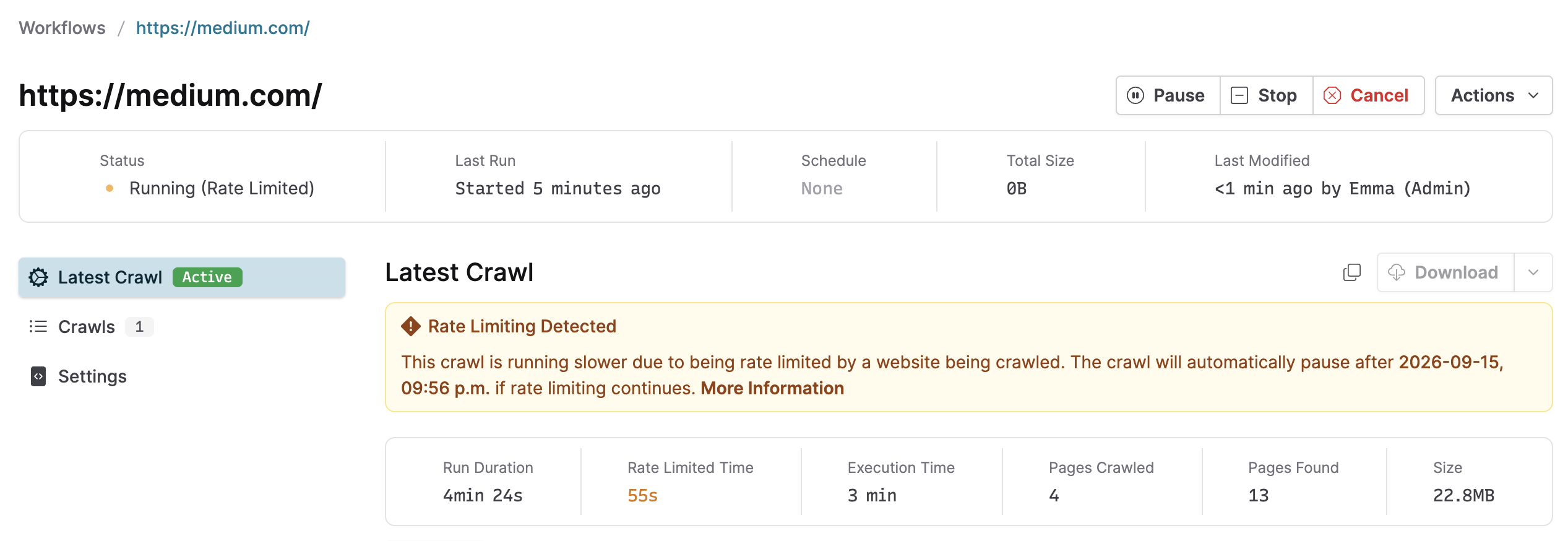
If a crawl is rate-limited for long enough, it will automatically switch to a paused state, allowing the user to decide what to do next. For example, waiting some time and then adding a browser profile or reducing the number of browser windows may help avoid being rate-limited on the site when the crawl is resumed.
When in rate-limited state, we show the amount of time the crawler has been rate-limited, and how much time remains before the crawl will be automatically paused, if still rate-limited.
More info on rate limiting can be found in the user guide.
Shortcut to active crawls
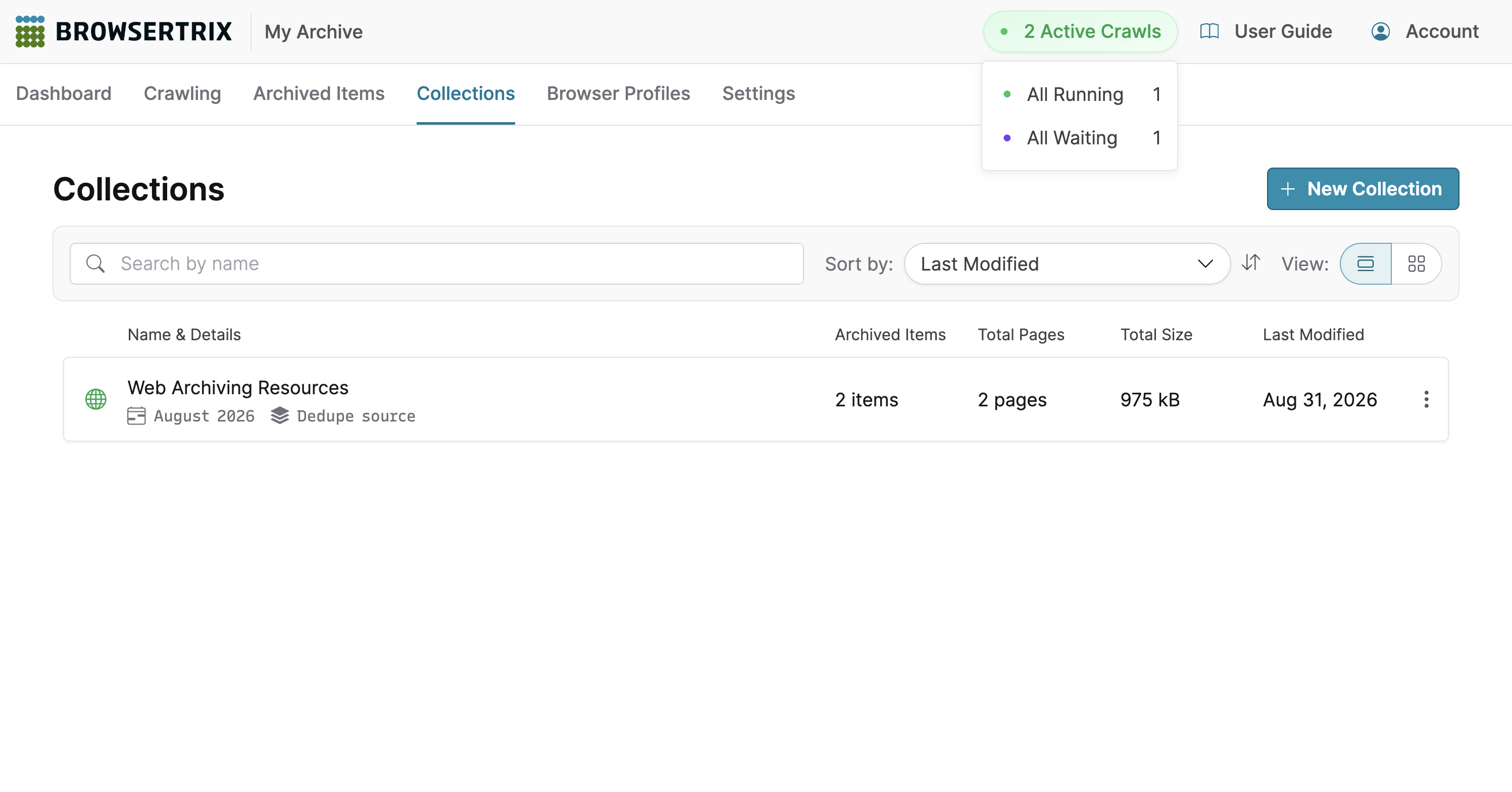
To make it easier to monitor active crawls, we’ve added an indicator to the top of every page that shows the status of currently active crawls. Previously, you had to navigate to the Dashboard or Crawl Runs page to view this information.

If any crawls in your org are active — i.e. visiting pages, waiting to visit pages, or temporarily paused — a button indicating the total number of active crawl runs will appear next to the User Guide button. You can hover or focus on the button to view the breakdown by status. Tapping the button will take you to the Crawl Runs page.
Read more about this feature in our detailed user guide.
Redesigned collection editor & replay
Designing for replay
Styling a web-based viewing tool for web archives is a challenge given the infinite permutations of design elements in archived websites. The interface of the viewing tool (i.e. replay) should appear distinct from the archived pages, so that it’s clear whether you’re interacting with the replay interface or the archived pages. At the same time, the entire replay experience should feel cohesive, engaging, and be in service of the archive’s purpose.
We built ReplayWeb.page, our open source, standalone replay tool, in 2020, four years before we officially launched Browsertrix. Browsertrix is and is built on open source software, so we knew from the start that we would integrate ReplayWeb.page to enable Browsertrix’s archival playback. Over the years, Browsertrix rapidly developed into a comprehensive archiving platform beautifully designed by our in-house design team, and the visual language of ReplayWeb.page started to feel a little… vintage.
With this in mind, we modernized the look of the replay interface so that it meshes seamlessly with Browsertrix and brings the archive itself back into focus. Check it out live with our public archive of webrecorder.net.
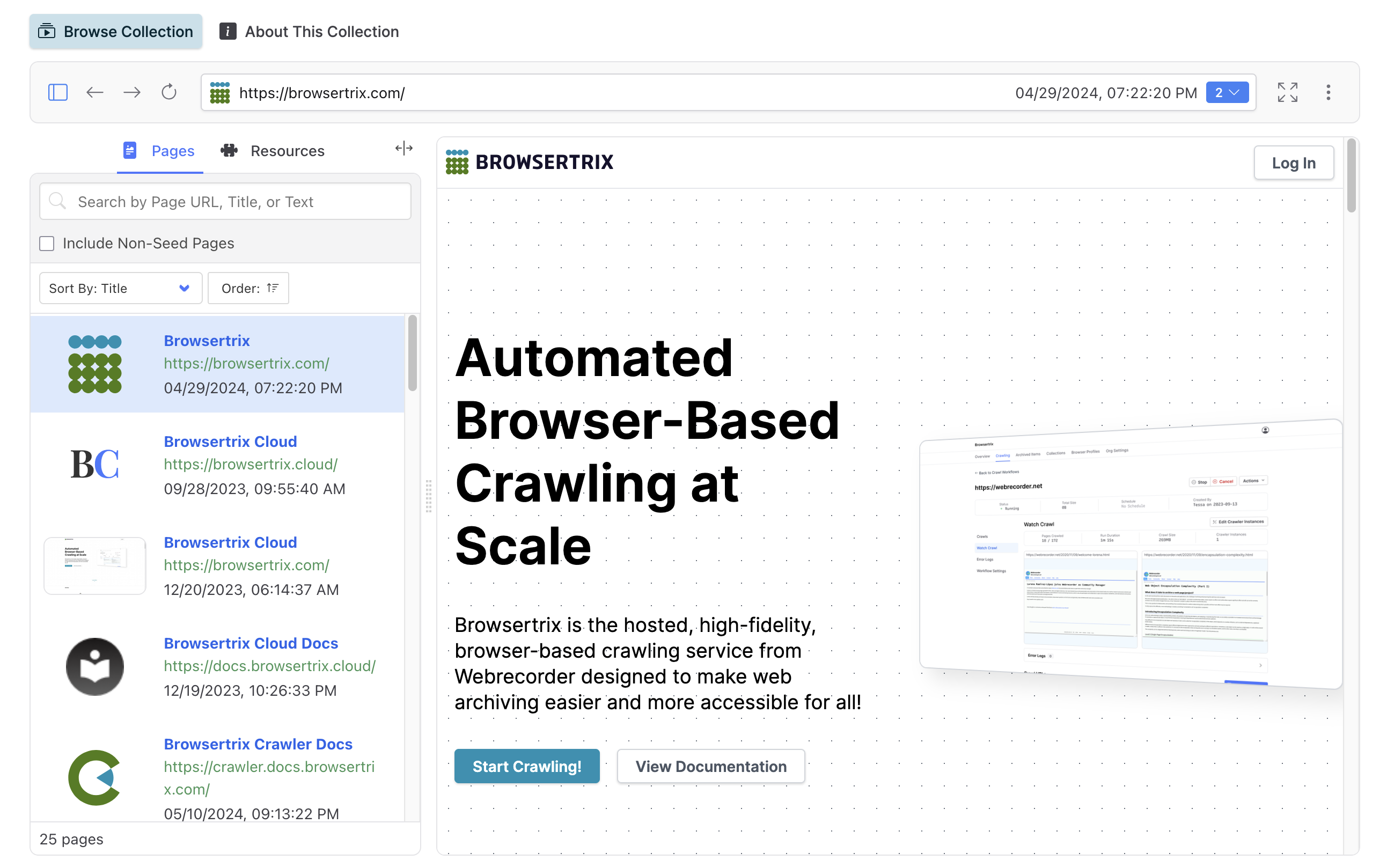
And since the entire Browsertrix stack is open source, you’ll see these exact same customizable design updates in your ReplayWeb.page embeds when you upgrade to the latest version.
More intuitive collection editing
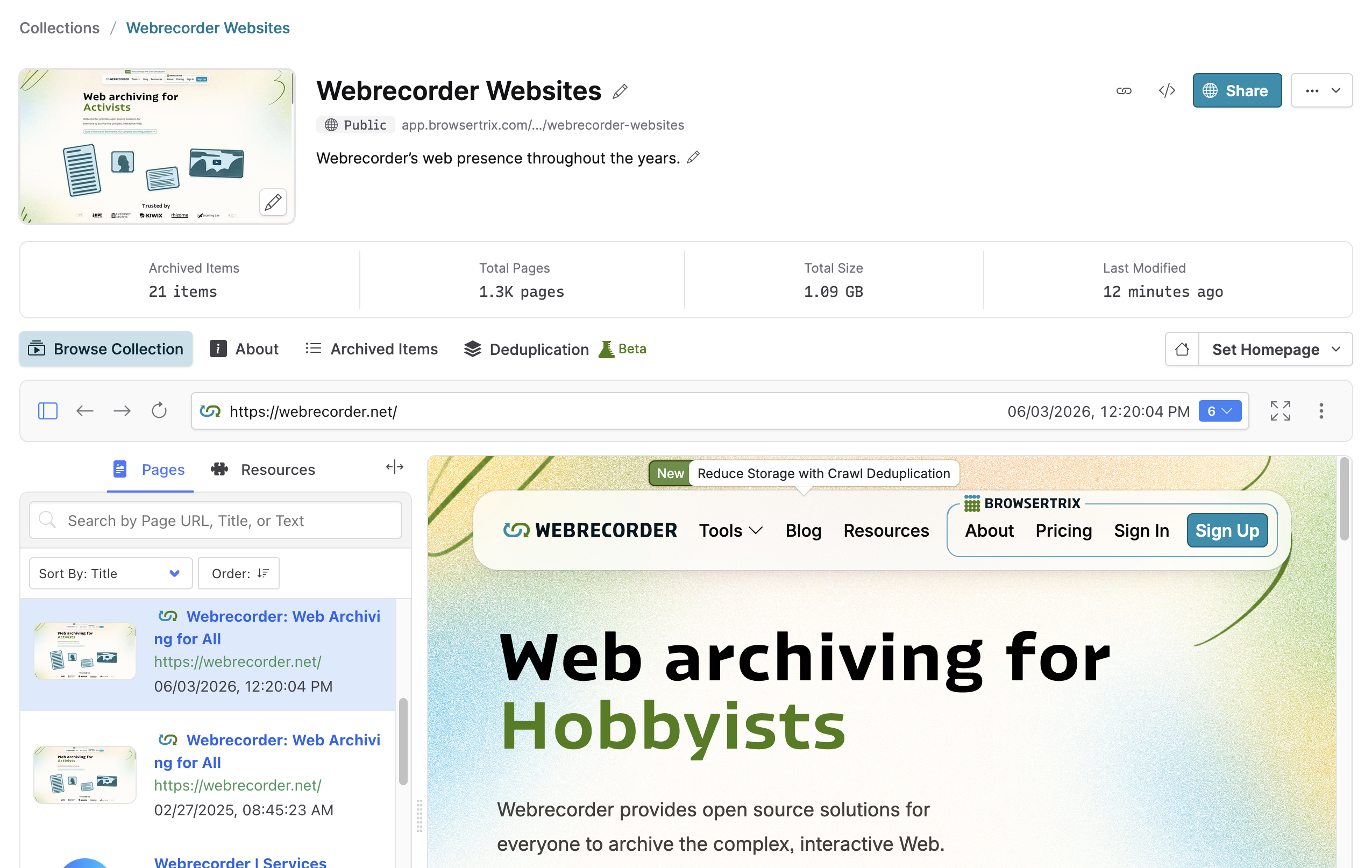
The collection management page also received an upgrade, with simplified access to the thumbnail and home page settings. Previously, you had to navigate back and forth between your collection management page and public page to edit or preview your public collections. Now, your collection name, summary, and thumbnail are editable in-place, making previewing public-facing changes a lot easier.
All these features and more are available in Browsertrix 1.25.